Blog

  • What is crypto day trading and its real risks

    Read this first: how to day trade crypto the safe way

    If you feel a bit scared of day trading crypto, you’re not alone. Prices move fast, news hits overnight, and some coins can jump or crash in minutes. In 2026, crypto is bigger and more active than ever, and experts expect the market to keep growing over the next decade, which pulls in more new traders every day.[^1]

    But here’s the thing: fast markets can be exciting, and also very dangerous.

    This guide is for beginners who want to try day trading crypto the smart way. We’ll keep the language simple and walk through each step slowly. You’ll learn:

    • What crypto day trading and short term crypto trading really mean
    • How to pick a basic, beginner friendly crypto day trading platform
    • Why security and scams matter more than profits at the start
    • How to size trades small, use strong passwords, and protect your keys

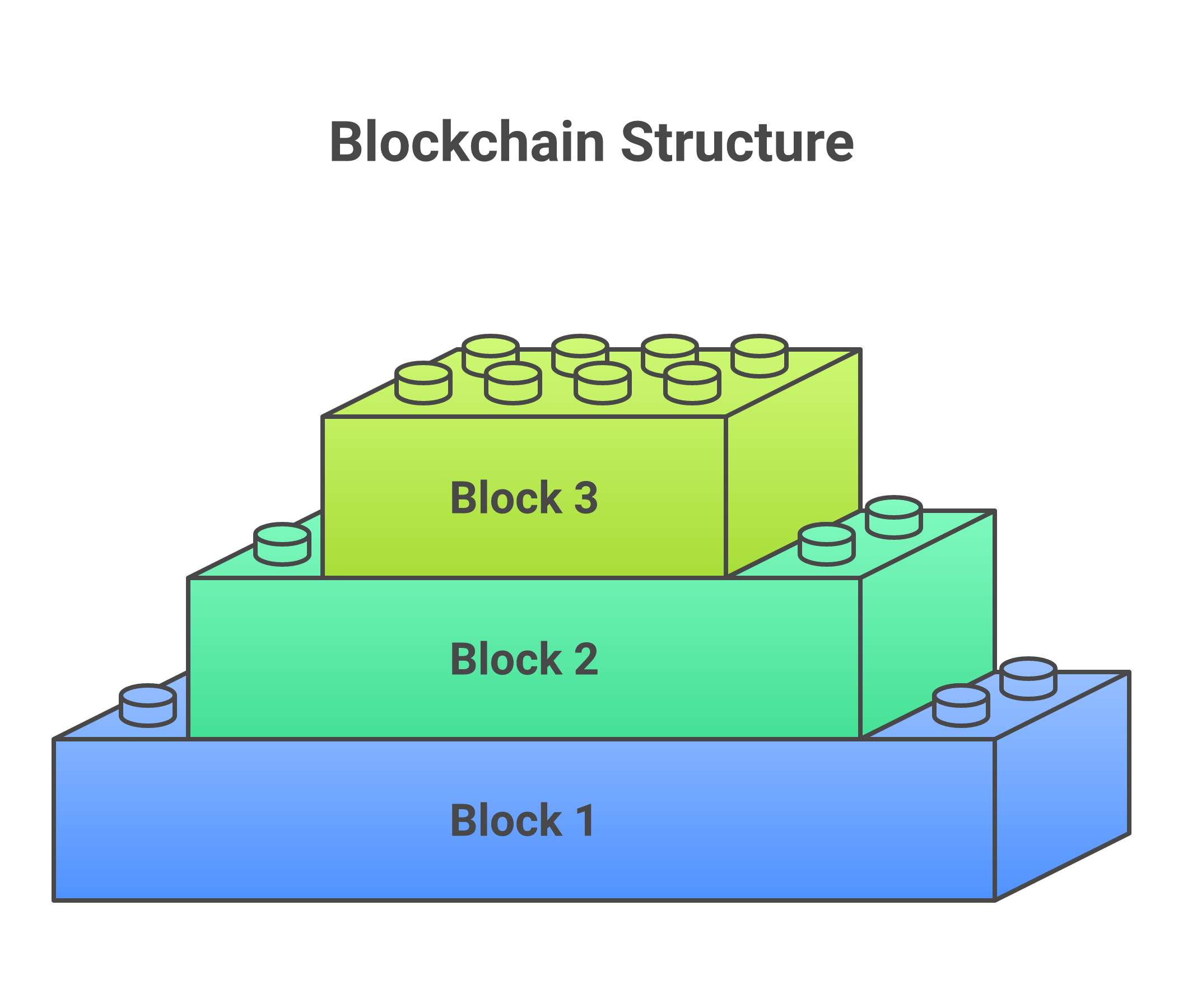
    If you’re not sure how crypto works at all, it can help to first learn what a blockchain is in plain English. That background will make day trading much easier to understand.

    We’ll also touch on memecoin trading, since memes are popular with new traders. Memecoins can move very fast, which means big risk. You’ll see simple rules to avoid common traps, fake coins, and “too good to be true” offers.

    All through this guide, we’ll come back to three things:

    1. Risk management: never risk money you can’t afford to lose
    2. Small sizing: keep your trade size tiny while you learn
    3. Security first: protect your logins, your devices, and your wallets
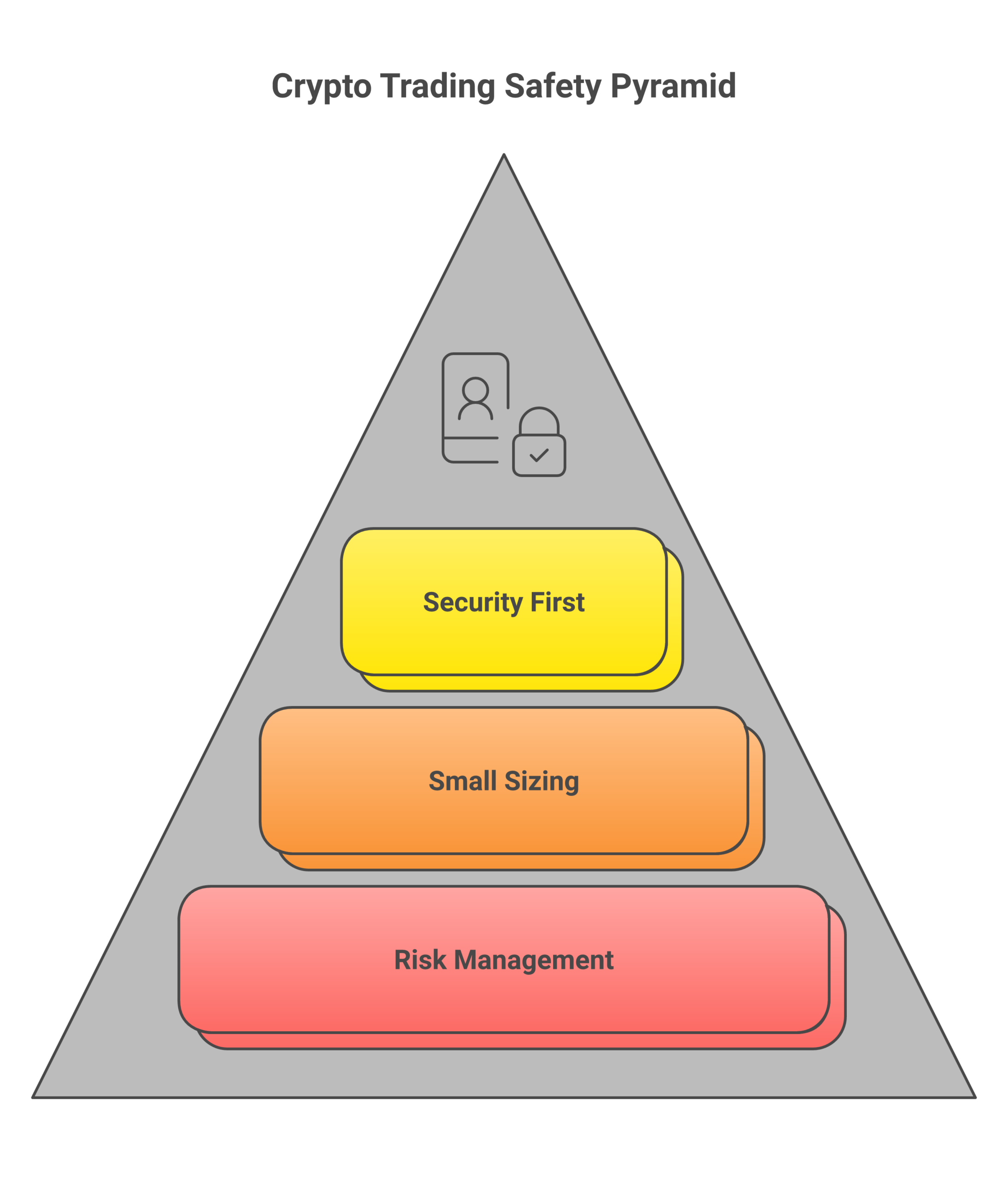
    Successful day trading starts with a foundation of safety. These three principles should guide every decision you make.

    In 2025 and 2026, many countries tightened crypto rules to fight scams and abuse, and that trend is still growing.[^2] That’s good for safety, but it also means you must use real, regulated platforms and follow their checks.

    If you ever feel lost in the jargon, remember you can take a step back and build your base. Bitcoin Walkthrough was built to explain the basics in clear, simple lessons, from how altcoins differ from Bitcoin to how wallets and exchanges work. That way, when you start day trading crypto, you’ll understand what you are actually buying and selling.

    When you’re ready for a more guided path that keeps things slow and safe, you can Sign Up for our beginner friendly program and follow each step at your own pace.


    [^1]: See the recent global cryptocurrency market outlook that shows strong growth into 2026 and beyond at the Business Research Company’s cryptocurrency market report.
    [^2]: For a clear overview of how crypto rules have changed across major countries, see TRM Labs’ Global Crypto Policy Review 2025/26.

    What is crypto day trading? Basics and real risks

    Think about watching a price chart on your phone. The number keeps going up and down all day.

    Day trading requires focus and attention to fast-moving price charts.

    Day trading crypto means you try to buy low and sell high inside that same day, to catch those small, fast moves.

    You open a trade, then close it before the day ends. Sometimes in minutes, sometimes in a few hours. You are not trying to hold for months or years. You are trying to ride short term waves.

    In 2026, crypto prices can still move a lot in a short time, and that high volatility is a big part of why day trading crypto feels exciting and scary at the same time.[^v1]

    How day trading differs from other styles

    It helps to see how crypto day trading is not the same as other ways to trade or invest.
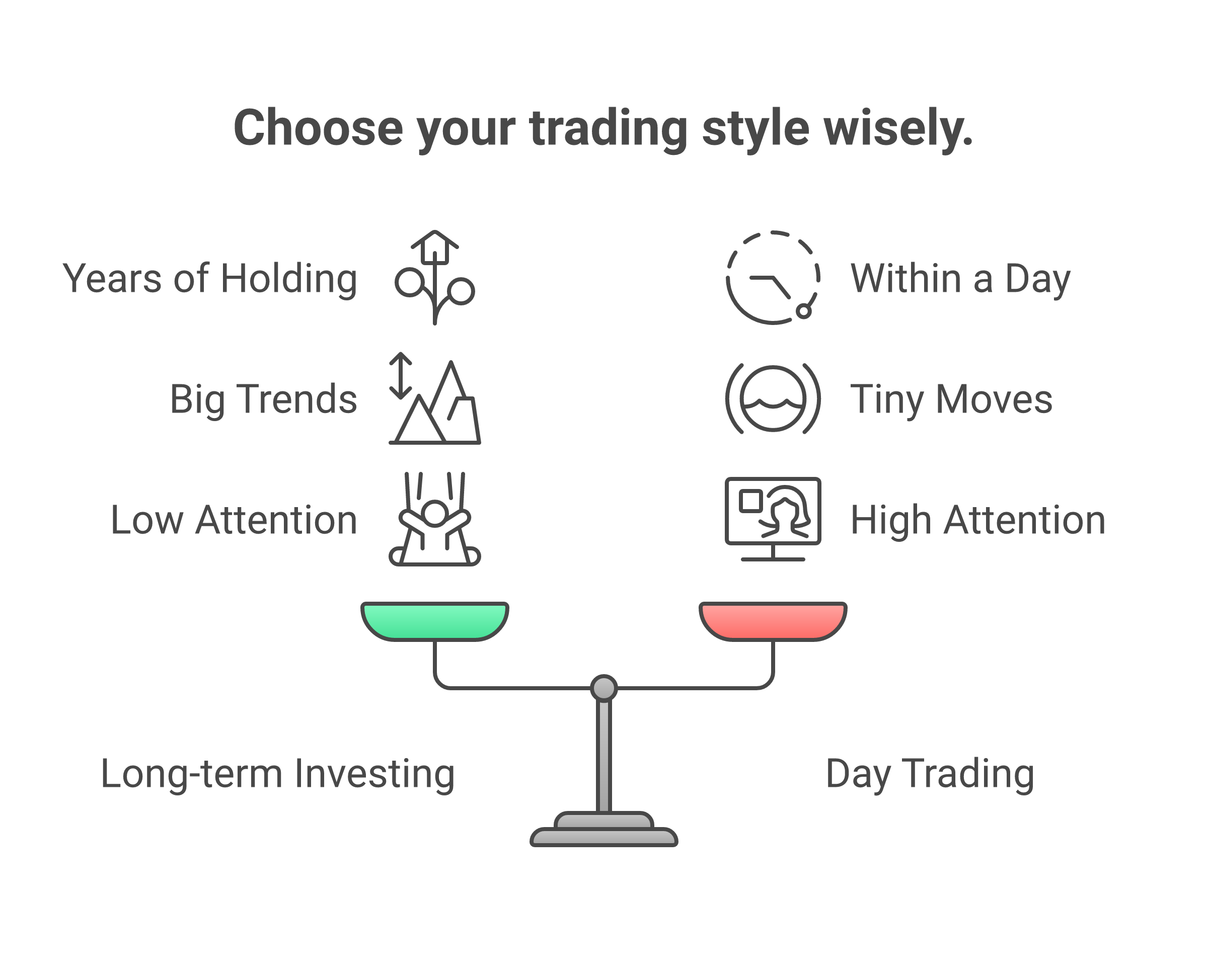
    Day trading is just one approach. Understanding the differences helps you choose the right style for your goals and lifestyle.

    1. Long term investing

    • You buy a coin and plan to hold for years
    • You care about big trends, like how crypto moves into the mainstream
    • You check prices sometimes, not all day

    Many long term investors spend time learning the tech first, like how altcoins differ from Bitcoin, before they think about fast trading.

    2. Swing trading

    • You hold for days or weeks
    • You try to catch a “swing” in price, like a clear move up or down
    • You may ignore tiny moves inside each day

    3. Day trading crypto

    • You open and close trades within the same day
    • You might place many trades in one session
    • You care a lot about fees, speed, and tiny price changes

    Short term crypto trading, like day trading and memecoin trading, is more about quick decisions and strict rules. Long term investing is more about patience and slow growth.

    Where day trades happen: spot, margin, and futures

    On a crypto day trading platform, you will see different markets. The names can feel confusing, so let’s keep them very simple.

    Spot markets

    • You use your own money
    • You buy real coins (like BTC, ETH, or altcoins)
    • You can sell them back later for cash or a stablecoin

    Spot trading is where beginners should start. It is the most basic way to trade. You use what you have, you do not borrow or “boost” your size.

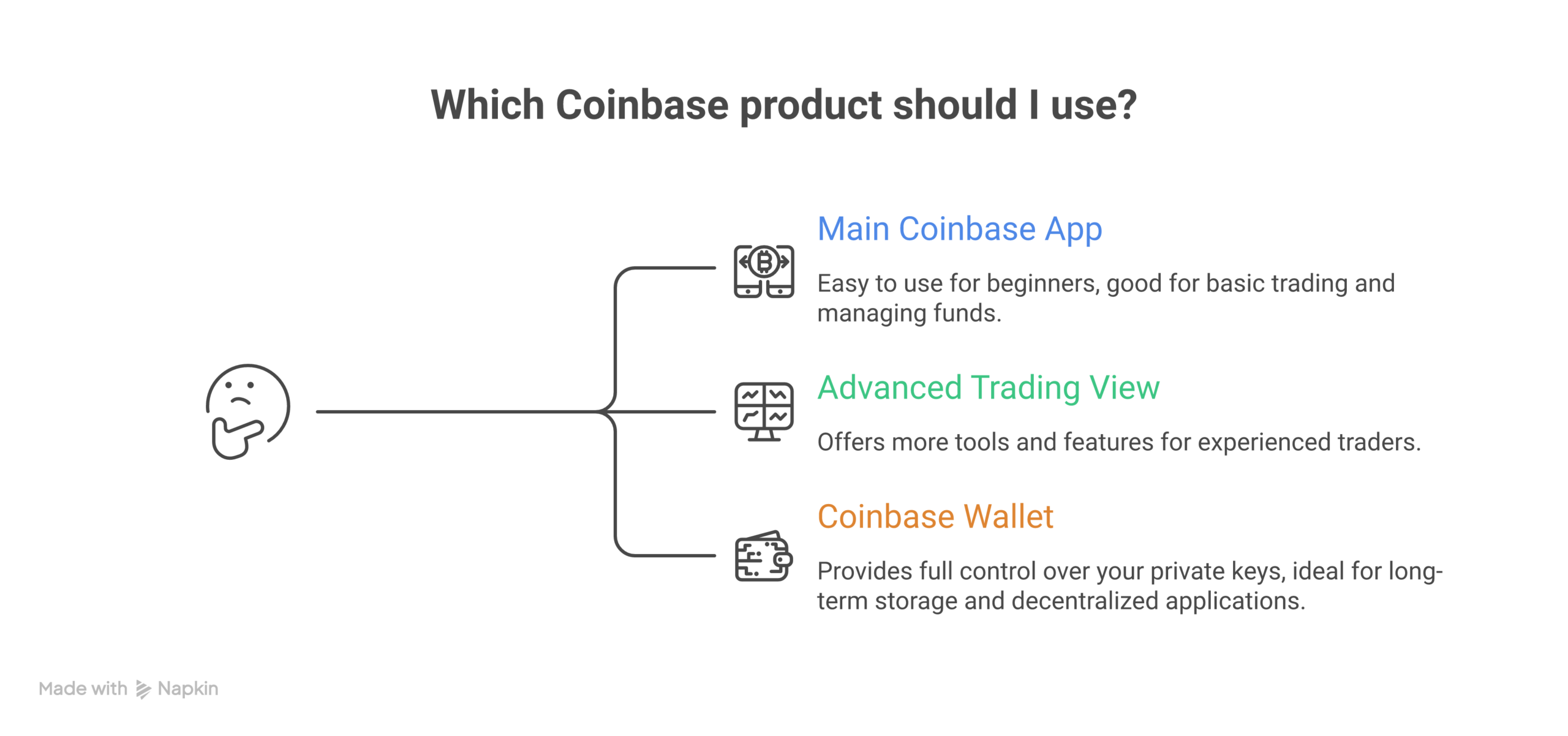
    If you are still learning what exchanges do, it can help to read guides like what Coinbase is and which product beginners should use. That kind of base knowledge makes your first spot trades much safer.

    Margin trading

    • The platform lets you borrow money to make a bigger trade
    • This is called leverage
    • If the price moves against you, you can lose your own money very fast

    Perpetual futures

    • You trade contracts about price, not the coins themselves
    • You can bet on price going up (long) or down (short)
    • Leverage is common here, and risk is very high

    For beginners, margin and perpetual futures are usually a trap. The same leverage that can double a win can also erase your account in minutes if the price swings the wrong way. Even pros get liquidated in wild markets.

    Until you are skilled and calm under pressure, it is safer to avoid leverage completely and stay in simple spot markets.

    Volatility cuts both ways

    Crypto is famous for big moves. In some coins, a 10 percent move in one day is normal. In sharp times, memecoin trading can see swings of 50 percent or more in a few hours.

    That volatility can help you:

    • Catch quick gains on a strong move
    • Get in and out of trades faster than in some stocks or bonds

    But it can also hurt you:

    • Prices can drop hard right after you buy
    • A coin can “pump” then crash before you react
    • News can hit while you are in a trade, and move the whole market

    This double edged nature of volatility is one reason experts still call crypto a high risk asset class, even as it becomes more mainstream.[^v2]

    Why protective orders and small size matter

    Because prices move fast, you need two safety tools in your day trading plan:

    1. Small position size

      • Start tiny, like 1 to 5 percent of the money you set aside for trading
      • A small loss is easy to live with and helps you keep learning
      • If you feel scared to lose the trade, your size is too big
    2. Protective orders

      On most platforms you can set:

      • Stop loss orders to close a trade if the price falls to a level you choose
      • Take profit orders to lock in gains if the price reaches your target

    These tools will not remove risk, but they can stop one bad trade from turning into a huge, account killing loss. They are extra important in short term crypto trading, where you may be placing many trades in one day.

    A quick word on safety before you go deeper

    Day trading crypto is not just about charts. It is also about:

    • Using real, regulated platforms in your country
    • Understanding how your keys work, so you can protect your coins

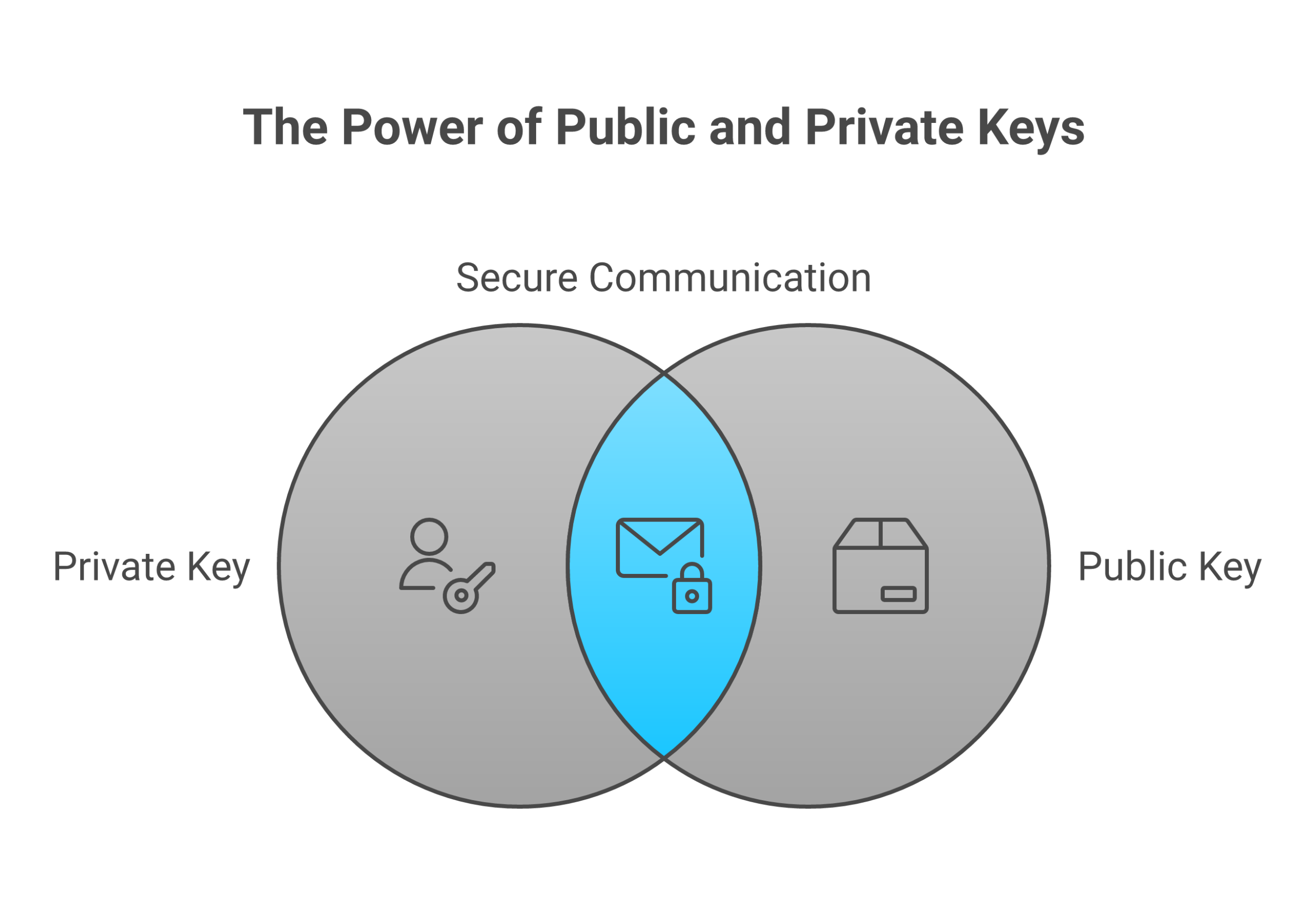
    If you have not yet learned how public and private keys control access to your funds, take a break and read about what private keys and public keys really mean. That single lesson can save you from some of the worst mistakes new traders make.

    If you want a slow, clear path that keeps safety first while you learn all this, you can Sign Up for the Bitcoin Walkthrough beginner program. It walks you step by step from “no clue” to “confident first trades” without rushing you into risky leverage or complex products.


    [^v1]: For example, recent market research shows the crypto market has grown quickly in size, with prices marked by sharp moves and strong volatility as it expands into 2026, as noted in the Business Research Company’s cryptocurrency market report.
    [^v2]: One large asset manager highlighted how heavy price swings and changing market share are still key features of major coins, in its review on how cryptocurrencies break into the mainstream.

    Is day trading right for you? A quick self‑check and safer alternatives

    Picture this. Your phone keeps buzzing. Prices jump. Then drop. Your heart races.

    Some people love that feeling. Some people hate it.

    Before you dive into day trading crypto, take this quick self check.

    1. Time: do you really have enough?

    Day trading is not “set it and forget it.” It needs:

    • Time to watch charts during the day
    • Time to plan trades before you enter
    • Time after, to review what went well and what went wrong

    If you can only look at your phone a few times between school, work, or family, short term crypto trading will feel like a rush and a guess, not a plan.

    In 2026, crypto prices can move fast as the market grows and more money flows in, which makes focus and screen time even more important.The Business Research Company notes that the crypto market is still growing quickly in size and activity.

    Ask yourself:
    “Can I give at least a few calm hours to trading, without hiding at work or rushing at red lights?”

    If the honest answer is no, day trading crypto may not fit your life.

    2. Emotions: can you stay calm?

    Day trading is a stress test for your mind.

    You will see:

    • Fast wins
    • Fast losses
    • Big moves in memecoin trading that can flip in minutes

    You need to be able to:

    • Take a loss without revenge trading
    • Take a win without getting greedy
    • Follow your rules even when you feel fear or FOMO

    Red flag signs:

    • You move your stop loss “just this once”
    • You double your size after a loss to “get it back”
    • You cannot sleep because of an open trade

    If this sounds like you, it is wiser to slow down and learn first. Reading basics like what a blockchain is in plain English can build calm, steady understanding before you add fast trading on top.

    3. Money: can you afford to lose it?

    This part is simple, but hard to accept.

    Only trade with money you can fully lose without:

    • Missing rent
    • Delaying bills
    • Skipping food or medicine

    Day trading is not a fix for debt. It is not a shortcut to pay off loans.

    A good rule many traders use:

    • Start with a small “learning pot”
    • Risk only 1 to 5 percent of that pot per trade
    • Be ready for that whole pot to go to zero while you learn

    If that idea makes you feel sick, then day trading crypto is too risky for your current budget.

    4. Expectations: are you chasing a dream?

    Social media makes it look like everyone is getting rich from crypto day trading. In real life, many active traders lose money, especially when they start. Big players, fast bots, and news you cannot control all affect the market.Large asset managers still warn that heavy volatility and sharp swings are normal in crypto, even as it goes mainstream.

    Healthy expectations look like this:

    • “I want to learn a skill over months and years”
    • “My first goal is not to blow up my account”
    • “Small, steady growth is fine”

    Unhealthy expectations sound like:

    • “I will quit my job this year from day trading”
    • “One big win will change my life”
    • “I will 10x my money in a month”

    If your hopes are closer to the second list, pause. Reset. Day trading works better when you think like a student, not like a lottery player.

    Safer alternatives if day trading feels too intense

    If this self check shows that crypto day trading is not a good fit right now, that is okay. You still have smart ways to be in crypto.

    1. Learn the basics first

    Before you risk money in a crypto day trading platform, build a strong base:

    • Understand what Bitcoin is and how it works
    • Learn how transactions show up in a Bitcoin block explorer
    • Know how wallets, public keys, and private keys keep your coins safe

    This kind of slow, clear learning makes every future choice safer, whether you choose day trading or long term investing later.

    2. Dollar cost averaging and long term holding

    If fast intraday moves feel too stressful, you can:

    • Buy a small fixed amount of Bitcoin or a major coin on a set schedule
    • Hold for years, not hours
    • Ignore tiny daily swings and focus on big trends

    This is called dollar cost averaging. It is simple, and it removes the need to “time the market” each day.

    Long term investors often spend more time learning things like how altcoins differ from Bitcoin instead of staring at 1 minute charts. That slower path can still benefit from the overall growth of crypto without the stress of day trades.

    3. Practice with paper trading

    If you still feel curious about day trading crypto, start with paper trading:

    • You “trade” with fake money
    • You use real charts, real prices, real rules
    • You track wins and losses in a notebook or app

    Paper trading lets you:

    • Test your strategy
    • See how often you follow your own rules
    • Feel how fast markets move, without risking rent money

    Treat it like real money. Only then will you see if your plan and your emotions are ready for live short term crypto trading.

    If you want a safer way to start

    If this self check showed that you need more base knowledge before real trades, you do not have to figure it out alone. Bitcoin Walkthrough was built for total beginners who feel lost in crypto talk. It walks you through key ideas like exchanges, wallets, and safety, step by step, in clear language.

    If you want a calm, guided way to get ready for any kind of crypto activity, from long term holding to careful trading, you can Sign Up for the Bitcoin Walkthrough beginner program and start building real skills before you risk real money.

    How to choose a reputable crypto exchange for day trading (2026)

    If you want to try day trading crypto, your exchange is your “home base.”

    Pick a bad one, and even a good trade can end in a mess. Pick a strong one, and short term crypto trading gets a lot safer and smoother.

    Let’s walk through what to look for in 2026, step by step.


    1. Safety first: how to check if an exchange is serious

    In 2026, rules for crypto are getting tighter in many places. Governments are pushing exchanges to get clear licenses and follow real money laws, not just “move fast and break things.” Guides for crypto businesses now talk about money service licenses, state money transmitter rules, and other strict checks for firms that touch customer funds.A detailed 2026 overview of U.S. blockchain and cryptocurrency laws shows how closely regulators now watch trading platforms.

    You are not a lawyer, and you do not need to be. Here is what you can do in plain language.

    Look for:

    • Licensing or registration in your region
      Go to the exchange website and scroll to the footer.
      Things to check:

      • Do they name the company behind the brand?
      • Do they list licenses, such as “registered as a virtual asset service provider” or “money services business”?
      • Can you find that company in your local regulator’s public list?

      If they hide where they are based, or give only a P.O. box, that is a warning sign.

    • Proof of reserves reports
      Many safer exchanges now publish “proof of reserves.” This is a way to show that they hold enough coins to cover user balances.
      Look for:

      • A clear “Proof of Reserves” or “Asset Transparency” page
      • Simple charts that show how much Bitcoin and other coins they hold
      • An outside auditor or firm that checks the numbers

      If they never talk about reserves at all, be extra careful.

    • Strong security measures
      Good exchanges usually offer:

      • Two factor login (for example, app based codes)
      • Email alerts for new devices or withdrawals
      • The option to whitelist withdrawal addresses
      • Info about how much they keep in offline “cold storage”

      If you do not yet feel clear on how keys and wallets work, take time to learn what private keys and public keys really mean before you keep large amounts on any exchange.

    • Transparent incident reporting
      No system is perfect. What matters is how they act when something goes wrong.
      Search the exchange name plus words like “hack” or “outage.” Then ask:

      • Did they post open updates to users?
      • Did they explain what happened and how they fixed it?
      • Did they change any rules or tools after the issue?

    If you feel lost or see only hype and memes, do not send money there. Safety comes first, especially if you plan fast crypto day trading with real funds.


    2. Practical features that help beginners day trade

    Once a platform passes your basic safety test, look at how it will feel to use every day. For day trading crypto, small frictions add up. You want tools that are simple, clear, and stable.

    Key things to check:

    • Clear fee schedule
      Day traders pay many small fees, so costs matter.
      Make sure:

      • There is an easy to read fee page
      • It explains maker and taker fees in simple numbers
      • It lists deposit and withdrawal fees for both fiat and crypto

      If you cannot figure out what you will pay per trade, that is a problem.

    • Deep liquidity in major pairs
      For short term crypto trading, especially in big coins, you want enough buyers and sellers. This keeps spreads tight and helps orders fill near your target price.
      Look at:

      • Trading volume for pairs like BTC/USD, BTC/USDT, and ETH/USDT
      • Order book depth for the coins you plan to trade

      For memecoin trading, understand that liquidity can vanish fast. Even on a solid crypto day trading platform, small meme coins can move in wild jumps, so always size trades small.

    • Reliable mobile and desktop apps
      Since prices can change in seconds, your app cannot freeze all the time.
      Before you fund your account:

      • Install the mobile app and click around
      • Try the web or desktop version on your main computer
      • Check app store reviews for recent comments on bugs or outages
    • Simple, clear order tickets
      As a beginner, you want orders that are easy to understand. Look for:

      • Clear options for market, limit, and stop orders
      • A preview screen that shows your total cost and fees
      • Simple ways to set stop loss and take profit in one place

      If the order screen confuses you, it will be even worse when you feel stress in a live trade.

    • Responsive customer support
      When money is stuck in a deposit or a withdrawal is slow, you do not want silence.
      Check:

      • Do they offer live chat or only email?
      • Is support 24/7 or only some hours?
      • How fast do they reply to test questions before you send large amounts?

    If all of this still feels like a lot to judge on your own, a guided course like Bitcoin Walkthrough can help you understand what Coinbase is and which product beginners should use, so you see real examples of how a large exchange works.


    3. Operational basics: will this exchange fit your daily flow?

    You can pick a safe and easy platform yet still struggle if it does not match your money life. Think about how you will move funds in and out during normal days.

    Funding and withdrawals

    Ask yourself:

    • Can you deposit with your main bank, card, or local payment method?
    • Are there clear withdrawal limits for both fiat and crypto?
    • Do those limits match your planned trade size, or will you feel stuck?

    Small daily traders might be fine with low limits. If you plan to move larger sums over time, higher limits and fast processing matter.

    Assets you can actually trade

    Not all exchanges list the same coins. Check:

    • Does the platform support the main coins you want for crypto day trading, like BTC and ETH?
    • If you like altcoins and memecoins, which ones are listed, and how active are their markets?

    It can help to review how altcoins differ from Bitcoin before you jump into thin markets that swing wildly.

    Order types that match your plan

    Even simple day trading plans need certain order types. At minimum, a serious exchange for day trading crypto should support:

    • Market orders, to enter or exit fast
    • Limit orders, to set your own price
    • Stop loss orders, to cap your risk

    As you grow, you might want advanced tools like OCO (one cancels the other) or trailing stops, but you can start with the basics. Just make sure the platform offers what your written plan uses.


    4. Putting it together without feeling overwhelmed

    It is normal to feel unsure at this point. You are trying to:

    • Understand rules and licenses
    • Judge safety and reserves
    • Compare fees, apps, and liquidity
    • Check coins, limits, and order types

    You do not have to master all of this in a weekend.

    If you want calm, step by step help choosing your first exchange and learning how to use it safely, you can join the Bitcoin Walkthrough beginner program. It walks you through accounts, wallets, and first trades in plain English, so you are not guessing with real money.

    When you feel ready to learn with support, you can Sign Up and start building smart habits before you place your first crypto day trade.

    Account setup step by step: KYC, 2FA, funding, and withdrawal allowlists

    Once you pick a crypto day trading platform, your next job is to set it up safely. Take this slow.
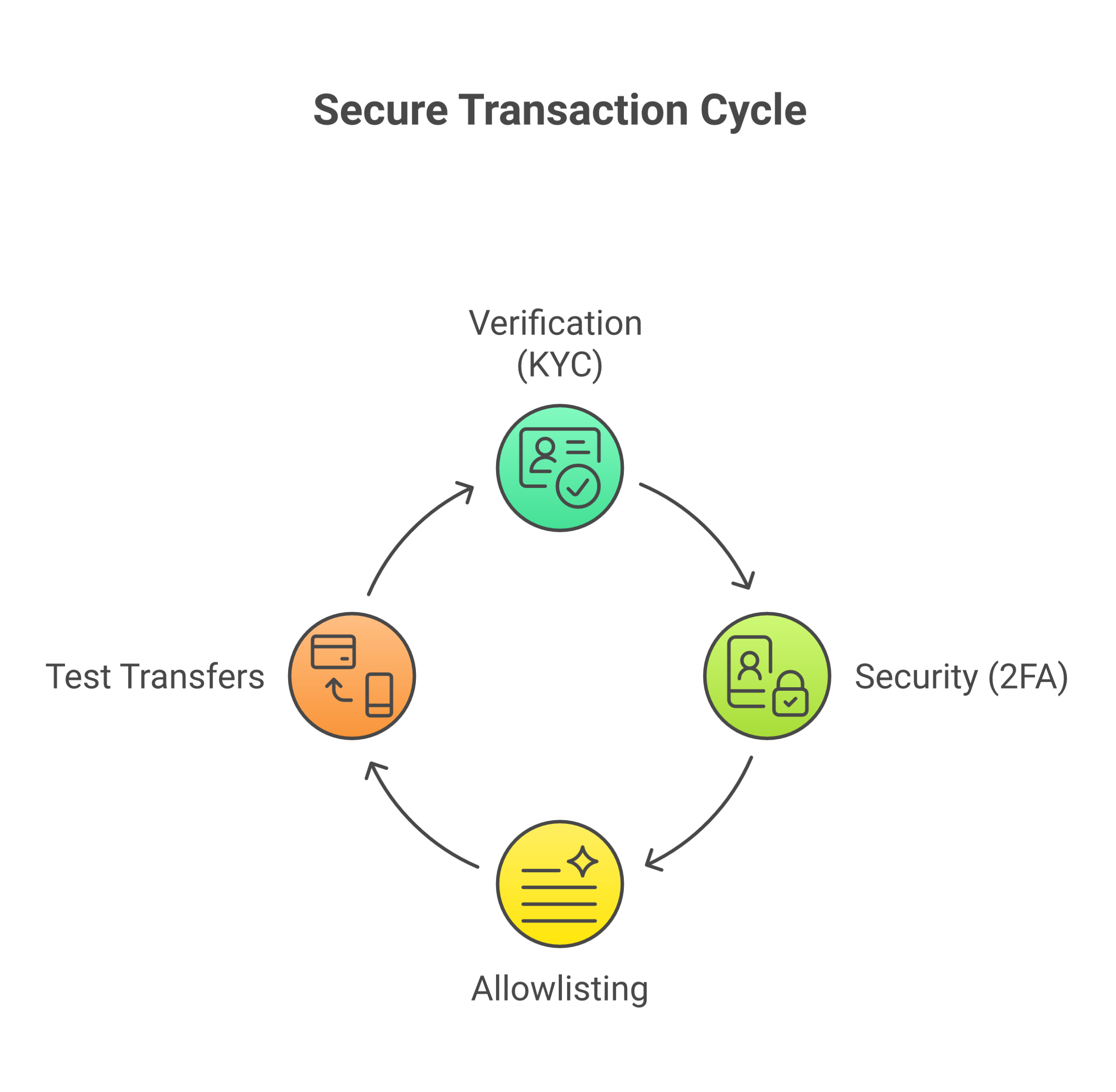
    Setting up your account correctly is a critical first step. Follow these security measures before funding your account.

    A few careful steps now can save you from big pain later.

    Regulators in 2026 push exchanges to follow strict “know your customer” rules and other money laws, so real platforms will ask for ID checks before you trade or move funds.Modern crypto licensing guides explain how serious KYC and compliance checks are for any legal exchange.

    1. Verification (KYC): lock down your account first

    Before you send even one dollar:

    • Secure your email

      • Turn on strong passwords, not reused ones
      • Add two step login to your email if you can
    • Secure your phone

      • Use a screen lock
      • Turn off easy SIM swaps with your phone company if that is an option
    • Complete KYC on the exchange

      • Fill in your real name, address, and date of birth
      • Upload clear photos of your ID and, if asked, a selfie
      • Wait for approval before you send money

    If you ever feel unsure why these checks matter, learning what a blockchain is in plain English can help you see why regulators care so much about tracking money flows.

    2. Security musts: 2FA, apps, and withdrawal allowlists

    For day trading crypto, your login and withdrawals are your “front door.”

    Do this next:

    • Turn on app based 2FA

      • Use an authenticator app, not just SMS
      • Write down backup codes and store them offline
    • Consider a hardware security key

      • If your exchange supports it, this adds an extra physical step
      • Keep the key in a safe place, not on your main keychain
    • Check your app downloads

      • Only install apps from the official site link
      • Double check the logo, name, and reviews
      • Avoid search ads that may be fake copies
    • Set a withdrawal allowlist

      • Add only your own wallet addresses
      • Turn on the rule that blocks sends to new addresses for a set time
      • Use email or 2FA approval for any changes

    To understand why these steps matter so much, it helps to learn what private keys and public keys really mean so you see how a stolen key can empty an account.

    3. Funding smartly: test deposits and test withdrawals

    Now you are ready to move a small amount. Not your full stack.

    • Start tiny

      • Send a small amount of fiat or crypto first
      • Wait until it fully lands and shows as “available”
    • Do a small test trade

      • Buy a little BTC or ETH
      • Watch how fees and fills work for short term crypto trading
    • Do a small test withdrawal

      • Copy your wallet address carefully
      • Send a small test amount out of the exchange
      • Confirm it arrives in your wallet

    If you want extra comfort before moving larger sums for crypto day trading or even memecoin trading, Bitcoin Walkthrough’s beginner program shows these steps on real screens and explains how to double check things like addresses and explorers. When you are ready to learn this with calm, clear guidance, you can Sign Up and practice with small, safe amounts before scaling up your day trading crypto size.

    Order types and tools you’ll actually use: market, limit, stop, and OCO

    You picked a crypto day trading platform and set it up safely. Now comes the part that can feel scary. Pushing the “buy” and “sell” buttons.

    If you do not understand order types, day trading crypto can feel random. Prices move fast, and one wrong click can give you a bad fill or a big loss. Let’s keep it simple and stick to the core tools you’ll actually use.

    Market vs. limit: how you really get filled

    Most of your crypto day trading will start with just two buttons:

    • Market order
    • Limit order

    They sound small, but they control how you enter and exit a trade.

    Modern guides on common crypto order types explain that market and limit orders are the base that everything else builds on.

    Market order: “get me in or out now”

    A market order tells the exchange:

    “Fill my order right now at the best price you can find.”

    • It fills fast
    • You accept whatever price the market has at that second
    • You can get slippage, which means you pay a bit more or sell a bit lower than the last price you saw

    Market orders can make sense when:

    • The amount is small
    • The coin is very liquid (like BTC or ETH)
    • You just want to exit quickly, for example if a memecoin trade is going against you

    For short term crypto trading, use market orders only when speed matters more than exact price.

    Limit order: “only at this price or better”

    A limit order tells the exchange:

    “Fill my order only if you can give me this price or better.”

    You choose a limit price. The order:

    • May sit in the order book until the market reaches your price
    • Gives you better control over slippage
    • Can fail to fill if the price never reaches your level

    Limit orders fit well when:

    • You have a clear entry price
    • You are not in a rush
    • You are trading coins that move fast, like altcoins or memecoins

    If you are still learning how crypto prices move, it can help to step back and read about what altcoins are and how they differ from Bitcoin. This makes it easier to see why some coins need stricter limit use than others.

    Protective orders: stop, stop limit, and OCO

    Market and limit are how you enter. Stops and OCO are how you protect yourself when day trading crypto.

    A detailed guide on trading order types lists market, limit, stop loss, stop limit, trailing stop, and one cancels the other as the core tools. You do not need them all at once, but you must know the basics.

    Stop loss: cut the loss fast

    A stop loss is an order that triggers if price hits a level you pick.

    Simple version:

    • You are long (you bought a coin)
    • You set a stop below your entry
    • If price falls to that level, your stop sends a market order to exit

    This helps you avoid “I will just wait, maybe it bounces” thinking.

    Stop limit: more control, more risk

    A stop limit order is a bit stricter:

    • You choose a stop price that triggers the order
    • You choose a limit price where you are willing to sell or buy

    When the stop hits, the system places a limit order, not a market order. This gives you more control over price, but in a very fast drop your limit might not fill at all. For new traders, that extra risk can be tricky. Many beginners are better starting with simple stop loss orders, then moving to stop limit once they understand how fills work in real time.

    To see how stops fit into fast markets like futures or leverage trading, you can read about how market, limit, and stop orders shape your strategy.

    OCO: one order cancels the other

    OCO means one cancels the other.

    It links two orders:

    • A take profit order above price
    • A stop loss order below price

    When one fills, the other one cancels. This helps you:

    • Lock in a target
    • Protect your downside
    • Avoid babysitting every single crypto day trading position

    Example:

    • You buy at 100
    • You set a take profit limit at 110
    • You set a stop loss at 95
    • If price hits 110, you exit with profit and the stop at 95 is canceled
    • If price drops to 95, the stop hits and the 110 target is canceled

    For busy people, OCO can be a lifesaver, since it automates exits while you work or sleep.

    Core screen tools: reading the flow, not telling the future

    Order types tell the system what to do. Screen tools help you decide when to do it.

    You will see many fancy widgets, but for simple crypto day trading and memecoin trading, you mostly need:

    • Order book
    • Depth chart
    • Time and sales
    • A few basic indicators

    Traders in both stocks and crypto use these tools to match order types to the market they are in, for example by choosing speed or price control based on conditions.Order type guides for stocks and ETFs show that this tradeoff is the same across markets.

    Order book

    The order book shows all open limit orders:

    • Bids (people willing to buy, with their prices and sizes)
    • Asks (people willing to sell, with their prices and sizes)

    You can use it to:

    • Avoid placing a big market order into a thin book
    • Pick limit prices near strong clusters of bids or asks

    Depth chart

    The depth chart turns the book into a picture.

    • One curve for buy orders
    • One curve for sell orders

    It helps you see where large walls of orders sit. If a price level has a big buy wall, you might place your limit just above it if you want to get filled before others.

    Time and sales

    This stream shows actual trades that just happened:

    • Price
    • Size
    • Time

    You can glance here to see if the current flow is mostly buying or selling. It is not magic. It just gives you a feel for speed and pressure.

    Basic indicators

    For beginners, keep indicators very light, for example:

    • Simple moving averages
    • Volume bars
    • Maybe one momentum tool like RSI

    Use them for context, not for prediction. They are just helpers, not fortune tellers.

    If this still feels like a lot, that is normal. Many complete beginners like to learn on guided videos and checklists first, then try real orders with tiny size. Bitcoin Walkthrough is built exactly for that style. You can walk through real screens, practice market and limit orders, and see how block explorers confirm your trades. When you want that kind of calm, step by step support, you can Sign Up and learn the skills you need before you scale up any day trading crypto plan.

    Beginner-friendly day trading setups (with rules you can practice)

    You now know how to place market, limit, and stop orders. The next step in day trading crypto is to give those orders a simple plan.

    Not a fancy system. Just a few clear setups with rules you can repeat.

    In 2026, most active traders still build around basic order types like market, limit, and stop loss, then add rules that fit different market conditions, such as breakouts or pullbacks.Modern guides to trading order types show that these simple tools are still the core.

    We will walk through two starter setups and clear times when you should not trade at all.


    Setup 1: Breakout basics you can see with your eyes

    A breakout trade is when price moves out of a clear “box” it sat in for a while.

    Think:

    • Price moves up and down in a tight range
    • You draw a simple top line and bottom line
    • When price breaks the top, you look to buy

    This can work for both Bitcoin and altcoins, and even for memecoin trading, as long as the chart is not just random spikes. If you are not sure how different coins move, it helps to review what altcoins are and how they differ from Bitcoin. Coins that move faster often need tighter rules.

    Here is a simple breakout plan you can practice.

    Step 1: Trade only clear consolidations

    Skip messy charts. You want:

    • At least 3 bounces off the top line
    • At least 3 bounces off the bottom line
    • Candles mostly inside one tight zone

    If you have to “guess” where the box is, skip it. Clear or nothing.

    Step 2: Define your entry and invalidation

    Before you press buy, write down:

    • Entry

      • Buy only if price closes above the top of the box
      • Use a limit order a tiny bit above the breakout level so you do not chase too high
    • Invalidation

      • Your trade idea is “wrong” if price falls back into the box and stays there
      • Set your stop loss just inside the box, not right on the top line, to allow normal noise

    This keeps you from moving your stop “just this once”.

    Step 3: Pre-set your stop and target

    Most new traders get hurt when they enter first, then “think about” exits later. Do the reverse.

    Before entry, decide:

    • Stop loss

      • Set with a stop market order so you are sure you get out if the breakout fails
      • For example, 1 to 2 percent inside the box
    • Take profit

      • Aim for at least 2 times your risk
      • If risk is 1 percent, target at least 2 percent gain

    You can use an OCO order to place both stop and target at once so one cancels when the other hits. Many modern platforms let you build this with the same basic order tools you already know.Beginner guides to common crypto order types show how market, limit, and stop can mix to form these simple plans.


    Setup 2: “Mean reversion lite” inside a calm range

    Now let us flip the idea.

    Instead of trading the breakout out of the box, you trade inside the box. You buy near the bottom and sell near the top. This style is called mean reversion in simple form.

    For beginners, keep this version very light and simple.

    Step 1: Use known ranges, not random swings

    Pick coins that:

    • Have a clear top and bottom from recent days
    • Are not in the middle of a huge news spike
    • Show steady back and forth moves inside the range

    Draw your top and bottom lines. If price is in the middle of the box, you do nothing.

    Step 2: Wait for overextension into the edges

    You only trade when price stretches into the outer part of the range:

    • Near the bottom

      • Look for price to dip close to the lower line
      • You plan to buy, expecting price to move back toward the middle of the box
    • Near the top

      • Look for price to rise close to the upper line
      • You plan to sell if you already hold, or even short if your plan and platform allow it

    Again, if price is in the middle, you sit on your hands.

    Step 3: Make volatility match your plan

    Your risk should feel boring, not scary.

    • Use smaller size on wild coins, such as thin memecoins
    • Use wider stops only if your account can handle that risk
    • Skip a coin completely if one candle can wipe out your planned stop

    In 2026, many traders use simple rule based tools and even basic algorithmic orders to help keep execution steady,modern overviews of algorithmic orders explain that even bots still follow clear rules about range, volatility, and risk. You are doing the same thing here, just by hand.

    A basic mean reversion plan might look like this:

    • Buy near the bottom of the box
    • Stop loss a bit below the box
    • Take profit in the middle or near the top of the box

    Again, pre set both stop and target before you enter the trade.


    When you should not trade at all

    Good crypto day trading is not only about entries. It is also about knowing when not to click.

    Here are simple times to stay flat.

    1. Major news or events

    Skip trading right before or right after:

    • Big economic news
    • Major exchange listings or delistings
    • Big legal or policy updates for crypto

    Volatility can jump fast, spreads can widen, and your stops can slip. Professional traders accept this, since order types are just tools that behave differently in fast markets and calm markets.Guides on how order types respond in different conditions show that speed and price control always trade off.

    2. Thin liquidity

    Avoid coins where:

    • The order book has big gaps between prices
    • Your normal position size would eat through the book
    • One market order moves the price a lot

    This is very common in small memecoins. Thin liquidity can turn even a small market order into a big loss.

    3. Choppy, “no edge” ranges

    If the chart:

    • Has no clean trend
    • Has no clear range
    • Shows sharp wicks both up and down

    Then your edge is not clear. You are just guessing. Close the chart and come back later.


    How to practice these setups safely

    You do not need to risk much to learn how day trading crypto works.

    You can:

    • Use tiny size on a live account
    • Save screenshots of each trade with entry, stop, and target
    • Review at the end of the week to see if you followed your rules

    If the basics of Bitcoin, wallets, and block explorers still feel fuzzy, it is smart to fix that first so you understand what you are really trading. Bitcoin Walkthrough has step by step guides on things like what private keys and public keys really mean and how to handle the practical side without fear.

    If you want a calm, structured path instead of guessing on YouTube, you can use Bitcoin Walkthrough’s guided program to learn the essentials and then layer simple trading setups on top. When you are ready to start that step by step journey, you can Sign Up and move through each lesson at your own pace, before you put real money at risk with any day trading crypto plan.

    Risk management 101: stop losses, position sizing, and risk / reward

    When people think about day trading crypto, they often dream about gains. The quiet truth is that risk management is what keeps you in the game long enough to learn.

    In 2026, crypto is bigger and more accepted, but it is still very volatile.Recent market reports show fast growth and sharp price swings. That is why risk rules matter more than your next hot memecoin trading idea.

    Let us keep this simple.


    1. Stop losses: where your idea is wrong

    A stop loss is a line in the sand.

    It is not where you hope price will bounce. It is where your trade idea is clearly wrong.

    For each trade:

    • Ask, “Where does this setup stop making sense?”
    • Put your stop beyond that level, not right on it
    • For breakouts, that might be back inside the box
    • For mean reversion, that might be outside the range

    If price hits that stop, you exit. No debate. No “just this once.”

    Stops protect your trading capital so one bad move does not ruin your whole account.


    2. Position sizing: how big is “safe enough”

    Position size is how much you buy or sell on a trade.

    Two traders can use the same setup, but if one risks half their account and the other risks 1 percent, their futures look very different.

    A simple rule for short term crypto trading:

    • Pick a small risk per trade, like 0.5 to 1 percent of your account
    • Measure the distance from your entry to your stop loss
    • Adjust your position size so that if the stop hits, you only lose that small percent

    Wild coins, like some altcoins that move faster than Bitcoin, may need smaller position size. If you are not sure how different coins move yet, review what altcoins are and how they differ from Bitcoin so you do not size a memecoin like a slow blue chip.


    3. Risk / reward: think in bets, not predictions

    You cannot control where price goes. You can control what you do if it gets there.

    Risk / reward (R:R) means:

    • Your risk is the amount from entry to stop
    • Your reward is the amount from entry to target
    • You want trades where reward is bigger than risk

    For example:

    • Risk 1 percent of your account
    • Aim for at least 2 percent gain
    • That is a 2 to 1 R:R

    If your setups often give you 2 to 1 or better, you can be wrong many times and still come out ahead, as long as you keep your risk per trade small and steady.
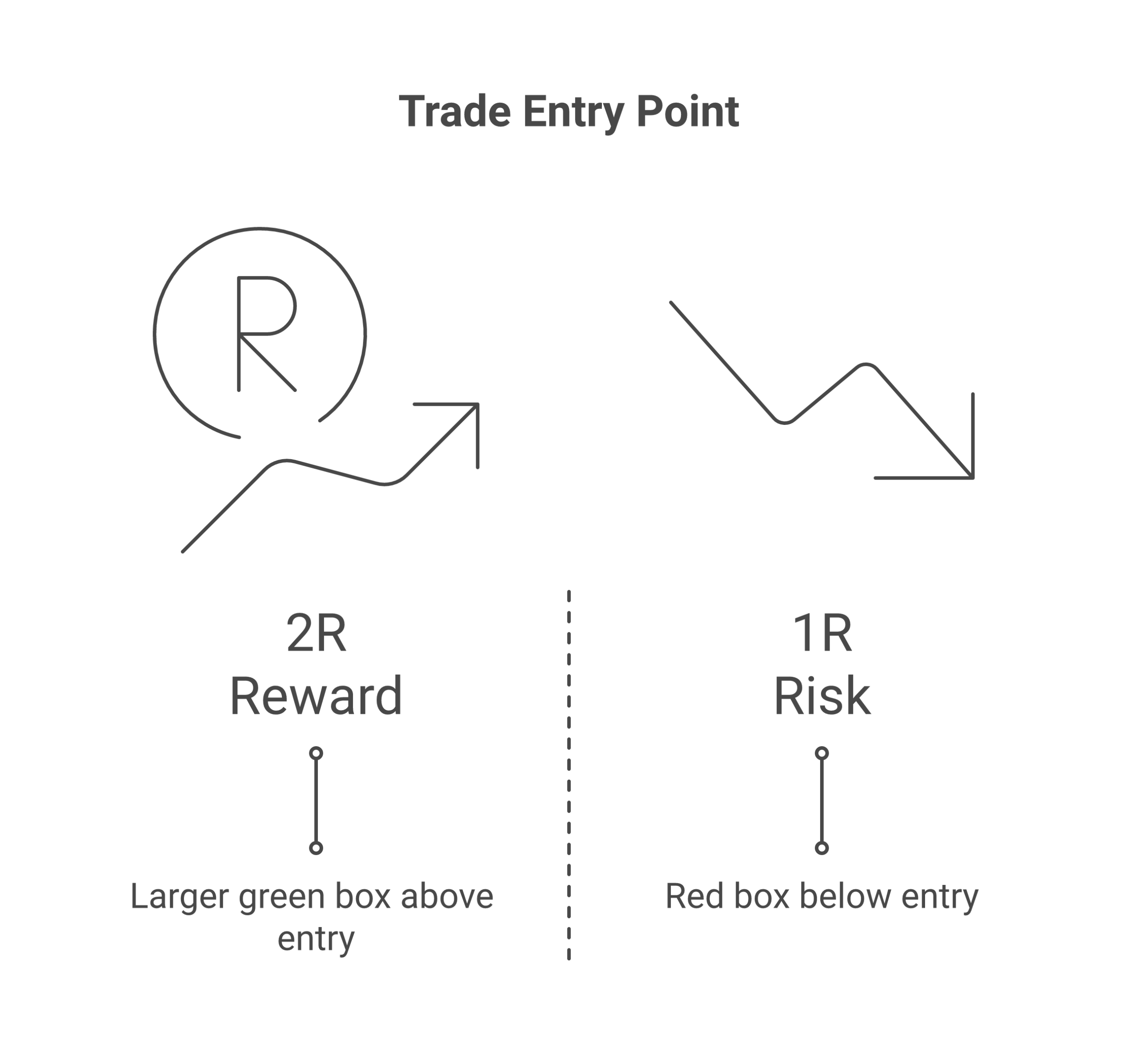
    A good trade setup offers a potential reward that is significantly larger than its risk. Aiming for at least a 2:1 ratio is a common strategy.


    Put it together: a simple daily checklist

    Before any crypto day trading session, ask:

    • Where is my stop for this idea?
    • How big can my position be so that loss is small and boring?
    • Is my target at least 2 times my risk?
    • If not, should I skip this trade?

    As crypto grows and more rules, laws, and big players enter the space,global policy reviews show that volatility and regulation can both change fast. A calm, rule based risk plan keeps you from reacting out of fear.

    If you feel shaky on the basics of Bitcoin, wallets, and platforms like Coinbase, it helps to build that foundation before you push size on any crypto day trading platform. Bitcoin Walkthrough has beginner guides on things like what is Coinbase and which product beginners should use so your first steps with real money feel safer.

    When you are ready to follow a clear, step by step path that puts safety first and trading tricks second, you can use Bitcoin Walkthrough’s guided program. It walks you from zero knowledge to confident first steps, so your risk rules have a solid base. To start that journey today, Sign Up and learn the core skills before you scale any day trading crypto plan.

    Costs, taxes, and record keeping (do not skip this)

    When you think about day trading crypto, fees and taxes may feel boring. But they can eat your wins fast, especially with short term crypto trading.

    Let us walk through what really matters.


    1. Know your trading costs

    Every crypto day trading platform has costs. If you ignore them, your memecoin trading edge can vanish.

    Key costs to watch:

    • Maker / taker fees
      • Maker orders sit on the book and often pay lower fees
      • Taker orders fill right away and often cost more
    • Spread
      • The gap between the best buy and sell price
      • On thin altcoins, this gap can be big and act like an extra hidden fee
    • Funding rates for derivatives
      • If you trade futures or perpetuals, you may pay or earn a funding fee every few hours
      • High funding over time can turn a good trade into a bad one

    Before you start crypto day trading on any new platform, test with tiny size first. Track how much you pay in fees for a normal trade so you know what your real break even is.


    2. Taxes in 2026: every move can count

    In 2026, many countries treat crypto as property or a digital asset, which means that selling, trading, or spending it can trigger tax.Guardarian’s 2026 crypto tax guide explains that each sale or swap may be a taxable event in many places.

    Common taxable events can include:

    • Selling Bitcoin or an altcoin for your local currency
    • Swapping one coin for another on an exchange
    • Using crypto to pay for goods or services
    • Some kinds of staking, rewards, and airdrops, depending on rules in your country

    Rules differ by country, and global tax guidance keeps changing as reporting rules grow tighter.PwC’s overview of global crypto tax developments in 2026 notes that tax offices share more data and see more crypto activity now.

    So for day trading crypto:

    • Do not assume “It is just online, they will not see it”
    • Do not wait until tax time to sort a whole year of trades
    • Do talk to a local tax pro if you are unsure

    If you are still learning how Bitcoin works under the hood, it can help to first read a plain guide like what is a blockchain, a plain English definition. When you know what is really moving, the tax rules feel less random.


    3. Records you must keep

    Good records protect you. They make tax time less scary and help you see if your crypto day trading plan is actually working.

    Make a simple record system that tracks:

    • Trade history CSV files
      • Download from each exchange often
      • Save both spot and derivatives history
    • Account statements
      • Monthly or quarterly PDFs from your platform
    • Notes on cost basis
      • How much you paid for each coin, in your local money
      • Date, time, and fees for each entry and exit
    • Secure backups
      • Store copies on an encrypted drive or secure cloud
      • Keep logins, 2FA backups, and any tax notes in a safe spot

    If you ever move between platforms, knowing your cost basis is vital. That record tells you your true profit or loss, not just what the app screen shows.

    Keeping clean records also forces you to slow down. You think more clearly about each trade instead of just chasing the next pump.

    If this whole world still feels confusing, you do not have to figure it out alone. Bitcoin Walkthrough’s step by step program teaches basics like exchanges, wallets, and smart habits before you risk real size. To start building safe skills now, Sign Up and follow a guided path instead of guessing your way through day trading crypto.

    Security musts and scam red flags for day traders

    When you are day trading crypto, speed feels fun. But moving fast with weak security is like racing a car with no seat belt. One mistake, and your memecoin trading stack can be gone.

    In 2026, crypto crime is huge. Reports show that scammers stole many billions of dollars in recent years, and losses from crypto fraud and hacks are still high as new tricks spread online.The 2026 crypto crime reports warn that attacks keep getting smarter, not weaker.

    Let us keep your coins on your side.


    1. Lock down your devices and accounts

    Your phone and laptop are your trading tools. Treat them like a wallet full of cash.
    Your phone is a primary trading tool. Regularly checking its security settings is essential to protect your accounts.

    Basic habits for every crypto day trading platform:

    • Use app based 2FA or a hardware key
      • Turn on two factor on every exchange, broker, and email
      • Use an app like an authenticator or a hardware key, not just SMS texts
    • Use unique passwords
      • One long, unique password for each account
      • Use a password manager so you do not reuse the same one
    • Keep your system up to date
      • Update your phone, browser, and apps often
      • Install security patches, do not ignore them
    • Protect your keys and seed phrases
      • Never type seed words into random sites
      • Store them offline, written by hand, in a safe place

    If you still feel fuzzy on how keys work, read this simple guide on what private keys and public keys really mean. It will help all your other security choices make more sense.


    2. Phishing, fake apps, and “support” scams

    Most hacks do not come from magic code. They come from tricking you.

    Common red flags in 2026, especially for short term crypto trading:

    • Fake sites and domains

      • Scammers copy real exchange sites and change one letter in the web address
      • Always type the URL yourself or use a saved bookmark
      • Check for the correct spelling before you log in
    • Fake apps in app stores

      • Some fake wallets and trading apps look real at first glance
      • Check the app publisher name and reviews
      • Follow the download link from the real exchange website, not from a random ad
    • Phishing emails and DMs

      • “Your account is locked, click here”
      • “You won a giveaway, claim now”
      • Do not click login links from email, chat, or social media
    • Never share codes or your screen

      • No real support worker needs your 2FA codes or seed phrase
      • Do not share your full screen with strangers over Zoom or chat
      • If someone rushes you to “fix it now or lose funds”, slow down and stop

    If you want to see live examples of the latest tricks, a video like this rundown of new crypto scams in 2026 can be eye opening. But always stay critical, and double check advice from any video.


    3. Safer withdrawals and transfers

    Profits from day trading crypto only matter when you can keep them. Treat every withdrawal like a high risk move.

    Use these habits whenever you move coins:

    • Turn on withdrawal allowlists

      • Many exchanges let you lock withdrawals to a small set of saved addresses
      • Add only wallets you control
      • Do not rush to add a brand new address from chat or social media
    • Set alerts for withdrawals and logins

      • Turn on email or app alerts for new devices, password changes, and withdrawals
      • If you see an alert you do not know, act fast and lock the account
    • Test with small amounts first

      • Send a tiny test amount to any new address
      • Check that it lands in your wallet
      • Only then send the full size for your trade or cash out
    • Pause when moving to new altcoins or platforms

    These steps may feel slow in a fast market. But losing one full account is slower, and far more painful.


    4. Build security into your daily routine

    Security is not one big task. It is many small habits you repeat until they feel normal:

    • Log out on shared devices
    • Check the lock icon and site name before you type a password
    • Say “no” by default to DMs, “gurus”, and “secret signals”
    • Double check every address and network before you hit send

    If this all feels like a lot to track while you try to day trade, you are not alone. Most beginners do not lose money only on bad trades, they lose it on simple mistakes and scams they did not know to spot.Recent scam breakdowns show how easy it is for normal users to get fooled.

    You do not need to figure all this out by trial and error. Bitcoin Walkthrough was built to give total beginners a clear, safe path into Bitcoin and crypto, with step by step checklists on exchanges, wallets, and security habits that fit real life trading. If you want guided help instead of guessing, Sign Up and start learning smart safety rules before you risk more money on day trading crypto.

    Your 7-day starter plan: practice first, then go live tiny

    You do not need a huge account to start day trading crypto. You need a simple plan you can follow. For 7 days, we will focus on learning, safety, and tiny size.

    Think of this week as “training wheels” for short term crypto trading.


    Days 1–2: Set up, secure, and learn your platform

    First, you need a safe place to click buttons.

    1. Pick one reputable exchange

      Choose a large, well known exchange that is legal in your country. If you want help comparing options and products, you can use this clear guide on what Coinbase is and which product beginners should use.

    2. Open and secure your account

      On your new crypto day trading platform, do this right away:

      • Turn on app based 2FA
      • Set a strong, unique password
      • Add withdrawal allowlists if the exchange supports them

      Reports show that crypto fraud and hacks took more than 17 billion dollars in losses in 2025, and risks stay high in 2026, so security steps are not optional if you want to keep profits from memecoin trading or other coins safe.Recent crypto crime data highlight how fast new scams grow.

    3. Learn the interface

      Before you trade live, just explore:

      • Spot trading screen
      • Order types (market, limit)
      • Open orders, order history, and fees

      Click around with no money at risk. Treat it like a game you are learning.

    4. Export a sample statement

      Every serious trader tracks results. Find the “reports” or “export” area and:

      • Download a sample CSV or PDF
      • See how trades and fees look

      You will use this later to check if your plan is working.


    Days 3–4: Paper trade one setup with a journal

    Now we “trade” on paper only. No real money yet, just practice.

    1. Pick one simple setup

      For example, a basic breakout:

      • Price moves above a clear recent high
      • Volume picks up
      • You enter once price closes above that level

      You can use this same setup on Bitcoin, altcoins, or memecoins. If you are not sure how altcoins differ from Bitcoin, pause and read this guide on what altcoins are and how they differ from Bitcoin.

    2. Write strict rules

      On paper, set:

      • Exact entry rule
      • Exact stop loss level
      • Exact take profit rule
      • Max number of trades per day

      No guessing. If the rules are not clear, you do not take the trade.

    3. Paper trade in real time

      For two days:

      • Watch the charts
      • When your setup appears, “enter” in a notebook or spreadsheet
      • Write entry price, planned stop, and target
      • Later, record the exit price as if it was real
    4. Journal your feelings too

      For each fake trade, note:

      • “Why I took this”
      • “How I felt when price moved”
      • “What I learned”

      This is key. In live crypto day trading, your emotions push you to break rules. Seeing this early will help you stay calm later.

    If you want a full step by step path for these basics, with plain English lessons on keys, wallets, and safe use of exchanges, you can Sign Up for Bitcoin Walkthrough and follow the structured checklists while you test this 7 day plan.


    Days 5–7: Go live tiny, keep journaling, review weekly

    If your paper trades follow the rules and do not blow up, you can now trade live, but with very small size.

    1. Start with tiny position size

      Use an amount so small that a full loss feels like a small fee, not a disaster. Think of it as “tuition” for learning how day trading crypto really feels.

      • Same setup as days 3 and 4
      • Same rules
      • Same max trades per day
    2. Keep a simple trade journal

      For every live trade, record:

      • Date and time
      • Coin or pair
      • Entry, stop, and target
      • Result (win or loss, and how much)
      • If you followed your rules, yes or no

      This journal will matter more than your early profits.

    3. Do a day 7 review

      At the end of day 7, ask:

      • Did I follow my rules on most trades?
      • Where did emotions push me off plan?
      • Was my tiny size small enough that I stayed calm?

      If you broke your rules often, stay with tiny size and more paper trading. If you were steady, you can keep using this setup and slowly grow size over time.

    You can keep repeating this 7 day cycle for new setups or new coins. The goal is not to rush. The goal is to build a safe, simple way to practice day trading crypto that protects you from the worst mistakes while you learn.

    Summary

    This comprehensive guide walks total beginners through the fundamentals of day trading crypto the safe way in 2026. Day trading crypto means buying and selling digital assets within the same day to catch short-term price movements, but it comes with serious risks including high volatility, emotional stress, and potential losses. The article explains how day trading differs from long-term investing and swing trading, covers the essential security steps needed before placing your first trade, and breaks down the basic order types like market, limit, and stop loss orders that protect your capital. You’ll learn how to choose a reputable exchange by checking for proper licensing and proof of reserves, how to set up strong account security with two-factor authentication and withdrawal allowlists, and how to size positions small enough that losses feel manageable while you learn. The guide also covers critical topics like recognizing common scams, understanding tax obligations, keeping accurate records, and following a structured 7-day practice plan that starts with paper trading before risking real money, so you can build confidence and skills without gambling away your savings.

  • What Altcoins Are and How They Differ from Bitcoin

    Read This First: A Safe, Plain‑English Guide to Altcoins

    You might hear friends talk about floki coin, popcat coin, or some new “x coin” and think:

    “Is this the next big thing, or is it a trap?”

    You are not alone.

    In 2026, there are thousands of coins. Almost all of them are called “altcoins.” That word just means any virtual coin that is not Bitcoin, like floki coin, IOTA coin, CRO crypto, Aave crypto, or even meme coins and trump coin crypto ideas.[^altcoins-def]

    Some altcoins try to fix things people see as weak in Bitcoin. Others try to do new things, like smart contracts or very fast payments.[^gemini-btc-alt] Some are serious projects. Some are jokes. Some are open scams.

    At the same time, Bitcoin is still the main coin in the market. Many experts say Bitcoin keeps a strong lead, while the big story about altcoins is weaker in 2026 than in past years.[^ainvest-dominance]

    So where do coins like:

    • floki coin
    • IOTA coin
    • CRO crypto
    • Aave crypto
    • bitcoin gold

    fit in? And how do you tell the difference between a real project and a trap?

    This guide is here to help total beginners.

    What you’ll get in this guide

    In simple, clear language, you will learn:

    • What altcoins are, in plain English
    • Why coins like floki coin, IOTA coin, CRO, and others get so much attention online
    • How hype works on new coins like popcat coin or any fresh meme coin
    • Why many altcoins fail, even if they look exciting at first
    • How to think about altcoins next to Bitcoin, not instead of it

    You will also get easy checklists you can use before you put in even one dollar. These will help you:

    • Research any virtual coin step by step
    • Spot basic red flags and common scams
    • Avoid “too good to be true” promises
    • Stay in control of your own money and risk

    If you are very new to crypto, it can also help to first learn what a blockchain is, in very simple terms. You can read our plain guide on what a blockchain really is to build that base.

    How this guide keeps you safe

    We will focus on:

    • Clear words, not tech talk
    • Safety and risk, not fast get rich plans
    • Facts and simple logic, not hype

    As you read, you will see that you do not need to chase every new x coin that pops up on social media. You can move slowly, check things, and only take risks you really understand.

    If you want a step by step path for Bitcoin itself, with simple lessons, checklists, and no jargon, you can try the Bitcoin Walkthrough training. It is made for total beginners who want to feel calm and safe, not rushed by hype. You can Sign Up and start learning at your own pace.


    [^altcoins-def]: For a clear overview of how altcoins are defined as any crypto that is not Bitcoin, see this explanation of what altcoins are and how they differ from Bitcoin.

    [^gemini-btc-alt]: For a simple breakdown of how altcoins can offer different features like smart contracts or faster payments, see this guide on Bitcoin vs altcoins and what you need to know.

    [^ainvest-dominance]: For 2026 context on how Bitcoin still leads the market while many altcoins struggle, see this analysis of Bitcoin’s market dominance and the weaker altcoin story.

    Altcoins 101: What They Are, How They Differ from Bitcoin, and Why Volatility Matters

    Picture this. You hear about floki coin on TikTok, popcat coin on X, and some new “x coin” in a group chat. Then someone says, “But Bitcoin is still king.”

    So what are all these other coins, and why do their prices jump so fast?

    What is an altcoin, in plain English?

    In 2026, the word “altcoin” just means any virtual coin that is not Bitcoin.[^ir-alt]

    So all of these are altcoins:

    • floki coin
    • eth coin
    • IOTA coin
    • CRO crypto
    • Aave crypto
    • bitcoin gold
    • trump coin crypto ideas
    • fun meme coins like popcat coin

    They are all built on blockchains, like Bitcoin, but they are not Bitcoin.

    Some altcoins try to:

    • Move money faster or cheaper
    • Add smart contracts, like eth coin
    • Focus on a niche, like lending in Aave crypto
    • Ride memes and hype, like floki coin or popcat coin

    Others are copies of old coins, with tiny changes, or even just cash grabs.[^gem-alt]

    If you are not clear yet on how blockchains work, you can pause here and read our simple guide on what a blockchain really is. It will make the rest of this much easier to follow.

    [^ir-alt]: For a simple overview of how altcoins are any coin that is not Bitcoin, and how their goals can differ, see this guide on what altcoins are and how they differ from Bitcoin.
    [^gem-alt]: For more detail on how some altcoins add smart contracts or faster payments, see this breakdown of Bitcoin vs altcoins and what you need to know.

    How altcoins differ from Bitcoin

    You can think of Bitcoin as the “base layer” of crypto. In 2026, it still leads the market by a wide gap.[^ainv-dom]

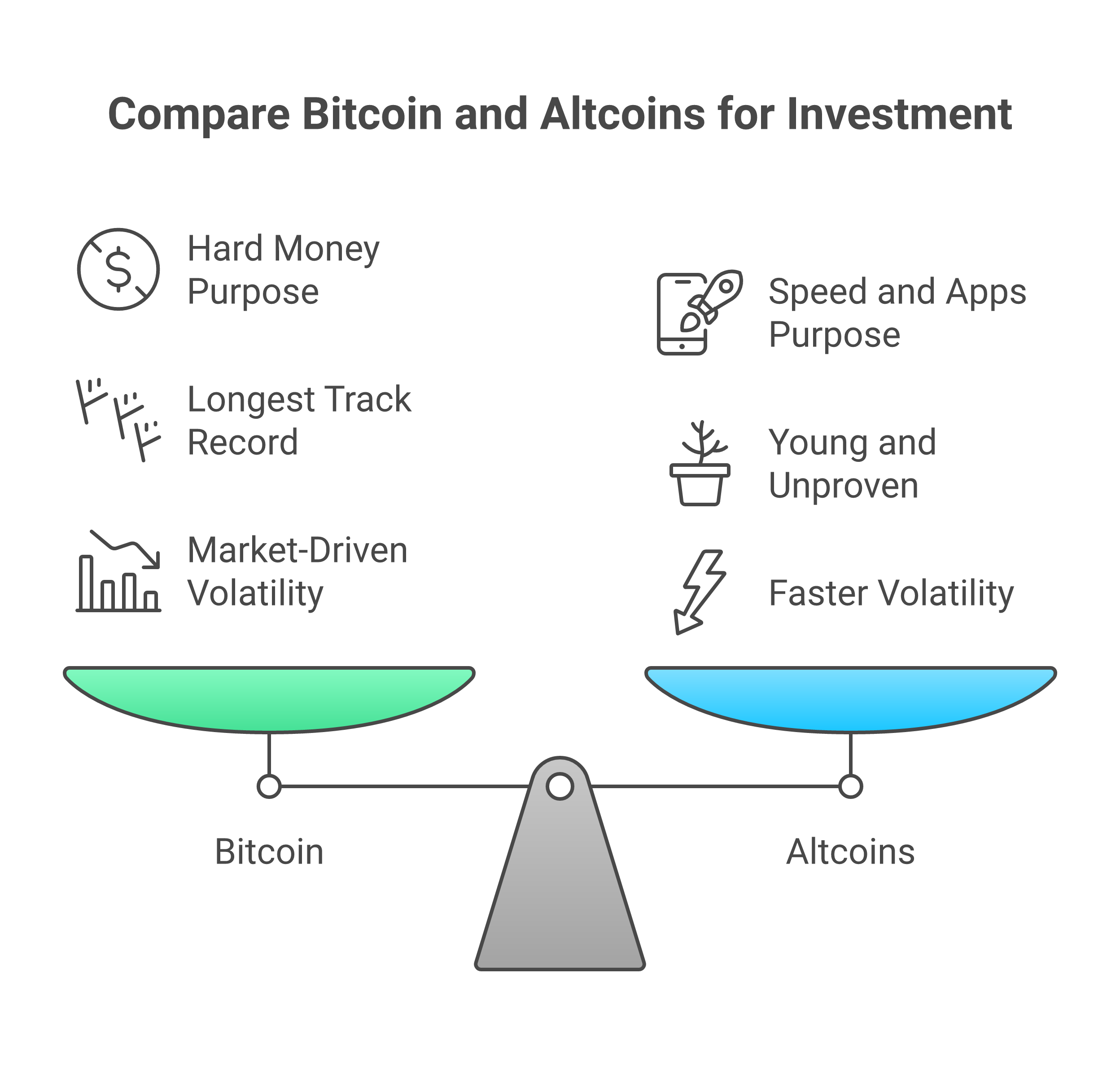
    Altcoins are different from Bitcoin in at least three key ways:

    Bitcoin and altcoins differ in their core purpose, risk profile, and market behavior.

    1. Purpose

      • Bitcoin aims to be hard money that no one can print more of.
      • Altcoins might chase speed, apps, memes, or special use cases.
    2. Risk level

      • Bitcoin has the longest track record and biggest network.
      • Many altcoins, like a new x coin, are young and unproven.
    3. How fast things can change

      • Bitcoin tends to move with the whole market.
      • An altcoin like floki coin or trump coin crypto can go up or down many times faster.

    In 2026, many experts say Bitcoin’s story stays strong, while the big “altcoin revolution” story is weaker than in past cycles.[^ainv-dom] Some altcoins may still do well, but many others fade out.

    [^ainv-dom]: For 2026 context on how Bitcoin still holds a clear lead while many altcoins lag, see this review of Bitcoin’s market dominance and the weaker altcoin story.

    Why volatility matters for beginners

    Volatility means how fast and how far prices move.

    Altcoin prices can be extremely volatile, highlighting the importance of using only money you can afford to lose.

    Crypto is one of the most volatile markets in the world. Altcoins are even more volatile than Bitcoin.

    Some simple patterns you will see:

    • A small virtual coin can drop 50 percent in a week.
    • A meme coin like popcat coin can rise 10 times, then fall 90 percent.
    • Even bigger names like eth coin or bitcoin gold can swing hard in short time frames.

    Here is the key idea for you as a beginner:

    The more volatile a coin is, the smaller your position size should be.

    Position size just means how much of your money you put into that one coin.

    A simple safety rule:

    • Only use money you can fully afford to lose on coins like floki coin or a new x coin.
    • Keep risky altcoins as a small slice, not your whole stack.
    • Start small, then learn how prices move before adding more.

    If you later decide to buy any coin on an exchange, it also helps to know how that platform works. Our guide on what Coinbase is and which product beginners should use can give you a clear, step by step view.

    A calm next step

    If this all feels like a lot, that is normal. You do not have to master floki coin, CRO crypto, IOTA coin, and Aave crypto all at once. A safer path is to first build a solid base in Bitcoin.

    Bitcoin Walkthrough gives you that base, with short lessons, checklists, and no hype. If you want a calm, guided start, you can Sign Up and learn at your own pace before you even think about putting real money into any altcoin.

    Floki Coin: What It Is, Why People Talk About It, and Key Risks to Watch

    You see floki coin on TikTok, X, and in group chats. The dog logo looks fun. The price looks tiny. It feels like, “If it just goes to 1 dollar, I’ll be rich.”

    Here is what floki coin really is, in simple words, and what you should watch for before you even think about buying.

    What floki coin is, in plain English

    Floki (often called Floki Inu) is a meme coin. It started in 2021 after a tweet by Elon Musk about a dog named Floki.[^floki-supply]

    Some key points:

    • It is an altcoin, not Bitcoin.
    • It runs as a virtual coin on blockchains, not as paper money.
    • It uses a cute dog brand, like other meme coins.

    Floki has a huge fixed supply, around 10 trillion coins.[^floki-supply] So the price of one coin can look very small. That does not mean it is “cheap” or has to go up.

    In 2026, the Floki team also talks about:

    • Crypto gaming projects
    • A “banking” and DeFi style ecosystem
    • A token platform called TokenFi
    • Trying to be more than “just a meme”[^floki-ecosystem]

    So floki coin sits in a mixed bucket: part meme, part “we are building real stuff” story.

    [^floki-supply]: For details on Floki’s supply and launch, see this summary of FLOKI tokenomics and total supply.
    [^floki-ecosystem]: For a 2026 look at how Floki is pushing gaming, banking, and tokenization while still trading below past highs, see this review of FLOKI’s ecosystem and price context.

    Why people talk about floki coin so much

    People do not talk about floki coin only for tech. They talk about it because it is loud and visible.

    Common reasons you see it everywhere:

    • Meme power
      Dog coins spread fast on social media. Think of how popcat coin and other meme coins can trend overnight.

    • Big marketing moves
      The project runs ads, partners, and uses strong branding. This draws more eyes, then more trading.

    • Hype and tiny price per coin
      New buyers see lots of zeros after the decimal. It feels like “easy upside,” even if the total value is already large.

    • Narrative of “more than a meme”
      The team promotes gaming, DeFi, and tools like TokenFi. Supporters say this gives the coin “real utility.”

    You might also see wild price calls online.

    Websites like CoinMarketCap provide data and information on thousands of cryptocurrencies, including Floki.

    Some sites share Floki price predictions for 2026 and beyond. Treat every forecast as a guess, not a promise, no matter how “expert” it sounds.

    Where floki coin fits among other altcoins

    Think back to the coins from the last section:

    • eth coin tries to be a smart contract base layer.
    • Aave crypto focuses on lending and borrowing.
    • IOTA coin and CRO crypto chase other niches.
    • Meme coins like floki coin and popcat coin lean hard on brand and community.

    Floki tries to live in two worlds:

    • Meme world (dog, brand, hype, “Floki Vikings”)
    • Utility world (games, DeFi, token tools, even talk of “banking”)

    It is still very different from Bitcoin, bitcoin gold, or eth coin. Those older coins aim at core money or base layer tech. Floki is much more tied to fast marketing and fast mood swings.

    Key risks to watch before touching floki coin

    Here is a simple, beginner friendly checklist. You can use this same list for any new x coin, trump coin crypto, or other virtual coin that pops up.

    1. Token distribution risk

    Ask: “Who holds most of the coins?”

    • If a few wallets hold a big share, they can dump on the market.
    • That can crush the price in a single day.

    With a huge supply like Floki’s 10 trillion coins, you also want to know:

    • How much is locked for the team or “treasury”
    • How much sits in exchange wallets
    • How much is in real, spread out holders

    You can learn to check coin movements yourself with tools. Our guide on what a bitcoin block explorer is and why you need one shows the basic idea, which also helps you read other blockchains more calmly.

    2. Liquidity and exit risk

    Next question: “If I buy, can I get out?”

    • Look at trading volume and number of exchanges.
    • Low liquidity means you might not be able to sell without moving the price a lot.
    • If most trading is on a few risky platforms, that is another red flag.

    Meme coins like floki coin often have big volume on hype days, then very thin volume when the crowd leaves.

    3. Roadmap and delivery risk

    Floki’s story now includes gaming, DeFi, and tokenization. That sounds big, but you should ask:

    • Which parts are live today?
    • Are users actually using the game or app?
    • Are features audited and safe?

    A glossy roadmap is easy to draw. Shipping real, secure products is hard. If most value talk comes from “future plans” instead of real use, treat it as high risk.

    You can sometimes hear team members speak about their plans, for example in talks about how Floki is growing TokenFi and gaming. A video like this Floki ecosystem interview can help you see how much is marketing talk and how much is concrete progress.

    4. Marketing driven volatility

    Meme heavy coins move on mood:

    • A new ad or tweet hits, the price jumps.
    • Hype cools off, the price slides hard.

    Forecasts often highlight this fast swing nature. One 2026 review even talks about possible quick moves in Floki’s price over short periods.[^floki-forecast] None of that is a guarantee.

    If you ever choose to trade a coin like this:

    • Keep position size tiny.
    • Expect large, sudden drops.
    • Never use rent or food money.

    This is speculating on hype, not long term saving like holding Bitcoin.

    [^floki-forecast]: For an example of how some people expect sharp moves in FLOKI’s price over short time frames, see this 2026 FLOKI price prediction and recovery target.

    How to stay safe if floki coin tempts you

    If floki coin, popcat coin, or some new x coin looks exciting, slow down and ask:

    1. Do I fully understand that this can go to zero?
    2. Is this less than 1 to 5 percent of my total money?
    3. Do I already have a safe base in Bitcoin first?

    If you are still new to crypto, the best next step is not to chase floki coin. It is to learn how Bitcoin, wallets, and keys work so you do not lose money by mistake. Our simple guide on what private keys and public keys really mean is a smart first stop.

    When you are ready to build that calm base, Bitcoin Walkthrough can guide you, step by step, with no hype and no jargon. You can Sign Up and work through short lessons before you risk a single dollar on any altcoin.

    IOTA (MIOTA): The Basics of the Tangle, IoT Ambitions, and Practical Considerations

    After looking at floki coin and other meme style virtual coin projects, it helps to see a very different kind of altcoin. IOTA (token: MIOTA) is one of those.

    It is not trying to be a dog meme like popcat coin or trump coin crypto. It is trying to power tiny machine to machine payments in the Internet of Things (IoT).

    What makes IOTA different: the Tangle, not a blockchain

    Most coins, like Bitcoin, bitcoin gold, or eth coin, use a blockchain. Blocks line up in a chain. Miners or validators add new blocks and keep the chain in order. If that idea is new, you can read our simple guide on what a blockchain is in plain English.

    IOTA took a different path. The core tech is called the Tangle. It is a special kind of graph, not a list of blocks.[^iota-tangle]

    In simple terms:

    • There are no blocks, just many small transactions.
    • When you send a transaction, you also help confirm two old ones.
    • The system aims for no fees, so very small payments are possible.

    The idea is that tiny devices, like sensors or smart meters, can send data or money to each other very fast and very cheap.[^iota-iot]

    That is very different from floki coin or cro crypto, which mostly sit on normal blockchains.

    [^iota-tangle]: For a high level look at how the Tangle works as IOTA’s transaction and data layer, see this overview of IOTA technology and the Tangle.
    [^iota-iot]: IOTA’s own intro explains its focus on fee free digital infrastructure for IoT and other real world uses in 2026, see IOTA’s official learning page.

    IOTA’s big dream: payments and data for machines

    The long term dream for IOTA in 2026 is bold:

    • Smart cars paying each other for road data
    • Home devices paying for power or bandwidth
    • Factories sharing machine data in a trusted way

    The team talks about IOTA as “public goods” for our digital world, not just another x coin.

    The official IOTA website explains its vision for powering the Internet of Things (IoT) with its Tangle technology.

    [^iota-vision]

    That puts it in a different bucket than Aave crypto, which is about lending, or floki coin, which leans on meme power and hype.

    [^iota-vision]: For how the project describes its broad goals around digital identity, sustainability, and IoT, see the IOTA project website.

    Key questions beginners should ask about IOTA

    If you are new, the words “Tangle” and “IoT” can sound fancy. To keep things simple and safe, use the same calm mindset you use for floki coin or any other altcoin.

    Here are three groups of questions to ask.

    1. Network design trade offs

    IOTA’s design has some clear aims:

    • No fees for transactions
    • High speed and scale as more devices join
    • Focus on data as well as payments[^iota-design]

    But any design has trade offs. For IOTA, beginners should ask:

    • Is the network fully decentralized today, or is there still some central help?
    • How easy is it to run a node compared to a normal blockchain?
    • Does “no fee” mean there are other costs, like hardware or power?

    You do not need to be an engineer. Just know that “new tech” always has pros and cons.

    [^iota-design]: For a 2026 view of IOTA’s Tangle based design and its fee free IoT goals, see this article on IOTA’s core fundamentals and innovation.

    2. Security history and lessons

    Like many early crypto projects, IOTA has had:

    • Debates over cryptography choices
    • Changes to how the network is secured
    • Work to fix past weak points[^iota-security]

    As a beginner, your job is not to judge the math. Your job is to ask:

    • Has the team learned from old problems and updated the system?
    • Are outside experts reviewing code and design?
    • Is there clear, honest talk about risks, not just marketing?

    If a project avoids talking about past issues, that is a warning sign.

    [^iota-security]: A good example of outside analysis is this long review of hype versus reality in the IOTA Tangle, which walks through benefits and limits of the design.

    3. Real world adoption progress

    IOTA talks about many real world uses. In 2026, you should still ask:

    • Are there live, public projects using IOTA today?
    • Do any companies outside crypto use it in real products?
    • Is most of the story about pilots and tests, or actual daily use?

    Many altcoins, from iota coin to floki coin, love to list partners and big ideas. Try to spot what is real now versus what is only “future talk.”

    You can also track some of this using tools that read public ledgers. Our guide on what a bitcoin block explorer is and why you need one shows how to look at raw on chain data. The same mindset of “check the data” helps when you study any new project.

    Where IOTA fits next to other coins

    Putting this all together:

    • Bitcoin and bitcoin gold try to be strong money or a store of value.
    • Eth coin, Aave crypto, cro crypto focus on smart contracts and DeFi.
    • Floki coin, popcat coin, trump coin crypto lean on memes and community.
    • IOTA (MIOTA) aims at IoT data and tiny machine payments with the Tangle.

    That does not mean you should rush to buy iota coin. It means you can see it as one more very risky bet in the huge altcoin world.

    If you are still learning how keys and wallets work, your best move is not to chase complex IoT coins yet. It is to get a solid base in Bitcoin first. Bitcoin Walkthrough was built exactly for that, with clear, step by step lessons that avoid jargon and hype.

    When you are ready to start that safer path, you can Sign Up for the Bitcoin Walkthrough program and learn the basics of Bitcoin, private keys, and safe first purchases before you even think about coins like IOTA or floki coin.

    Cronos (CRO): Chain, Token Utility, Fees, and What Beginners Should Know

    After looking at IOTA and floki coin, it helps to study a coin that is very tied to one big company. That is where Cronos and its token, CRO, come in.

    Cronos is a smart contract chain. CRO is the main token that helps the whole system run.[^cronos-basic] It sits closer to eth coin and aave crypto than to meme coins like popcat coin or trump coin crypto.

    [^cronos-basic]: For a clear 2026 overview, see this guide on what Cronos (CRO) is and how it works.

    1. Cronos the chain vs CRO the token

    It is easy to mix the names, so let’s split them:

    • Cronos
      This is the network. It can run apps for DeFi, NFTs, and more. It is built to work with Ethereum style tools in a way that feels close to eth coin apps.[^cronos-balance]

    • CRO
      This is the native token. It is used to:

      • pay transaction fees
      • stake and help secure the chain
      • get rewards and perks in the wider Cronos and Crypto.com world[^cronos-utility]

    So when people say “cro crypto” or “cro coin,” they are talking about the token that powers the Cronos chain.

    [^cronos-balance]: For how Cronos sees its 2025 to 2026 growth path and on chain focus, see the Cronos roadmap.
    [^cronos-utility]: For a simple breakdown of the CRO token’s main uses like gas fees, staking, and DeFi tools, see this 2026 explainer on Cronos crypto and CRO token utility.

    2. How CRO is used: gas, staking, and perks

    As a beginner, it helps to know why CRO exists at all. Here are some main uses.

    Gas and network fees

    On Cronos, you pay fees in CRO when you:

    • send coins or tokens
    • use DeFi apps
    • trade NFTs

    Fees on smart contract chains can change as use grows. To see how this idea works on older chains, you can revisit our guide on what a blockchain is in plain English.

    Cronos aims for low fees so small trades feel cheaper than on some older networks.[^cronos-fees]

    [^cronos-fees]: For 2026 notes on Cronos as a low cost, fast chain for DeFi and other apps, see the Cronos overview on Crypto.com.

    Staking and yield programs

    If you hold CRO, some platforms let you:

    • stake CRO and earn yield
    • lock CRO for card or app perks
    • join DeFi pools that pay out CRO rewards

    Some guides talk about possible yields of around five to ten percent a year, but these can change fast and come with risk.[^cronos-staking] None of this is “free money.” You can lose funds if prices drop or if a platform has trouble.

    [^cronos-staking]: For a 2026 look at how CRO staking and rewards work, see this review of CRO token utility and staking yields.

    3. Fees and “hidden” costs to watch

    With Cronos and CRO, there are a few kinds of cost:

    • On chain gas fees in CRO when you send or use apps
    • Platform fees on exchanges or DeFi sites that list CRO
    • Spread and slippage when trading CRO into or out of your local money

    CRO fees might look low next to a simple x coin or virtual coin. But the real cost often shows up as trading fees and price swings.

    If all this talk of networks, fees, and trades feels heavy, that is normal. It is one reason we push new users to learn how keys work first. Our guide on what private keys and public keys really mean gives you that base.

    4. Apps and ecosystem vs meme style coins

    Cronos wants to be a home for:

    • DeFi apps like lending and trading
    • NFT and gaming projects
    • business and brand projects that use tokens

    That is very different from floki coin or popcat coin, which live mostly on story and memes. Cronos tries to be a full app platform, closer to eth coin than to simple meme plays.

    In 2026, you can find many price prediction posts for cro crypto that talk about future levels and “potential.”[^cronos-price] Use care. They are guesses, not facts.

    [^cronos-price]: For example only, see this 2026 Cronos (CRO) price prediction summary. Treat all price forecasts as speculation, not advice.

    5. Key risks for beginners: not just price

    Like bitcoin gold, iota coin, or trump coin crypto, CRO is still a risky altcoin. With CRO there are a few special risks.

    Platform and counterparty risk

    Cronos is tightly linked to one main brand and its products.

    The CRO token is closely associated with the Crypto.com platform and the Cronos blockchain ecosystem.

    If that company or its main app has trouble, the whole ecosystem and token can feel it.

    Many users also keep CRO on exchanges or in DeFi apps. That adds:

    • custody risk if a platform is hacked or fails
    • contract risk if a DeFi app has bad code

    Token and reward risk

    Reviews of CRO tokenomics talk about how supply, burns, and rewards can shape price over time.[^cronos-tokenomics] Large holders and planned releases can add sell pressure. Staking yields can move up or down.

    [^cronos-tokenomics]: For a deeper look at CRO’s supply, burns, and staking rewards, see this review of Cronos (CRO) tokenomics and long term risks.

    None of this is evil. It just means you should not treat yield or perks as safe income.

    6. How to think about CRO as a true beginner

    If you are still trying to tell floki coin from iota coin or cro crypto, jumping right into DeFi staking on Cronos is like learning to drive on a race track.

    A safer path is:

    1. Learn what coins, wallets, and keys are.
    2. Practice with a simple, well known coin like Bitcoin.
    3. Only then look at complex chains, DeFi, and tokens like CRO.

    Bitcoin Walkthrough was built to guide you through those early steps in a slow, clear way. You get plain language lessons, checklists, and simple tasks that help you avoid the big mistakes people make with exchanges and wallets.

    If you want that kind of calm, step by step help before you even think about cro crypto, floki coin, or other altcoins, you can Sign Up for the Bitcoin Walkthrough program and start with the basics first.

    Other Notable Altcoins in 2026: Categories, Examples, and a Simple Comparison

    When you first see names like floki coin, popcat coin, aave crypto, or trump coin crypto, it can feel like a random soup of coins. Actually, most altcoins fit into a few simple groups.

    In 2026, the word altcoin just means any coin that is not Bitcoin.[^altcoins] That covers eth coin, iota coin, cro crypto, and thousands of other tokens.

    [^altcoins]: For a short overview of how altcoins differ from Bitcoin and why so many exist, see this guide on what altcoins are and how they differ from Bitcoin.

    1. Main altcoin categories and examples

    You do not need to learn every coin.

    Most altcoins can be grouped into distinct categories, each with its own purpose and primary risks for beginners.

    You only need to know what “type” of coin you are looking at.

    Category Simple idea Example coins mentioned here Main beginner risk
    Payments and “money” coins Try to be used for sending value like cash Older coins like bitcoin gold or some x coin types Price can swing hard, low use
    Smart contract platforms Run apps and tokens on top eth coin, Cronos with cro crypto, iota coin (more niche) Complex tech, many moving parts
    DeFi tokens Power lending, trading, and yield apps aave crypto, parts of cro crypto DeFi world Smart contract bugs, platform hacks
    Memecoins Built on jokes, brands, or pets floki coin, popcat coin, trump coin crypto Hype, big pumps and crashes

    This table is not perfect, but it helps you see that floki coin lives in a very different bucket than eth coin or aave crypto.

    2. A closer look at floki coin and other memecoins

    Floki coin is a memecoin that started from a tweet and a dog theme. It has a huge total supply, set at 10 trillion tokens, all created at launch.[^floki-tokenomics] In recent years the team has tried to add gaming, banking tools, and other features, but the token still trades like a high risk meme asset.

    [^floki-tokenomics]: For a clear 2026 summary of floki’s supply and token design, see this review of FLOKI tokenomics and total supply.

    Memecoins like floki coin or popcat coin can move up very fast when hype is strong, then drop just as fast. Price “prediction” pages for floki coin in 2026 are guesses, not promises.[^floki-price] Beginners often buy late, then hold a big loss when the story cools down.

    [^floki-price]: For example only, see this 2026 FLOKI price prediction overview. Treat all predictions as speculation, not advice.

    3. Smart contract and DeFi coins: eth, aave, cro, and iota

    Smart contract chains and DeFi tokens try to do more serious things.

    • eth coin
      Powers the Ethereum network, which runs many DeFi and NFT apps.[^btc-altcoins]
    • aave crypto
      Lets people lend and borrow coins in DeFi pools.
    • cro crypto
      Powers the Cronos chain for DeFi, NFTs, and company projects.[^cronos-overview]
    • iota coin
      Uses a special “Tangle” design instead of a normal blockchain and aims at Internet of Things data and payments.[^iota-intro]

    [^btc-altcoins]: For a plain summary of how Bitcoin and major altcoins differ in purpose and design, see this 2026 guide on Bitcoin vs altcoins.
    [^cronos-overview]: For a current look at how cro crypto powers the Cronos chain and its DeFi and NFT apps, see this 2026 Cronos (CRO) overview.
    [^iota-intro]: For a simple intro to IOTA and its Tangle tech, see the official piece on what IOTA is and what it tries to solve.

    These projects are not memes alone. They have code, teams, and real apps. But for a new user, they also add more ways to make mistakes, like bad DeFi contracts, bridge hacks, or sending coins to the wrong chain.

    4. Simple comparison: purpose vs beginner risk

    You can use one key question for any altcoin, from trump coin crypto to aave crypto:

    “Is this coin mostly a tool, or mostly a story?”

    • Tool coins like eth coin, aave crypto, iota coin, cro crypto, and even bitcoin gold try to solve some real problem.
      • Upside: clearer use case.
      • Risk: complex systems, bugs, and new rules.
    • Story coins like floki coin, popcat coin, or many x coin copies mostly sell a brand or meme.
      • Upside: easy to understand.
      • Risk: price can be driven almost only by hype.

    In 2026, Bitcoin still holds a large share of the total crypto market, while many altcoins fight for attention and real use.[^btc-dominance] That means most altcoins are, by nature, speculative experiments.

    [^btc-dominance]: For recent data on Bitcoin’s strong place in the 2026 market and the weaker case for many altcoins, see this review of Bitcoin dominance and the fading altcoin story.

    5. How to use this as a true beginner

    As a new learner, try this:

    1. Spot the category first.
    2. Ask if the coin is a tool or a story.
    3. Assume the risk is higher than with Bitcoin.

    If you still feel foggy on the basics like how coins move on a chain, it helps to step back. Our guide on what a blockchain is in plain English can make the whole picture much clearer before you touch floki coin or any other virtual coin.

    If you want calm, step by step help that keeps you focused on learning Bitcoin before you chase meme or DeFi plays, you can Sign Up for the Bitcoin Walkthrough program and build a safe base first.

    How to Research Any Altcoin Safely: A Beginner’s Due‑Diligence Checklist

    You now know that floki coin, eth coin, popcat coin, and aave crypto all sit in different buckets. The next step is key:

    How do you check if a virtual coin is even worth a closer look?

    Use this simple checklist for any altcoin, from trump coin crypto to the newest x coin copy.

    A step-by-step checklist helps beginners research any altcoin systematically to spot red flags.

    Go slow. Treat every step as “must have,” not “nice to have.” In 2026, good due diligence is a core part of safe crypto use.

    Properly researching a cryptocurrency project is a crucial step before investing any money.

    [^dyor-2026]

    [^dyor-2026]: For a wider 2026 view on what “do your own research” means today, see this guide on crypto due diligence and DYOR in 2026.

    1. Start with the purpose

    Ask:

    • What problem does this coin try to solve?
    • Is it a tool coin like eth coin, aave crypto, cro crypto, or iota coin, or a story coin like floki coin or popcat coin?

    If you cannot explain the purpose in one short, clear line, you are not ready to touch it.

    2. Check the tokenomics in plain words

    Tokenomics is just “how the coin is set up”:

    • Total supply, like how floki coin has a fixed, huge supply
    • Who got the coins first (team, public sale, early insiders)
    • How new coins are released, or if all are already out

    Look for a simple, public page or paper that shows this. If the numbers feel hidden or very hard to find, that is a red flag.[^coredo-dd]

    [^coredo-dd]: For example, many pro teams now follow clear checklists that include open documents and smart contract audits as part of crypto project due diligence, as seen in this overview of due diligence for crypto projects.

    3. Who is in charge and how is it run?

    This is the governance piece:

    • Are the founders named and easy to check?
    • Is there a real company or non‑profit behind it?
    • Is voting done by holders, or is the team in full control?

    If you cannot find any real names or legal group, you are trusting strangers on the internet with your money.[^trm-dd]

    [^trm-dd]: In wider finance, due diligence rules now stress knowing who you deal with and how they run risk, as explained in this guide on key considerations for entity due diligence.

    4. Look at liquidity and where it trades

    Liquidity means “how easy is it to buy and sell.”

    • Is the coin only on one tiny exchange?
    • Is most trading in one odd pair, like only against some unknown token?
    • Are there real buy and sell orders, or does volume look fake and thin?

    Low liquidity can trap you. You might buy a memecoin like trump coin crypto or a new x coin, then find there is no one to sell to when you want out.

    If you are not sure how to read basic market data, it helps to first learn tools like a Bitcoin block explorer, since the same skills carry over to most chains.

    5. Ask about audits and code risk

    For smart contract coins and DeFi, like aave crypto or parts of cro crypto:

    • Has the main smart contract been checked by a known audit firm?
    • Is the audit report public and recent?
    • Did they fix the issues that the audit found?

    No audit does not always mean scam. But in 2026, serious DeFi with real money at risk almost always has at least one audit and plans for more.

    6. Check development and updates

    You do not need to read the code. You just look for signs of life:

    • Is the code on GitHub or similar, with recent changes?
    • Do they post clear updates on what they are building?
    • Are big promises backed with real progress, or just hype videos?

    A memecoin like popcat coin may not have deep tech goals, so there will be less code. That is fine, as long as you know it is pure meme and price play, not a tech bet.

    7. Watch the community and how open it feels

    Join the public spaces:

    • Telegram, Discord, X (Twitter), Reddit
    • Official blog or news page

    Look for:

    • Clear rules and open talk
    • Space for hard questions
    • Simple answers instead of insults or “just trust” replies

    If anyone who asks about tokenomics or team wallets gets banned, walk away.

    8. Always cross‑check the story

    Never trust only the project’s own site.

    • Check a few neutral news or education sites
    • See if what they claim matches what others report
    • Be extra careful with price “targets” and wild return promises

    In 2026, even big firms must follow stricter rules around crypto risk and money flows.[^compliance-2026] If a tiny coin ignores all risk talk and only shouts “number go up,” that is your signal to slow down.

    [^compliance-2026]: For context, see how mainstream finance now treats crypto in this review of crypto compliance in 2026.

    9. Final safety step before you act

    Before you move any money into floki coin, eth coin, bitcoin gold, or any other virtual coin, ask yourself:

    • Do I understand what this coin does?
    • Do I know how to store it and move it safely?
    • Can I afford to lose this full amount?

    If the answer is “no” for any of these, your next step is not “buy.” Your next step is “learn.”

    A calm way to do that is to build a strong base with Bitcoin first, then look at altcoins later. If you want a simple, step by step path with checklists like this one, you can Sign Up for the Bitcoin Walkthrough program and learn how keys, wallets, and safe habits work before you ever chase a meme or DeFi coin.

    How to Buy and Store Altcoins Securely (and When Not To)

    You have your checklist. Maybe you like floki coin, a tool coin like eth coin or aave crypto, or a fun meme like popcat coin.

    Now comes the risky part: actually buying and holding a virtual coin.

    Let’s keep this very simple and very safe.


    Step 1: Pick and set up your account the safe way

    Before you buy floki coin, trump coin crypto, iota coin, or any other x coin, slow down.

    1. Check the platform

    • Use only well known, legal exchanges in your area
    • Read a few recent reviews
    • Make sure the web address is correct, not a copy site

    If you are not sure how exchanges work, this guide on what Coinbase is and which product beginners should use gives a clear, beginner view.

    2. Turn on strong security

    On any exchange you use:

    • Turn on two factor login (2FA) with an app, not just SMS
    • Use a long, unique password
    • Add extra checks for withdrawals if the site offers them

    Modern wallet security guides for 2026 stress 2FA on all crypto and email accounts as a must, not a bonus, and suggest storing backup codes with your seed phrase backups for safety.[^cobo-security]

    3. Start tiny and test

    When you buy floki coin or cro crypto for the first time:

    • Start with a very small amount
    • Make one tiny test buy
    • If you plan to move coins to your own wallet, do a tiny test send first

    If the test feels hard or confusing, do not send more. Fix the problem, then try again.


    Step 2: Learn storage 101 before you move size

    You can store coins in two main ways.

    Type Who holds the keys Simple use case
    Custodial Exchange or app Very small amount, short term trading
    Self custody You Savings, longer term holds like bitcoin gold

    To see why keys matter, it helps to learn what private keys and public keys really mean. In crypto, the one who holds the private key controls the coins.


    Step 3: Use self custody the right way

    If you move floki coin, eth coin, or iota coin off an exchange, you will use a wallet that gives you a seed phrase.

    Writing down a wallet's seed phrase on paper and storing it securely offline is a fundamental security practice.

    This is a list of 12 to 24 words. It is the master key.

    Basic rules:

    • Write the words on paper, by hand
    • Never type them into a web form, chat, or email
    • Keep one or two paper copies in safe, separate places
    • Anyone who sees the full phrase can take your coins

    Security guides in 2026 advise using hardware wallets and keeping keys offline when possible, since this cuts most online hacking risk.[^binance-security]


    Step 4: Level up with a hardware wallet

    For any real amount of cro crypto, eth coin, floki coin, or bitcoin gold, a hardware wallet is a strong next step.

    • It keeps your keys offline
    • You sign each send on the device itself
    • Even if your computer has malware, your keys stay safe

    Modern checklists also teach how to avoid fake devices and wallet scams.[^ledger-checklist]

    If you want a full, slow walkthrough of keys, wallets, and safe sends before you risk bigger sums, you can Sign Up for the Bitcoin Walkthrough program and practice with small Bitcoin amounts first. The same safety habits then carry over to any altcoin.


    Step 5: Watch for phishing and fake apps

    Most people do not lose coins from “hacks.” They lose them from tricks.

    Be on guard for:

    • Fake support emails that ask for your seed phrase
    • Fake wallet apps in app stores
    • “Admin” in Telegram or Discord that DM you first
    • Sites that look like your exchange but have a slightly wrong URL

    Modern crypto security guides for 2026 warn that complex setups can cause user mistakes, so it is better to keep your system simple and clear, but with strong basics like 2FA and offline key storage.[^richmond-security]

    If anything asks for your seed phrase, it is almost always a scam.


    When not to buy at all

    You should not buy floki coin, popcat coin, aave crypto, or any other virtual coin yet if:

    • You do not know where your backup is
    • You have never done a tiny test send
    • You feel rushed or pushed by a friend or influencer

    In that case, your smartest move is to learn more first, not to “ape in.” Start with simple tools like a Bitcoin block explorer, then build up to self custody and hardware wallets at your own pace.


    [^cobo-security]: See this 2026 guide on crypto wallet security best practices for why 2FA and careful backup storage are now standard.
    [^binance-security]: For a clear 2026 overview of why hardware wallets and multi factor security matter, see this post on protecting digital assets with hardware wallets and MFA.
    [^ledger-checklist]: This crypto wallet security checklist explains how to protect against malware and fake wallet tricks.
    [^richmond-security]: For a broader 2026 view on balancing ease of use with strong security, see this guide to modern crypto wallet security.

    Risk Management for Beginners: Avoiding Scams, Overexposure, and Regret

    You are not just buying floki coin or popcat coin. You are also buying risk.

    So let’s make some simple rules to protect you from scams and from yourself.


    Spot the big red flags

    If you see any of these, pause or walk away.

    1. Unrealistic returns

    • “This x coin will 100x this month”
    • “Guaranteed profit”
    • “You can’t lose”

    Crypto is never a sure thing. If it sounds too good, it is not safe.

    2. Pressure to act fast

    • “Offer ends in 10 minutes”
    • “Buy floki coin now or miss it forever”
    • “Send iota coin today or the bonus is gone”

    Real investing gives you time to think. Scams try to rush you.

    3. Fake support and fake helpers

    Scammers often pretend to be:

    • “Support” from your exchange
    • “Admin” in a group chat
    • A “pro trader” who will “manage” your eth coin or cro crypto

    Modern wallet security checklists show that social tricks like this cause more loss than pure hacking, since people are fooled into sending coins or sharing data.[^ledger-checklist-main]

    If someone messages you first and offers help with your virtual coin, be careful.

    4. Impersonation scams

    • Copy accounts with the same photo and name
    • Tiny spelling changes in usernames
    • Fake “official” channels for trump coin crypto or aave crypto

    Check the real name and links on the official site, not just in chat.


    Simple rules that keep you safe

    You do not need to know every scam. You just need strong habits.

    Rule 1: Never share your seed phrase

    • Not with support
    • Not with a friend
    • Not with anyone “recovering” your wallet

    Your seed phrase is the master key. Anyone who gets it can take your bitcoin gold, floki coin, or any other coin.

    Rule 2: Always check the address bar

    Before you log in or send:

    • Type the exchange address yourself or use a bookmark
    • Look for small changes like “coinbsae” instead of Coinbase
    • Check for the lock symbol in the browser

    If anything feels off, stop and close the page.

    If you are not fully sure what is happening behind the scenes, this guide on what a blockchain is in plain English can help you see why fake sites are such a big risk.

    Rule 3: Use only official apps

    • Get wallet apps from the official website or trusted app store
    • For hardware wallets, buy direct from the maker, not from random sellers online
    • Check the app name and publisher very carefully

    Modern 2026 security guides also say to keep keys offline and turn on strong login checks so even if an app is attacked, your coins stay safer.[^binance-security-main]

    Rule 4: Limit risk per coin

    It is easy to fall in love with one virtual coin. Maybe floki coin, popcat coin, or cro crypto.

    Set a simple cap:

    • “No more than 1 to 5 percent of my total money in any one coin”
    • “No more than X dollars in pure meme plays”

    This way, if a single x coin goes to zero, it hurts your pride, not your life.


    Simple steps to cut regret

    Regret comes from moves you did not understand.

    To reduce that:

    • Only invest what you can afford to lose
    • Write down why you bought each coin
    • Decide in advance when you will sell, for profit or for loss
    • Sleep on big moves, do not act in the middle of hype

    If a move feels cloudy or rushed, it is a sign to slow down and learn more first.

    You can also deepen your basics with tools like a Bitcoin block explorer so you see how real transactions work before you push larger sums.


    Want guided practice before you risk more?

    If you feel scared of scams, you are normal.

    A gentle path is to learn with small Bitcoin amounts in a safe, step by step way, then later apply the same habits to floki coin, eth coin, or any altcoin.

    The Bitcoin Walkthrough program does just that. It gives you plain language lessons, clear checklists, and slow practice so you can spot red flags and protect yourself before real money is on the line.

    When you are ready, you can Sign Up and turn all this risk talk into calm, simple action.


    [^binance-security-main]: See this 2026 guide on protecting digital assets with hardware wallets and multi factor security for why offline storage and strong login checks are now standard.
    [^ledger-checklist-main]: This crypto wallet security checklist explains how common scams use fake support and malware to steal coins, and how to lower that risk.

    Summary

    This guide helps total beginners understand altcoins—any virtual coin that is not Bitcoin—including popular names like floki coin, IOTA coin, CRO crypto, Aave crypto, and meme coins like popcat coin. You will learn what altcoins are in plain English, why they attract so much attention online, and how hype works on new tokens. The article explains why many altcoins fail even when they look exciting, and how to think about them alongside Bitcoin rather than as a replacement. It provides easy checklists to research any coin step by step, spot basic red flags and common scams, and avoid "too good to be true" promises. You will also learn how to buy and store altcoins safely, manage risk, and stay in control of your money. By the end, you will be able to move slowly, check facts, and only take risks you truly understand.

  • What Private Keys and Public Keys Really Mean

    Start Here: What “Ethereum Private Key to Public Key Online” Really Means (and Safer Paths)

    You might be here because you typed something like “ethereum private key to public key online” into a search box. Maybe you saw a tool that says it can turn your private key into a public key in your browser. It might even look handy and safe.

    This is where many people get hurt.

    In this guide, we’ll keep things very simple. No heavy tech talk. You’ll learn:

    • What a private key is
    • What a public key is
    • Why “online converter” tools are often risky
    • Safer, offline paths you can actually use

    By the end, you’ll have plain steps and small checklists you can follow so you don’t lose money or fall for scams.


    First, what is a private key and a public key?

    Think of your crypto like money in a locked box.

    A simple way to understand keys: your private key unlocks your funds, while your public key is like a label for receiving them.

    • Your private key is the secret key to open the box
    • Your public key is like the box’s public label so people know where to send money

    Anyone who gets your private key can take your funds. There is no “undo” button. This is true for Ethereum and also for other coins that use keys, like Bitcoin, Zcash, or tools like GreenAddress and Zcash4win that manage a private key for you.

    You will also see other key types, like:

    • es256 public key in some apps that use web security or tokens
    • multisig private key for wallets that need more than one key to spend
    • srtp private key in voice or video call security
    • lightsail private key when you log in to a cloud server

    The idea is the same. The private key is the secret. The public part is safe to share. Never mix these up.

    If you are brand new to how this all fits into crypto and Bitcoin in general, it can help to first read a simple guide about what a blockchain is in plain English. It will give you a friendly base so the rest of this article feels much easier.


    Why “Ethereum private key to public key online” is a red flag

    Here is the big problem.

    To turn an Ethereum private key into a public key, the tool has to see your private key. If you put your private key into a website:

    • You don’t control the code on the server
    • You don’t know if it logs your key
    • You don’t know who is behind it
    • You don’t know if the site is hacked today or next week

    Once your private key is stolen, all funds tied to that key can be drained.

    So when you see any website that says things like:

    • “Paste your Ethereum private key here to get your public key”
    • “Upload your wallet file and we’ll show your address”

    you should stop and think: “If I do this, I might be handing away all my money.”

    In 2026, scams around keys, seed phrases, and “helpful tools” are still some of the most common ways beginners lose funds. Many of those losses come from simple mistakes like pasting a private key into the wrong place.


    The safer path: keep key actions offline

    The good news is that you do not need an online converter to work with Ethereum keys.

    You can:

    • Use well known, offline tools or hardware wallets that never show your private key to the internet
    • Use code or apps that run on your own computer without sending keys to any server
    • Let your wallet handle the public key and address for you automatically

    If you are just starting with crypto in general, you may not even need to touch private keys directly yet. A good beginner path is to learn step by step:

    • What Bitcoin and crypto are
    • How to pick a safe exchange
    • How to set up a wallet you control
    • How to make your first small test transaction
    • How to back up your keys or seed phrase safely

    Bitcoin Walkthrough does exactly this with simple, plain lessons, checklists, and no hype. If you like clear, slow, and safe learning, you can use their program and tools as a gentle starting point. As you grow, you can still use specialized services, like hosting your own small sites or tools, through platforms such as Weblish cloud hosting, which gives you control without forcing you to share keys in unsafe ways.


    What you can expect from this guide

    This article is built for total beginners. You do not need to be “good with tech.”

    We will walk through:

    • How Ethereum keys really work, in plain language
    • Why private keys, seed phrases, and wallet files must stay secret
    • Why “ethereum private key to public key online” tools and similar tricks are risky
    • How safer tools like hardware wallets, offline apps, or multisig setups keep your keys private
    • Simple safety rules you can follow with any private key, from Ethereum to a GreenAddress private key or a Zcash4win private key

    Along the way, you will see tips that apply not just to Ethereum, but also to Bitcoin. If you want to see how this fits on the Bitcoin side, you can later explore how a Bitcoin block explorer works and why you need one. That tool lets you view transactions without ever sharing your private key.


    A quick promise before we start

    By the time you finish this guide, you will:

    • Know what a private key is and why it must never be pasted into random sites
    • Understand what a public key and address are, and why they are safe to share
    • See clear, safer ways to get or use your public key without risky “online converters”
    • Have simple checklists you can follow to avoid scams and costly mistakes

    If you want structured help beyond this article, with clear steps and no jargon, you can Sign Up for a guided program that walks you through crypto basics at a calm, beginner pace.

    Next, we’ll look at how Ethereum keys are created and how a public key comes from a private key, all in easy language and without touching your real keys.

    Keys 101 (No Jargon): Private Keys, Public Keys, and Addresses Explained

    Let’s slow this down and make it very clear. You do not need to be “good with math” for this part.

    Private key: your secret master password

    A private key is just a very large secret number.

    You can think of it like:

    • A master password that unlocks your money
    • A super long pin code only you should know

    With this one number, your wallet can:

    • Prove “yes, this is really you”
    • Sign transactions so the network will accept them

    In Bitcoin and Ethereum, this private key lives inside something called elliptic curve cryptography, often using a curve named secp256k1.[^secp] You do not need to learn the math. What matters is:

    • The number is huge
    • Guessing it is basically impossible with today’s computers
    • If someone gets it, they can move all funds

    So for you, a private key is:

    “My one secret that controls this money. I never share it. I never paste it into random tools.”

    This is true for:

    • An Ethereum private key
    • A Bitcoin private key
    • A GreenAddress private key
    • A Zcash4win private key

    It’s also true for keys in other tools, like a multisig private key, an srtp private key, or a lightsail private key. The use is different, but the rule is the same: private means secret.

    [^secp]: If you’re curious about the math side, you can read a simple overview of elliptic curve cryptography, which is what makes these keys so hard to crack.

    Public key: the “from this key” number

    From that one secret number, your wallet creates a public key.

    You can think of the public key as:

    • A number that says “this came from that private key”
    • A bridge between your secret and your public address

    Math links them. The private key makes the public key. The public key does not let anyone go backward to the private key in any practical way with today’s tech.[^math] That one-way link is what keeps your funds safe.

    You might see terms like:

    • Ethereum public key
    • Bitcoin public key
    • es256 public key in some web security systems

    Different systems, same big idea:

    Private key creates public key. Public key cannot “reveal” the private key.

    [^math]: This is based on hard math problems used in curves like secp256k1, which are chosen because they give strong security for keys of a practical size.

    Address: the short, “human use” version

    Now we go one step further.

    Most people will never see or use the raw public key. Wallets turn the public key into a shorter address that is easier to share.

    • In Bitcoin, the wallet hashes and encodes the public key into a Bitcoin address that starts with “1”, “3”, or “bc1”.
    • In Ethereum, the wallet hashes the public key into a 42‑character address that starts with “0x”.

    So the chain looks like this:

    Private key → makes public key → turned into address

    You send and receive with the address, not the private key.

    This is why you can safely paste your address into websites, forms, or messages, for example when you want someone to send you ETH or BTC. The address does not give away the private key.

    Why you don’t need “ethereum private key to public key online” tools

    Now think about that chain again:

    1. Private key
    2. Public key
    3. Address

    Your wallet already knows how to go from private key to public key to address, all on your own device.

    Modern wallets:

    • Create the private key on your phone or computer
    • Store it inside the app or a hardware wallet
    • Show you the public address when you need it
    • Do not need a website to “convert” anything

    So when you see a tool that says “ethereum private key to public key online,” remember:

    Any site that can show your public key from your private key had to read your private key first.

    That means:

    • Your secret just left your safe device
    • You now have to trust that random server
    • If it logs your key, your funds can be stolen later

    Legit wallets do this work locally on your device. No pasting. No upload. No “online converter” step.

    If you want to see how this “public view, private secret” idea shows up on Bitcoin, a simple next step is to learn what a Bitcoin block explorer is and why you need one. A block explorer lets you see activity for an address, without ever sharing your private key.

    One key rule: losing the private key means losing the money

    Here is the big safety rule to keep in your head:

    If you lose or expose your private key (or seed phrase), you lose control of your funds.

    That means:

    • If someone else sees your private key, they can move your coins
    • If you paste your seed phrase into a fake site, your wallet can be emptied
    • If you store a screenshot of your keys in the cloud, and that account is hacked, you can lose everything

    Treat it like:

    • A master password that cannot be reset by a company
    • A key to a safe that no bank can open for you if you lose it

    This is why “small” actions, like typing your key into a website to “get” your public key, are so dangerous. They turn a safe wallet into an open door.

    If all of this still feels a bit much, it can really help to walk through things in a calm, step by step way. Bitcoin Walkthrough does that with simple lessons on keys, wallets, and basic safety, and you can follow along at your own pace while you practice on tiny test amounts. When you are ready to host your own tools or small sites without handing keys to random services, a beginner friendly platform like Weblish cloud hosting can give you more control over your own setup.

    If you want someone to guide you gently from “I know nothing” to “I can handle my first crypto steps safely,” you can Sign Up and get a structured path so you never feel pushed into risky shortcuts like “ethereum private key to public key online” converters.

    Next, we’ll walk through how Ethereum actually turns that private key into a public key and then into an address, still in plain language and without touching your real keys.

    Why Searching “Ethereum Private Key to Public Key Online” Is Risky

    You might think, “I just need my public key. I’ll use a quick site and then close it.”

    Here’s the problem. The moment you type your private key into a website, the game is already over.

    What can go wrong when you use online key tools

    When you search “ethereum private key to public key online,” many of the results are not there to help you. They are there to take your money.

    A fake tool can:

    • Save your key on its server, then drain your wallet later
    • Inject malware into your browser or computer
    • Show a “safe looking” result, while sending your key to an attacker in the background

    In 2025 and 2026, crypto users lost billions of dollars to hacks and scams, much of it from trick sites and fake tools that steal secrets like keys and seed phrases.[^stats] Once a private key is copied, your coins can be moved at any time, even while you sleep.

    It does not matter what kind of secret it is:

    • An Ethereum private key
    • A Bitcoin or GreenAddress private key
    • A Zcash4win private key
    • A multisig private key that protects a shared wallet
    • A Lightsail private key or SRTP private key used for servers or calls
    • An es256 public key system where you also hold a private key

    If the private part leaks, the safety is gone.

    [^stats]: Recent crypto security reports show that hacks and scams caused billions in losses in a single year, and private key theft is a major part of that damage. See the overview in these cryptocurrency security statistics.

    How scammers trick you into using “key tools”

    In 2026, phishing attacks have become smarter and more real looking. Attackers use AI to write clean, friendly text and make fake support messages that look like the real thing.[^ai]

    So you might see:

    • A site that looks like a trusted wallet, but is not
    • A “guide” that says “enter your key here to recover your funds”
    • A tool that claims to be an Ethereum “debug helper” or “viewer”

    They know you may feel:

    • Worried that you lost access
    • Rushed to move coins during price swings
    • Confused by words like es256 public key, multisig private key, or Lightsail private key

    Scammers use that fear and urgency to push you into typing your key. This same pattern shows up across many modern phishing attacks.[^phishing]

    [^ai]: Attackers now use AI to make more convincing phishing emails, fake support chats, and scam websites that look almost real, as noted in recent coverage of new cyber security threats in 2026.

    [^phishing]: Security researchers list phishing and fake websites as one of the biggest risks to both crypto wallets and online accounts in 2026. See this breakdown of how secure crypto really is in 2026.

    “But I only need my public key. Isn’t that safe?”

    The public key itself is fine to share. The danger is how you get it.

    If you use an online converter:

    1. You must give it your private key
    2. The site can read that key before it does any math
    3. You have no way to know if it kept a copy

    Once the private key leaves your device, it can be:

    • Stored and sold
    • Used in a later hack
    • Tied to other data about you

    Big losses have already happened when a single private key used for a “safe” system was exposed, and millions in tokens vanished.[^exploit] You do not want to be the next story like that.

    [^exploit]: In one 2026 incident, a single compromised private key tied to token infrastructure led to a multi million dollar exploit on the IoTeX network, showing how one leaked key can break an entire setup. You can read a short summary in this report on the IoTeX private key compromise.

    Safer rule: keep secrets offline, use trusted tools

    Here is the simple safety rule to remember:

    If a tool needs your private key, it should run on a device you control, not on some random website.

    Safer habits:

    • Let your wallet app handle “ethereum private key to public key” work inside the app
    • If you must do anything advanced, use a trusted, audited tool on a laptop that is offline while you run it
    • Never paste a seed phrase or private key into a web form, Google Doc, or email draft

    The same rule protects your:

    • Multisig private key for shared wallets
    • SRTP private key used for secure calls
    • Lightsail private key for servers or sites

    If you want to see how public information can be viewed safely, it helps to practice with tools that never ask for keys at all. For example, you can learn how to look up transactions on a Bitcoin block explorer. A block explorer lets you see what a public address is doing, while your private keys stay fully offline.

    When you are ready to run simple apps or small sites without trusting mystery services, using a beginner friendly host like Weblish cloud hosting can give you more control over your own servers and keys, instead of handing that power to random tools you find by search.

    If you want a clear, calm path so you never feel forced into risky “quick fixes” like online key converters, you can Sign Up and follow a step by step program that teaches you safe crypto habits from the start.

    How Wallets Actually Work: Entropy, Seed Phrases, and Derivation Paths

    If you only used “ethereum private key to public key online” tools, it can feel like keys are random and messy.

    Actually, good wallets follow a very simple idea:

    One strong secret can safely create many keys, for many coins, in a repeatable way.

    To see why that matters, we need three ideas: entropy, seed phrases, and derivation paths.

    Modern wallets start with a single secret (your seed phrase) to securely and predictably manage keys for many different cryptocurrencies.


    Step 1: Entropy, or “good randomness”

    When you first make a wallet, the app needs a big random number. This is called entropy.

    If the randomness is weak or easy to guess, a hacker can try many keys and maybe hit yours. If the randomness is strong, guessing is not realistic at all.[^ecc]

    Good wallets get entropy from things like:

    • Your device’s secure random number system
    • Many tiny events, like mouse moves or key presses
    • Hardware chips that are built just to make random numbers

    Modern crypto wallets use strong math, such as elliptic curve cryptography, so that a 256 bit key gives security close to 128 bits, which is very high for normal users.[^ecc]

    This first random number is the root of your wallet. It is the seed that everything else grows from.

    [^ecc]: For example, a 256 bit elliptic curve like secp256k1 gives about 128 bits of security, which is considered strong for real world use. You can see a clear overview in this guide to elliptic curve cryptography.


    Step 2: Seed phrases, the human backup

    Raw entropy is just a long number. People cannot remember that.

    So wallets turn that number into a list of words. That list is your seed phrase (also called a recovery phrase).

    Typical seed phrases:

    • 12 words
    • 18 words
    • 24 words

    The same words, in the same order, will always re create the same seed. From that seed, the wallet can re create:

    • Your Ethereum private keys
    • Your Bitcoin keys
    • Other coin keys
    • Even extra keys for tools like multisig private keys

    This is why seed phrases are so serious:

    • If someone gets your seed phrase, they can rebuild every key
    • If you lose your seed phrase, you may not be able to rebuild anything

    It does not matter if it was an Ethereum key, a GreenAddress private key, or a Zcash4win private key. If they all came from that seed, the seed is the master secret.

    This is also why good wallets do not ask you to search “ethereum private key to public key online.” They can always make the public key again from inside the app, starting from the same seed.


    Step 3: What is a derivation path?

    So you have a seed. How do you get many keys from one seed, in a neat way?

    Wallets follow derivation paths.

    A derivation path is like a map that says:

    “From this seed, walk this path and get this exact key.”

    Different coins use different standard paths. Your wallet hides this from you and just shows:

    • “This is your Bitcoin address.”
    • “This is your Ethereum address.”

    But inside, it is doing careful math.

    For example:

    • One path might say “first Bitcoin account.”
    • Another path might say “first Ethereum account.”
    • A third might be used for a multisig private key that protects a shared wallet.

    All of these keys can come from the same seed phrase, but with different paths. That is how one hardware wallet can safely hold many coins at once.

    This is also how you can restore your full wallet on a new device. Type the same seed phrase, the app follows the same paths, and you get the same keys again.


    Bitcoin and Ethereum from the same seed

    Here is the part many people do not know.

    Your Bitcoin wallet and Ethereum wallet can come from the same seed. They just:

    • Use the same seed phrase
    • Follow different derivation paths
    • Use curves that work with each system

    For Bitcoin and Ethereum, private keys often live on the secp256k1 curve, which is a standard choice in many blockchains.[^secp] Ethereum then uses other math, like Keccak, to build addresses from the public key, but both start with a private key on the same kind of curve.

    Your wallet app handles all of this.

    So when you think “I need an Ethereum public key, maybe I should search ethereum private key to public key online,” remember:

    • Your wallet already knows the path
    • Your wallet can make the public key again any time
    • You do not need to share the private key or the seed with a website

    [^secp]: The secp256k1 curve is a widely used elliptic curve for public key cryptography in Bitcoin and other systems. You can read a simple overview in this short article on what secp256k1 is and how it is used.


    How this idea shows up in other keys

    This seed and path model is not only for coins. The same pattern can guide many keys, such as:

    • A multisig private key that works with other people’s keys
    • An SRTP private key that secures voice or video calls
    • A Lightsail private key that lets you log in to a cloud server
    • Keys used in systems with an es256 public key where there is also a matching private key

    In each case, there is a secret part and a public part. The safer the source entropy and the better the backup, the safer the whole system.

    If you want to see how public info works in practice, without touching your keys at all, it helps to explore how data moves on chain. A gentle start is this guide that explains what a blockchain is in plain English. When you see that public data is already open on the chain, you feel less pressure to paste private secrets into random tools.


    Why this makes online key tools pointless

    Now you can see why good wallets never send your keys out:

    • The wallet has the seed
    • The seed plus a path gives your private key
    • The private key gives your public key
    • The public key gives your address

    All on your device. All without a website.

    So online “ethereum private key to public key” tools are not giving you anything new. They only add risk.

    If you want to practice safe habits, it can help to use a simple hosting setup where you control the server yourself.

    For those who want to practice with servers and keys, using a controlled environment like a beginner-friendly cloud host is a safer alternative to random online tools.

    A beginner friendly host like Weblish cloud hosting lets you run small apps and learn about keys in a calm way, instead of handing control to random sites.

    When you are ready to build strong, safe habits around Bitcoin and crypto from the very start, you can Sign Up and follow a step by step program that shows you, in plain language, how wallets, keys, and backups really fit together.

    Safe, Step-by-Step: Create a Wallet Without Touching a Website

    You now know that one seed can make many keys. So how do you make that seed in a safe way, without “ethereum private key to public key online” tools?

    Let’s walk through a simple plan you can follow in real life.


    Step 1: Pick a safe place and a safe tool

    First, choose where you’ll make your seed.

    You have two strong choices:

    • A hardware wallet
    • An offline computer (air gapped)

    Security guides in 2026 still treat hardware wallets as one of the safest ways to hold long term coins, as long as you follow basic rules like strong backups and careful checks.

    Hardware wallets are a highly recommended security tool for storing crypto assets long-term, as they keep private keys completely offline.

    [^ledger]

    Why these are safer than websites:

    • The keys never leave the device or offline computer
    • No browser plug in, ad, or fake site can grab your seed
    • You are not trusting a “free” website with your master secret

    What not to use:

    • Random “generate Ethereum key” sites
    • “ethereum private key to public key online” tools
    • Any form that asks you to paste a seed phrase

    If a site asks for a seed, a multisig private key, an SRTP private key, a Lightsail private key, or any other secret, treat it as unsafe.

    [^ledger]: You can see how modern wallets still stress seed protection, device checks, and offline key storage in this 2026 crypto wallet security checklist.


    Step 2: Get the software safely, then go offline

    If you use a hardware wallet, install only the official app from the maker, then use it with your device.

    If you use an offline computer, you may want a desktop wallet that can run without the internet.

    Here is the safe flow:

    1. Download once on an online computer

      • Get the wallet app from the real site
      • Do not use links from random comments or chat
    2. Verify the file
      Good wallet projects share checksums or signatures so you can see if the file changed. This sounds scary, but many step by step wallet guides in 2026 show how to do this in plain language for normal users.[^jellyfish]
      You can think of it like checking a seal on a food jar. If the seal is broken, you do not eat it.

    3. Move it to the offline computer

      • Use a clean USB drive
      • Scan the USB with a good antivirus on the online computer
      • Then plug it into the offline one
    4. Unplug the internet on the offline computer

      • Turn off Wi Fi
      • Remove any cable
      • Now run the wallet app

    You only need to do this setup a few times in your life. It is worth going slow.

    [^jellyfish]: For context on how careful wallet apps handle downloads and security checks, see this recent guide on digital wallet app development best practices.


    Step 3: Let the device make your seed

    Now let the secure tool do its job.

    On a hardware wallet or offline wallet:

    • Start the setup
    • When it offers to “create new wallet” or “create new seed,” say yes
    • Let it gather entropy and build the seed inside the device

    You do not:

    • Type anything into a website
    • Paste a private key into a form
    • Try to “convert” a key with an online tool

    The device will handle the math that gives you:

    • Bitcoin keys
    • Ethereum keys
    • Keys for other chains
    • Even keys that can later be part of a multisig private key setup

    If you ever use other systems, like services that need an ES256 public key plus a private key, the same rule holds. You create keys in safe tools, not in your browser on a random site.


    Step 4: Write your seed phrase by hand

    Next, the device will show you your seed phrase. Slow down here. This is the most important part.

    Do this:

    • Get a pen and paper or a special metal backup
    • Write every word, in the right order

    The most secure way to back up your seed phrase is offline, on paper or metal, away from cameras and internet-connected devices.

    • Double check the spelling, twice
    • Store it where fire, water, and theft are less likely

    Do not:

    • Take a screenshot
    • Save it in your phone photos
    • Email it to yourself
    • Put it in Google Drive, iCloud, Dropbox, or chat apps

    Modern safety guides for digital wallets still stress this in 2026, because so many hacks come from cloud accounts and email theft, not from “broken math.”[^safety] If a hacker gets your seed phrase, they can rebuild every key you saw in the last section. That includes a GreenAddress private key, a Zcash4win private key, or a future Lightsail private key that you might keep for a server.

    [^safety]: A recent overview of digital wallet safety explains that weak storage of backups, like email and cloud notes, is one of the biggest real world risks for normal users, not the cryptography itself. See this guide to digital wallet safety and best practices.


    Step 5: Let the wallet make addresses, not websites

    Once your seed is safe, the rest is easy.

    Your hardware wallet or offline wallet can now:

    • Make your Bitcoin address
    • Make your Ethereum address
    • Show you public keys and addresses again later when you need them

    All of this happens without:

    • Any “ethereum private key to public key online” tool
    • Any upload of your private key
    • Any copy paste of secrets into a browser

    If you want to see what is on chain, use a block explorer, not your keys. A simple guide like what a Bitcoin block explorer is and why you need one shows how you can check public data safely, with only addresses or transaction IDs.


    Step 6: Practice on your own turf, not a stranger’s site

    One reason people trust risky tools is that they feel powerless. They think “the website knows more than me.”

    You can flip that.

    If you want to learn, it is far safer to run your own tiny test apps on a server you control than to hand secrets to a stranger. A beginner friendly host like Weblish cloud hosting lets you:

    • Spin up a small server in minutes
    • Try simple scripts that use public data only
    • Learn about keys, logs, and backups in a calm, low cost way

    Later, when you start moving real Bitcoin or Ethereum, you will already feel what “self custody” means, both on your server and in your wallet.

    When you are ready to go from “curious” to “careful and confident,” you can Sign Up and follow a guided, beginner friendly path that teaches you, step by step, how to move from safe wallet setup, to your first purchase, to checking your own transactions without ever pasting a private key into a random site.

    Offline Pre-Flight Checklist (Beginner Edition)

    Before you make any keys or touch an “ethereum private key to public key online” tool, get your space ready. Think of this like getting a plane ready before takeoff.

    1. Prepare your gear

    Set up first, then start.

    Have:

    • A clean computer or hardware wallet
    • Power cable or a full battery
    • Pen that writes clearly
    • Paper you can store, or a metal backup plate
    • A simple list of steps so you do not rush

    Modern wallet safety guides still say that clear backups, careful setup, and simple habits beat fancy tricks for most people.[^checklist]

    If you ever work with other keys later, like an ES256 public key, a multisig private key, an SRTP private key, a Lightsail private key, or even older tools like a GreenAddress private key or Zcash4win private key, this same slow, clean setup still helps you.

    [^checklist]: You can see how current tools still stress seed storage, device checks, and calm setup in this 2026 crypto wallet security checklist.

    2. Go offline and close extras

    Now lock things down for a short time.

    Do this:

    • Turn off Wi Fi on the wallet computer
    • Unplug any network cable
    • Close browsers, chats, email, and game apps
    • If you can, cover or turn off built in cameras and microphones

    If you use a desktop wallet:

    • Download the app on an online computer
    • Check the file against the checksum or signature from the official site
    • Move it to your offline device with a clean USB, then unplug the internet and install

    Good wallet builders in 2026 treat file checks and offline steps like basic safety, not “expert only” tricks, so normal users can follow them too.[^dev]

    Avoid every “generate Ethereum key” site and every “ethereum private key to public key online” converter. Your private key and seed should never touch a stranger’s server.

    [^dev]: For a look at how careful teams design and ship safer wallet apps, see this guide on digital wallet app development best practices.

    3. Make, record, and test your seed

    When your device is offline and ready:

    1. Let the wallet create a new seed
    2. Write every word on paper or steel, in clear block letters
    3. Check the list twice, word by word, in the right order
    4. Store the backup somewhere safe from fire, water, and easy theft

    Next, do a “fire drill” with zero funds:

    • Use the wallet’s reset or wipe feature
    • Restore from the seed you just wrote
    • Make sure it gives you the same first receive address

    This small test shows that your writing is clear and complete, before any real money is at risk. It also trains you for a real restore later, which cuts panic if a device ever breaks.

    When you are ready to see how this seed turns into real use, you can learn how addresses show up on chain with a simple guide like what a Bitcoin block explorer is and why you need one. That way you check your public data safely, without ever needing risky tools or “ethereum private key to public key online” sites.

    If you would like a gentle, step by step path from this checklist to your first tiny buy and your first safe send, you can Sign Up for beginner friendly hosting and follow along while you practice on your own turf, not on a stranger’s website.

    Translating an Ethereum Private Key to Public Key / Address The Safe Way

    You might think, “I’ll just paste my key into an ethereum private key to public key online site and get my address.”

    Please do not do that.

    If someone sees your private key, they can take all your coins. There is no undo. So we walk through the safe way here.

    1. How a private key turns into an address

    Let’s keep this simple.

    For Ethereum:

    1. You start with a private key
    2. Math turns it into a public key
    3. More math turns that public key into an address

    The math uses a special curve called secp256k1, which is the same type of curve Bitcoin uses for its keys.[^secp] This is hard, careful math that gives strong security when used right.

    From there:

    • The public key gets hashed with a function called Keccak 256
    • The last 20 bytes of that hash become your Ethereum address
    • The address is shown in hex, with letters and numbers, like 0xAbC123...
    • A checksum in the upper and lower case letters helps spot typing errors, so wallets can often catch a bad address before you send money to it.[^addr]

    So your address is “downstream” from your public key, which is “downstream” from your private key.

    You never need to give anyone your private key to let them pay you. They only need your address.

    [^secp]: You can read more on how the secp256k1 curve underpins public and private keys in this clear explainer on secp256k1 and related algorithms.

    [^addr]: For a clear, dev level view of how Ethereum addresses are built from public keys and Keccak 256, see this guide on how Ethereum addresses are generated.

    2. Why “ethereum private key to public key online” tools are risky

    When you search for “ethereum private key to public key online,” many sites promise quick help.

    Here is the problem:

    • Your browser runs code you did not write
    • The page can copy your key and send it away
    • You have no easy way to see if it did

    Even if the site looks clean, a future hack or silent update could steal keys. In 2026, wallet builders and security pros still say that private keys should stay offline and local, not in web forms or random scripts.[^ecc]

    This same warning holds if you ever work with any other secret key:

    • ES256 public key systems for web tokens
    • A multisig private key for shared control
    • An SRTP private key in secure voice or video
    • A Lightsail private key to log in to servers
    • Older tools like a GreenAddress private key or Zcash4win private key

    If a single private key gets copied, someone else may act as you. The tool type does not matter.

    [^ecc]: If you want to see why strong key math is safe only when the private part stays hidden, this overview of elliptic curve cryptography gives a good big picture.

    3. The safe way to derive a public key or address

    If you really must turn an Ethereum private key into a public key or address, do it like a careful lab test, not a quick web search.

    You have two main safe paths.

    Option A: Use a hardware wallet

    This is the easiest for most people.

    1. Set up the hardware wallet while offline (like in the checklist you just read)
    2. Import or load the private key only if the device supports it, or better, let the device create the key for you
    3. Let the wallet show you the public address on its own screen

    The private key never leaves the device. You see and use only the address.

    Most modern hardware wallets also help you explore your public data later with a block explorer, kind of like the way a Bitcoin block explorer shows Bitcoin transactions without touching your keys.

    Option B: Use offline, audited software

    If you are more hands on and really need to work from a raw private key:

    1. Go fully offline

      • Use the same steps from the pre flight checklist
      • No Wi Fi, no cable, no open apps that talk to the internet
    2. Use a known library or tool

      • Pick a well known Ethereum library that handles secp256k1 and Keccak 256
      • Install it while you are still online, then move it to the offline machine and verify it
      • Guides like this one on generating Ethereum addresses in Python show the basic flow from private key to address
    3. Run the conversion offline

      • Enter the private key only on the offline machine
      • Let the library derive the public key, then the address
      • Copy the address only to paper
    4. Never bring the private key online

      • Do not email it to yourself
      • Do not paste it into notes that sync
      • Do not store it in cloud drives

    Your goal is simple: the private key never crosses the air gap.

    4. How to move and check your new address

    Once you have your Ethereum address:

    1. Write it by hand

      • Use clear, block letters and numbers
      • Check every character twice
    2. Move it to an online device by hand

      • Type it in on your main computer or phone
      • Check it once more as you type
    3. Check it on chain, safely

      • Use a trusted Ethereum block explorer, just like you would use a Bitcoin one to learn what a blockchain is in plain English
      • Search for your address and confirm it loads, even if it has no history yet

    At no point should the private key show up on the online device. Only the address travels.

    5. How this fits your bigger crypto safety plan

    Learning to safely turn a private key into a public key or address is just one small skill. It sits next to many others:

    • Keeping seeds backed up
    • Testing restores before you risk money
    • Using hardware wallets instead of web forms
    • Learning how on chain history shows up in explorers

    If you would like a calm, step by step path that walks you from “I know nothing” to “I can make a small buy and keep it safe,” you can Sign Up and follow along with guided lessons on your own devices. It is much easier to learn these moves in order than to patch things together from random ethereum private key to public key online tools.

    Offline Verification Workflow: Step by Step

    You now know why it is unsafe to use an “ethereum private key to public key online” site. So let’s walk through what to do instead.

    This is your clean, repeatable workflow.

    1. On the offline device: derive and freeze the address

    On your fully offline laptop:

    1. Open your trusted tool or library
      You can follow a guide like this one on creating a full Ethereum keypair and address to see the basic flow from private key to public key to address.

    2. Load or create the private key

      • This can be a seed you typed in by hand
      • Or a file you moved in with a USB drive you trust
    3. Let the tool compute the public key and address

      • The math uses secp256k1 and Keccak 256 to get the last 20 bytes of the hash as your address
      • The result should look like 0x plus 40 hex characters, often with mixed upper and lower case letters for checksum, as explained in this short note on Ethereum address format
    4. Export only the address

      • Write the address on paper
      • Or save it in a text file that holds no seeds or keys

    Do not move your private key, seed phrase, ES256 public key material, any multisig private key fragment, SRTP private key, Lightsail private key, GreenAddress private key export, or Zcash4win private key file off this offline box. Treat them all as “do not travel.”

    2. Still offline: double check the address

    Now you want to make sure the address is correct before you trust it.

    1. Check the checksum look

      • Count that it has 42 characters total, including 0x
      • Make sure every character is 0 to 9 or A to F or a to f
      • If your tool supports checksum addresses, mixed case is normal
    2. If you can, use a second offline tool

      • Run the same private key through a different, audited program on the same offline device
      • Check that the address text is an exact match, every character

    If the two tools ever disagree, stop. Do not send money to that address until you find the cause.

    3. Move the address, not the key

    Now it is time to bring the address to your everyday, online device.

    1. Copy by hand if you can

      • Carefully write the address from the offline screen to paper
      • On your online device, type it in, then compare side by side
    2. If you use a file, clean it

      • The file should hold the address only
      • No notes, no seed, no private key lines

    Your private key, or any other secret key, stays on the offline side only.

    4. On the online device: watch, never paste secrets

    With the address on your online laptop or phone:

    1. Open a trusted block explorer site
      You can think of it like a Bitcoin explorer that helps you see history without keys, the way a Bitcoin block explorer works and why you need one.

    2. Paste only the address into the search box

      • Never paste your seed phrase
      • Never paste a private key
      • Never paste any part of a multisig private key setup
    3. Check what you see

      • At first, you may see “no transactions” and that is fine
      • Later, when you send a small test amount, you can watch it land and confirm it is the right spot

    This same “address only online” habit will keep you safe in many areas, not just Ethereum.

    If you would like a simple path that shows you how this fits into a full safety plan, from your first buy on a beginner friendly exchange to watching your funds on chain, you can Sign Up for a guided program that walks you through each move in order.

    Where to Keep Keys: Hot vs Cold, Hardware Wallets, Multisig, Social Recovery

    You now know not to use an “ethereum private key to public key online” tool. The next big question is simple.

    Where should your keys live day to day?

    Think of this as picking the right “home” for every key you care about, from your Ethereum key to your ES256 public key or even a Lightsail private key.

    Hot wallets vs cold storage

    A hot wallet is a wallet that touches the internet.

    Examples:

    • Phone wallet app
    • Browser extension wallet
    • Exchange wallet

    Hot wallets are easy to use, which makes them great for small daily spending. In 2026, guides on hot vs cold wallets still point out that hot wallets have more attack paths, because the device is online all the time.

    Key idea:

    • Hot wallet: high comfort, higher risk
    • Keep only “coffee money” here

    A cold wallet is a wallet where the keys stay fully offline.

    • No direct internet link
    • No copy of the key in email or cloud
    • Used with care, only when you move funds

    Cold storage fits very well with the offline steps you just saw for moving from private key to public key to Ethereum address. Your secret never sits in an “ethereum private key to public key online” web form. It stays on a device that does not browse at all.

    In 2026, reviews of the best cold storage wallets show that serious users still treat cold storage as the main place for long term savings.
    Hardware wallets: cold, but easier

    A hardware wallet is a small device that holds your private keys inside a secure chip.

    Hardware wallets provide cold storage, keeping your private keys isolated from online threats that can affect your computer or phone.

    You connect it to your computer or phone, but:

    • The private key never leaves the device
    • The device signs the transaction inside the chip
    • Your computer only sees the signed result

    Experts still list hardware wallets as top picks for strong security in 2026, because they keep keys away from normal phone and laptop malware.[^hw] This is a cleaner way to get many of the same wins as your fully offline laptop workflow, with less hassle.

    Good use:

    • Store your main savings on a hardware wallet
    • Use a hot wallet for tiny day to day amounts
    • Never type seeds, ES256 public key material, or any Zcash4win private key into random sites

    If you want a deeper, plain English base before you buy any wallet, you can read how a blockchain works in simple words. It helps the whole wallet picture click.

    [^hw]: For example, roundups of the best crypto wallets in 2026 still rank hardware wallets at the top for long term holding.

    Multisig and threshold setups: no single point of failure

    A multisig private key setup splits spending power across more than one key.

    Simple picture:

    • You have 3 keys
    • Any 2 keys out of 3 can sign and spend
    • One lost key does not mean lost funds

    This kind of “2 of 3” or “3 of 5” rule is called a threshold setup. It can protect you from:

    • One laptop getting hacked
    • One family member losing their backup
    • One office device being stolen

    You can mix hot and cold here:

    • One key on a hardware wallet (cold)
    • One key on an offline laptop (cold)
    • One key on a phone wallet you keep locked down (hot, but used rarely)

    The same idea can help with other secrets too, like a multisig SRTP private key for voice tools, or a GreenAddress private key export that you protect across devices instead of in one single place.

    Just remember:

    • Multisig is safer only if you can explain, on paper, how you would recover if one key is lost
    • You need a clear plan for who holds each key, and how you will teach them what to do

    Social recovery: people as your backup

    Social recovery uses trusted people, not just devices, as part of your backup.

    The idea:

    • You pick a small group of “guardians”
    • Each gets a piece, or gets listed on a smart contract
    • If you lose your main wallet, they help you reset or rebuild access

    This can feel friendly for beginners, since it replaces some tech steps with “ask my friends to help.” But it comes with human risk:

    • People can forget, lose phones, or change contact info
    • A guardian can be tricked or pressured
    • A fight or breakup can turn into a key problem

    If you use social recovery:

    • Pick people who are careful and stable
    • Write down clear steps for them
    • Use it as a backup, not your only line of defense

    How this ties back to “keys stay offline”

    No matter which map you pick:

    • Hot wallet
    • Hardware wallet
    • Multisig
    • Social recovery

    The rule stays the same.

    Your private keys should never be pasted into a random website. That includes any tool that asks you to plug in a multisig private key, a Lightsail private key, an ES256 public key seed, or a Zcash4win private key to “check” something.

    You can use online tools to watch and learn, the way a Bitcoin block explorer shows history without asking for keys. But you only share addresses, never secrets.

    If you want someone to walk you through a safe setup step by step, from picking an exchange to choosing hot vs cold storage and testing sends, you can Sign Up for a guided program that keeps every move simple and clear.

    Beginner-Friendly Storage Setup Flow

    Here is a simple path you can follow, even if you just learned about an ethereum private key to public key online flow and feel nervous.

    1. Pick a starter wallet

      • Best for most people: a good hardware wallet, since it keeps keys off your main phone and laptop
      • If you are not ready to buy one, use a well known mobile wallet with clear backup steps
      • Recent guides to the best crypto wallets in 2026 still rate beginner friendly hardware wallets very highly
    2. Do a tiny test run

      • Buy a very small amount on a trusted exchange
      • Send a little bit to your wallet
      • Send a little bit back
      • Practice this until it feels boring

      Treat this like training, not investing. You should feel safe sending and receiving before you move more.

    3. Test your backup early

      • Write your seed phrase on paper
      • On a second device or fresh app, restore from the seed
      • Check that the same addresses show up

      This habit protects any secret, from a normal wallet seed to a Lightsail private key, an SRTP private key, or even a GreenAddress private key export, because you learn to test backups before you trust them.

    4. Level up with multisig or social recovery

      • When you feel calm with the basics, look at a simple multisig private key setup, like 2 of 3 keys
      • Or try a wallet with built in social recovery, where trusted people can help you recover
      • Keep the rules on paper, including what happens if one key or one person is lost
    5. Keep keys offline, tools online

      Even as you grow, you never paste seeds, ES256 public key seeds, or Zcash4win private key data into web forms. Use online tools that only need addresses, like a Bitcoin block explorer, not full keys.

    If you want someone to guide you through these steps, from picking a safe exchange to doing your first test sends, you can Sign Up for a walkthrough style program that keeps every move simple and clear.

    Common Attacks and Red Flags to Avoid

    If you can spot trouble early, you can keep your ethereum private key to public key online flow, and every other key, much safer.

    Scammers know new users feel unsure. They use fake help, scary messages, and “easy money” tricks to make you give up your secret keys. In 2025, hacks and scams stole billions of dollars in crypto, and the trend is still rising in 2026, so your caution is not “too much,” it is smart protection.[^stats]

    Let’s walk through the big danger signs.


    1. Phishing: When Fake People Ask for Real Secrets

    Phishing is when a bad person pretends to be someone you trust, then asks for your seed or private key. In 2026, these attacks are getting more clever, with AI that makes very real looking emails, support chats, and websites.[^phishing]

    Common tricks:

    • Fake support chats or emails

      • “Hello, I am from your wallet support. I need your seed phrase to fix a bug.”
      • Real support will never ask for your seed, ethereum private key, ES256 public key seed, SRTP private key, Lightsail private key, GreenAddress private key export, or Zcash4win private key. Ever.
    • Fake “recovery” or “verification” pages

      • You click a link that looks like your wallet site.
      • The page asks you to “validate” your seed or multisig private key to keep your funds safe.
      • The moment you type it, they can steal everything.
    • Impersonation on social media or Discord

      • A scammer copies the logo and name of a big exchange or wallet.
      • They message you first, offer “help,” then ask for your seed.

    Red flag rule:
    If anyone, anywhere, asks for your seed phrase or private key, you stop. Close the tab. End the chat. Do not “check later.” Just leave.


    2. Malware: When Your Own Device Turns Against You

    You might be very careful with websites, but malware can still hurt you if it gets on your phone or computer. New cyber threats in 2026 often use hidden software that watches what you type or change what you paste.[^malware]

    Watch out for:

    • Clipboard hijackers

      • You copy a wallet address to send funds.
      • Malware changes it to the scammer’s address when you paste.
      • You hit send, and the money is gone.

      Fix: Before you send, always check the first and last few letters of the address. If they look wrong, stop.

    • Keyloggers

      • These record every key you press.
      • If you ever type a seed phrase or private key on that device, the attacker can read it later.

      Fix: Never type seeds on a normal computer. Use paper and trusted hardware wallets instead.

    • Bad browser extensions

      • A “free crypto tool” extension might inject fake buttons or popups.
      • It might change where your “Connect Wallet” button sends you.

      Fix: Keep extensions to a minimum. Only install tools from wallet teams you fully trust.

    You can also lower risk by keeping your “viewing tools” and “secret tools” separate. For example, read about how a Bitcoin block explorer works on a normal browser, but only sign important sends on a hardware wallet.


    3. Too Good To Be True: Easy Money and Fake Urgency

    Scammers love to rush you. They do not want you to think.

    Common scam patterns:

    • “Double your coins in 10 minutes”

      • Send crypto to “join a special pool.”
      • “Guaranteed” rewards, secret deals, or huge daily returns.
      • In real life, no safe, normal project offers magic profit.
    • Urgent countdowns and threats

      • “Your account will be closed in 30 minutes, click here now.”
      • “Funds frozen, enter your seed phrase to unlock.”
      • Strong rush plus talk about “unlocking” is almost always fake.[^crypto_secure]
    • Requests to “validate” your key or seed

      • This can come by email, SMS, or even a phone call.
      • They might say “regulator check” or “security upgrade.”
      • You never need to “validate” a seed, ethereum private key, or multisig private key with a stranger.

    Simple test:
    If a message makes you feel fear or greed, pause. Close it. Later, visit the real site by typing the address yourself or using your own bookmark.


    4. How These Attacks Hit Real Projects

    Even large projects can get hurt if a key is exposed. In early 2026, the IoTeX project lost millions after a private key tied to its token safe got compromised.[^iotex] The key was likely stored or handled in a way that allowed attackers to reach it.

    This shows that it is not just “small users” at risk. The whole system depends on people keeping private keys off the internet and away from attackers.

    Your own habits matter too, even if you only move a small amount while you practice basic flows like turning an ethereum private key to public key online or checking a balance on a block explorer.


    5. Quick Red Flag Checklist

    When you do anything with crypto, remember this short list:

    • Did someone ask for your seed, private key, or ES256 public key seed?

      • If yes, it is a scam.
    • Did a message use big fear or big greed to rush you?

      • Stop and step away.
    • Are you on a site you reached only by clicking a random link?

      • Close it, and type the address yourself.
    • Did you double check the address after pasting?

      • Look at the first and last few letters.
    • Are you using separate, safe tools for secrets and for browsing?

      • Keep keys offline as much as you can.

    If you feel lost or scared about doing all this yourself, you do not have to guess. You can Sign Up for a gentle, step by step program that shows you how to choose safe exchanges, test small sends, and spot scams before they touch your money.


    [^stats]: See current cryptocurrency security statistics for recent loss numbers from hacks and scams.
    [^phishing]: Recent research on top phishing attack trends in 2026 shows a rise in AI driven and multi channel scams.
    [^malware]: You can read about emerging cyber threats in 2026 to see how malware and new tricks are evolving.
    [^crypto_secure]: For a review of common crypto risks in 2026, see this guide on how secure crypto really is today.
    [^iotex]: The IoTeX exploit shows the cost of key leaks, as seen in this report on a private key compromise that led to multi million dollar losses.

  • What Is a Bitcoin Block Explorer and Why You Need One

    Why Block Explorers Matter (Even If You’re Brand New)

    Picture this.
    You send Bitcoin to a friend, and then you wait.
    And wait.

    You start to think,
    “Did I lose my money? Did I do something wrong?”

    This is where a bitcoin block explorer saves you.


    What is a bitcoin block explorer?

    A bitcoin block explorer is a simple website that lets you look inside the Bitcoin system.
    You do not need to log in. You do not need an account.

    With a btc explorer, you can:

    • Paste a Bitcoin address
    • Paste a transaction ID
    • See what is really going on

    A good btc blockchain explorer shows:

    • If your transaction is confirmed yet
    • How many confirmations it has
    • The fee you paid
    • Which addresses sent and received coins

    This works because Bitcoin uses a public ledger. Anyone can see the history of transactions, while names stay private. The network tracks coins as small chunks, called UTXOs, instead of one simple balance, which is part of what makes Bitcoin so easy to check and audit worldwide. Experts call these chunks “Unspent Transaction Outputs,” or UTXOs.


    Why this matters for beginners

    When you are new, it is very easy to panic.
    A bitcoin blockchain explorer helps you stay calm and clear.

    Here are common beginner problems it can prevent:

    • Thinking BTC is “lost”
      With a btc block explorer, you can see if your payment is still “pending” or already confirmed. No guessing.

    • Worrying about normal delays
      Sometimes the network is busy. A block explorer bitcoin page shows your confirmations, so you can see the progress instead of assuming the worst.

    • Confusing networks
      Many people mix up coins and networks, like:

      • Bitcoin vs Litecoin
      • Bitcoin vs USDT on other chains

      If you send Bitcoin, you must check it on a btc explorer or litecoin explorer only if you used Litecoin.
      If you send stablecoins, you may need a usdt blockchain explorer, and even the right one for the chain you used, like a usdt blockchain explorer TRC20 for transfers on Tron. The correct explorer matches the correct coin and network.

    Using the right tool, like a litecoin blockchain explorer for LTC and a btc blockchain explorer for BTC, helps you see exactly where your money is and stops a lot of fear and confusion.


    How this fits into your bigger Bitcoin journey

    Learning to read a block explorer is one of the first real “power moves” as a new user.
    It turns you from a passive watcher into someone who can:

    • Verify what your wallet or exchange tells you
    • Double check deposits and withdrawals
    • Spot mistakes sooner

    As you start using real apps and exchanges, it helps to also understand how those services work. For example, when you later explore big platforms, our guide on what Coinbase is and which product beginners should use can help you avoid common account and transfer mix ups.

    If you want simple, step by step help that avoids jargon and panic, you can use a beginner friendly service like WEBLISH to learn at your own pace. It focuses on clear, plain language lessons so you always know what you are doing when you open a bitcoin block explorer or make a first transfer. You can check it out through this beginner focused WEBLISH plan.

    Ready to feel more confident each time you send or receive Bitcoin?
    Sign Up and start building the habits that keep your Bitcoin safe, starting with learning how to use a block explorer the right way.

    What Is a Bitcoin Block Explorer?

    Think of a bitcoin block explorer like a special search page for Bitcoin.
    Kind of like looking up a package on a delivery site, but for money on the blockchain.

    You do not control anything with it.
    You only look.

    It is read only.
    That means you can:

    • See, but not change
    • Check, but not send or spend

    In 2026, every serious Bitcoin user should know how to use a btc explorer, even at a basic level. It is one of the safest ways to check what is really happening on the network, without having to trust only your app or exchange.


    A public “receipt lookup” for Bitcoin

    A bitcoin blockchain explorer works like a public receipt finder.

    You type something in, such as:

    • A Bitcoin address
    • A transaction ID (often called a TXID or hash)
    • A block number

    Then the btc blockchain explorer shows you what it knows.

    Here is what you can usually see:

    • If a payment is confirmed or still pending
    • How many confirmations it has
    • The fee that was paid
    • Which addresses sent coins and which ones got coins
    • When the transaction was mined into a block

    You do not need:

    • A login
    • A password
    • An account

    You only need the thing you want to search, like the address or the TXID.


    What a block explorer shows you, in simple parts

    Most block explorer bitcoin pages have three main “views”:

    1. Transaction view
      Here you can see:

      • Inputs (where the coins came from)
      • Outputs (where the coins went)
      • Total amount sent
      • Network fee
      • Status, like “unconfirmed” or “6 confirmations”
    2. Address view
      Here you can see:

      • All recent transactions for that address
      • How much Bitcoin came in and went out
      • Current spendable amount for that address
    3. Block view

      Here you can see:

      • Block height (its number in the chain)
      • Time it was mined
      • How many transactions it holds
      • Total fees in that block

    You never see real names, like “Bob” or “Alice”.
    You only see addresses and transaction IDs.


    Why explorers can see so much

    Bitcoin uses something called the UTXO model.
    That sounds scary, but we can keep it simple.

    Instead of one big balance, Bitcoin tracks many small pieces of coins.
    These pieces are called UTXOs. Experts explain that UTXOs are little “chunks” of bitcoin that you can spend, and each chunk is created and later used up inside transactions.[^river]

    Your wallet adds these chunks together to show you “you have 0.05 BTC” for example.
    A bitcoin block explorer is just reading all those chunks from the public ledger and showing them to you in a clear list.

    Because the ledger is public, anyone can read it.
    Because your name is not on it, people see activity, but not your real identity.

    [^river]: For a deeper but still clear look at this model, see River’s overview of how Bitcoin’s UTXO system works.


    Different explorers for different coins and networks

    A “block explorer” is just a viewer for one chain.
    So you match the explorer to the network.

    Some common examples:

    • Bitcoin
      Use a btc block explorer or btc blockchain explorer.

    • Litecoin
      Use a litecoin explorer or litecoin blockchain explorer.

    • USDT (Tether)
      Here it gets tricky. USDT can live on many chains.
      If you send USDT on Tron, you need a usdt blockchain explorer TRC20.
      If you send USDT on a different chain, you need the usdt blockchain explorer for that chain.

    This is why so many beginners get lost.
    They look for their coins on the wrong chain, then think the money is gone.

    When you use a clear guide, like our article on what Coinbase is and which product beginners should use, it becomes much easier to match the right asset, network, and explorer.


    What you cannot do with a bitcoin block explorer

    It helps to also know what a btc explorer does not do.

    With a bitcoin block explorer, you:

    • Cannot send or receive coins
    • Cannot change a transaction
    • Cannot stop or speed up the network directly
    • Cannot log in to your wallet

    You only watch. You verify.
    You check that what your wallet or exchange says matches what the blockchain says.


    Why learning this now will save you stress later

    If you learn how to read a simple bitcoin blockchain explorer page today, you:

    • Panic less when a payment seems slow
    • Catch wrong addresses faster
    • Understand fees and confirmations better
    • Rely less on support tickets and more on your own eyes

    If you like slow, clear, step by step help with real screen examples, a service like WEBLISH can guide you through things like using a block explorer, picking a first wallet, and making a safe first transfer. You can start with their beginner focused WEBLISH plan, which is designed for total beginners who do not like tech talk.

    Ready to actually practice using a bitcoin block explorer and other basic tools, with someone walking beside you in plain language?
    Sign Up and start building real Bitcoin skills, one simple lesson at a time.

    Bitcoin vs. Other Chains: Why Explorers Look Different

    You might open a new crypto site and think,
    “Wait, this block explorer looks nothing like the bitcoin one.”

    That is normal. Different chains track coins in different ways, so their explorer pages look different too.


    Bitcoin: many little pieces (UTXO)

    A bitcoin block explorer shows lots of small “chunks” of coins.

    Bitcoin uses the UTXO model.
    This means:

    • Your coins are split into many pieces
    • Each piece can be spent one time
    • A transaction takes some pieces in, and creates new pieces out

    This is why a btc explorer shows:

    • Many inputs
    • Many outputs
    • No simple “account balance” line

    UTXO and account systems are two different ways blockchains record and update who owns what, and they lead to very different data views for users and tools.*

    So when you look at a block explorer bitcoin page, you see coins flowing in and out as these UTXO chunks.


    Ethereum and others: one main balance (account model)

    Some other chains, like Ethereum and most EVM networks, use an “account based” model.
    Here, each address is more like a simple bank account.

    An account based chain:

    • Tracks one main balance for each address
    • Updates that number up or down with each transaction
    • Often shows tokens and smart contracts right on the same page

    So an Ethereum style explorer:

    • Shows “balance” as one clear number
    • Often lists “tokens” under that account
    • Shows a simple list of sends and receives

    Alchemy’s explanation of UTXO vs account models notes that Bitcoin uses UTXO, while Ethereum and similar chains use this account style, which is easier to read as one running balance.

    This is also why a usdt blockchain explorer on Ethereum or a usdt blockchain explorer TRC20 on Tron may feel simpler to read than a btc blockchain explorer, even though both are just ledgers.


    Why this matters for you as a beginner

    If you mix these up, it gets very confusing. For example:

    • You send USDT on Tron, but you open a btc block explorer
    • You send Litecoin, but you open a bitcoin blockchain explorer instead of a litecoin explorer or litecoin blockchain explorer

    Result:

    • You see “nothing”
    • You think the money is gone
    • You start to panic

    To stay safe, always ask:

    1. What coin or token is this? (BTC, LTC, USDT, etc.)
    2. What chain or network is it on? (Bitcoin, Litecoin, Ethereum, Tron, etc.)
    3. Am I on the matching explorer for that chain?

    If you feel lost with different products, networks, and explorers, it can help to read a clear guide like our walkthrough on what Coinbase is and which product beginners should use. It shows how one company can offer many options that look similar but work on different rails.


    Want someone to walk through this with you?

    If all these models and explorers still feel scary, you do not have to figure it out alone.

    With WEBLISH, a coach can sit “next to you” online and slowly walk through:

    • A bitcoin blockchain explorer
    • A litecoin blockchain explorer
    • A usdt blockchain explorer for the right network

    You get calm, step by step help, with no tech jargon.
    If that sounds better than guessing on your own, you can Sign Up and start learning with real screens and clear language.

    How to Read a Bitcoin Transaction Page

    You send bitcoin, then you open a btc explorer, and it looks like a wall of strange numbers.
    Let’s slow that down and read a bitcoin block explorer step by step.

    Most bitcoin blockchain explorer sites use these main parts:

    • A box with basic info about the transaction
    • A list of inputs
    • A list of outputs
    • Fee and size

    We will walk through each part in simple words.


    1. The top box: basic transaction info

    On a btc blockchain explorer, the top of the page usually shows:

    • TXID or Transaction ID
    • Status
    • Number of confirmations
    • Time
    • Size and maybe weight

    TXID (Transaction ID)

    The TXID is a long string of letters and numbers.
    It is like a receipt number.

    • Every bitcoin transaction has its own TXID
    • You can copy it and share it with someone
    • They can paste it into any block explorer bitcoin page to see the same transaction

    If you ever contact support, they might ask for this TXID so they can look up your payment.

    Status: unconfirmed vs confirmed

    The status line tells you if your transaction is final yet.

    • Unconfirmed

      • Your transaction is seen by the network
      • It is not yet inside a block
      • It can still be dropped or replaced in rare cases
    • Confirmed

      • Your transaction has been included in a block
      • It is now part of the bitcoin ledger
      • This is what people mean when they say a transaction is “on chain”

    Number of confirmations

    Once your transaction is in a block, that first block counts as 1 confirmation.

    Each new block that comes after adds one more confirmation:

    • 1 confirmation is often enough for small, low risk payments
    • 3 to 6 confirmations are common for larger amounts or exchanges

    Bitcoin’s UTXO system tracks coins as many small chunks, not as one balance, so each confirmation locks those chunks deeper into the history of the chain. This UTXO model is what makes bitcoin easier to audit and trace across time compared to old style account systems, as explained in River’s overview of Bitcoin’s UTXO model.

    If the number of confirmations is going up, your transaction is moving along fine.


    2. Inputs: where the coins came from

    Next, a bitcoin block explorer shows Inputs.

    Each input is one UTXO, one “chunk” of bitcoin that was unspent before.
    Your wallet picked some of these chunks to pay for this transaction.

    For each input, you will see:

    • A bitcoin address
    • The amount of BTC that input was worth
    • A link back to the previous transaction where that chunk came from

    This can look odd at first:

    • You might see many inputs, each for a small amount
    • They might all be from addresses you do not recognize
    • That is normal, your wallet software manages them for you

    A UTXO is just a piece of bitcoin that was left over from an older payment and has not been spent yet. When you spend it, it becomes an input in a new transaction.[^trezor]


    3. Outputs: where the coins are going

    After inputs, the transaction page lists Outputs.

    These are the new chunks that get created by your payment:

    • Each output has a bitcoin address
    • Each output has an amount of BTC
    • Together, they show where the money is going next

    This is the part most people care about.
    You want to see that:

    • The recipient’s address is there
    • The amount you meant to send is correct

    But here is the part that confuses many beginners.


    4. Change outputs: why there are two (or more) outputs

    In bitcoin, you usually cannot just “cut” a UTXO cleanly.
    Your wallet often has to spend the full chunk and then send the extra back to you.

    Think of it like paying with cash:

    • You hand a $20 bill to buy something that costs $7
    • The store keeps $7
    • You get $13 back as change

    On a bitcoin blockchain explorer, the same idea looks like:

    • One output is the recipient’s address for the amount you wanted to send
    • Another output is a change address that belongs to you (or the sender)

    So you might see:

    • Output 1: 0.01000000 BTC to the person you paid
    • Output 2: 0.04234567 BTC to some other address you do not know

    That second one is usually your change.
    Your wallet created a new address for you automatically, so it may look like a stranger’s address, but it is still yours.

    If the amounts do not match what you expect, relax for a moment and:

    1. Check which address is the one you sent to
    2. Check the amount next to that address
    3. Notice that the rest is change going back to the sender’s wallet

    Sites like Trezor’s guide on what a UTXO is explain this “inputs and change outputs” pattern as the normal way bitcoin tracks ownership.


    5. The fee: what you paid miners

    At the bottom of the bitcoin block explorer page, you will see a Fee line.

    This is what you paid miners to include your transaction in a block.

    The page may show:

    • Fee in BTC
    • Fee rate in sats per vByte or similar

    You do not pick the fee on the explorer itself.
    Your wallet chose it when you hit “Send.”

    If:

    • The fee is very low, your transaction might stay unconfirmed for longer
    • The fee is higher, it will usually confirm faster

    6. Quick checklist: is my transaction ok?

    When you open a btc block explorer, run through this simple list:

    1. Status

      • Does it say unconfirmed or confirmed?
    2. Confirmations

      • Is the number going up over time?
    3. Recipient output

      • Do you see the address you sent to?
      • Is the amount next to that address correct?
    4. Change output

      • Do not panic if you see another big output
      • That is often just your change going back to your wallet
    5. Fee

      • Is there a fee listed?
      • Very low fees can mean longer waits

    If all these look right, the transaction is probably fine.
    You just might need to wait for more confirmations.


    Want someone to walk through a real page with you?

    Reading a transaction on a bitcoin block explorer is easier once you have done it a few times with someone patient beside you.

    With WEBLISH’s live screen-share coaching, a guide can:

    • Open a btc explorer with you
    • Point out inputs, outputs, change, and fee in real time
    • Help you compare what you see with what your wallet shows

    If you want that kind of calm, over-the-shoulder help, you can Sign Up and practice on real transaction pages until it all feels simple.


    [^trezor]: For a clear beginner view of UTXOs as spendable “chunks” of bitcoin, see the explanation in Trezor’s UTXO guide.

    Step-by-Step: Track Your Bitcoin Transaction

    You send bitcoin.
    Now you want to know, “Did it work?”

    A bitcoin block explorer lets you check that yourself. You can see if the payment is pending, confirmed, or if there is a problem. In 2026, this basic on chain check is a normal safety step for any crypto user.[^chiliz]

    Let’s walk through it in plain steps.


    Step 1: Find your TXID in your wallet or exchange

    First, you need your TXID (transaction ID).
    Think of it like a package tracking number.

    Where to look:

    • In your wallet app
      • Open your wallet
      • Go to History or Transactions
      • Tap the payment you just made
      • Look for Transaction ID, TXID, or Hash
    • On an exchange
      • Log in
      • Open your Orders, Funding, or Withdrawals page
      • Click the bitcoin withdrawal
      • Copy the TXID shown

    Most blockchain explorer guides in 2026 start with this simple step, since the TXID is the key that lets any explorer find your payment on the chain.[^coinledger]

    If your bitcoin sits on a big platform like Coinbase, you can also learn how that works in more detail in this intro to what Coinbase is and which product beginners should use.


    Step 2: Pick the right type of explorer

    Next, you have to match the explorer to the coin and network.

    For bitcoin, you use a bitcoin block explorer or btc explorer.
    For other coins, you pick other explorers:

    Coin or token Use this type of explorer
    Bitcoin (BTC) btc block explorer / bitcoin blockchain explorer
    Litecoin (LTC) litecoin explorer / litecoin blockchain explorer
    USDT on Tron usdt blockchain explorer TRC20

    So if you sent BTC, do not paste the TXID into a usdt blockchain explorer or an Ethereum site, it will not show up.
    Good guides on blockchain tools explain that each network has its own explorer, even if the screens look very similar.[^vegavid]

    For this article, we will focus on a btc blockchain explorer.


    Step 3: Paste your TXID in the search bar

    Now:

    1. Open your chosen bitcoin blockchain explorer in your browser
    2. Find the big Search box at the top
    3. Paste your TXID
    4. Press Enter or click the search icon

    The explorer will load the transaction page for that TXID.
    You will see the same parts we learned in the last section:

    • Basic info box
    • Inputs
    • Outputs
    • Fee and size

    If the explorer says “No results” or “Transaction not found”:

    • First, check that you copied the whole TXID
    • Try again, or try a second btc block explorer site

    In many cases, a very new transaction just needs a few seconds to show up.[^changnow]


    Step 4: Check the status and confirmations

    At the top, look at:

    • Status
      • Unconfirmed
      • Confirmed
    • Number of confirmations

    Use this quick guide:

    • Unconfirmed and 0 confirmations
      • Your transaction is seen by the network
      • It is waiting to be added to a block
      • This can take minutes or, with a low fee, sometimes longer
    • 1 or more confirmations
      • The payment is in a block
      • The number shows how deep it is in the chain
      • More blocks, more safety

    Most step by step explorer tutorials tell users to watch the confirmation count climb before they treat large payments as final.[^binance]

    If the number of confirmations is going up, your payment is on track.


    Step 5: Match the addresses and amounts

    Now scroll down to the Outputs area.

    You want to match what you see on the explorer with what you wrote down or took a screenshot of when you sent the payment.

    Check:

    1. Recipient address
      • Do you see the address you sent to?
      • Look closely at the start and end of the address
    2. Sent amount
      • Is the BTC amount next to that address what you meant to send?

    If you see a second output with a strange address and a larger amount, remember the idea of change outputs from the last section.
    That extra output is often just your change going back to a new address that your own wallet controls.

    If both:

    • The recipient address is correct, and
    • The amount next to it is correct

    then your side of the payment looks good.


    Step 6: Check the fee and wait time risk

    At the bottom of a bitcoin block explorer page, find:

    • Fee (in BTC)
    • Fee rate (for example, in sats per vByte)

    Why this matters:

    • Very low fee rate
      • Your transaction may sit unconfirmed longer
      • In busy times, miners pick higher fee transactions first
    • Normal or high fee
      • Your transaction will usually confirm faster

    Recent guides on how to track a bitcoin transaction in 2026 explain that fee choice is the main reason some payments confirm in minutes and others take much longer.[^breet]

    So if your transaction is still unconfirmed and you see a very tiny fee, the main thing to do is wait.


    Step 7: Decide what to do next

    Once you have checked:

    • TXID
    • Status and confirmations
    • Recipient address and amount
    • Fee

    you can decide what to do.

    Here is a simple flow:

    • Everything looks right, but still 0 confirmations
      • Wait a bit longer
      • Refresh the btc explorer page every few minutes
    • Recipient says “I did not get it”
      • Share the TXID with them
      • They can open any block explorer bitcoin page and see the same data
    • Something looks wrong
      • Wrong address or wrong amount
      • Contact the wallet or exchange support
      • Give them the TXID and a screenshot of what you see on the explorer

    If support asks for “proof” of the send, the TXID page in a trusted bitcoin block explorer is exactly what you give them.[^bulletin]


    Want help walking through this live?

    You do not have to figure all this out alone.

    If you want someone patient to click with you, share screens, and make sure you are reading the btc blockchain explorer correctly, you can use WEBLISH’s live screen share coaching. A coach can sit with you while you:

    • Find your TXID in your wallet or exchange
    • Paste it into a bitcoin block explorer
    • Check status, confirmations, outputs, and fees in real time

    When you are ready to practice this with a calm guide beside you, Sign Up and turn scary looking explorer pages into simple, everyday tools.


    [^chiliz]: For a broad view of how explorers help with on chain transparency, see this beginner guide on what a blockchain explorer is and how to use one.

    [^coinledger]: A 2026 overview of blockchain explorers from CoinLedger explains that the first step is usually to find your transaction ID in your wallet, then paste it into the explorer search box, as described in their blockchain explorers guide.

    [^vegavid]: For more about matching coins to the right explorer type, see this 2026 friendly intro to what a blockchain explorer is and how it works.

    [^changnow]: ChangeNOW’s article on blockchain explorers and tracking transactions notes that new transactions can take a short time to appear across all explorers.

    [^binance]: Binance’s 2026 tutorial on how to use a bitcoin blockchain explorer stresses watching the confirmation count before treating larger payments as final.

    [^breet]: The 2026 Breet guide on how to track bitcoin transactions easily highlights fee size as a key factor in how fast a transaction confirms.

    [^bulletin]: For another simple step list that lines up with this section, see the Bulletin Briefs walkthrough on using a crypto transaction tracker and block explorer.

    Pre-Search Checklist: Avoid Copy/Paste and Network Mistakes

    Before you paste anything into a bitcoin block explorer, take 20 seconds for this quick checklist.
    These tiny checks prevent most “why can’t I see my bitcoin” scares.


    1. Make sure you are on a real BTC network

    Many coins look and sound like bitcoin, but are not the same thing.

    Check that:

    • Your wallet says the coin is Bitcoin (BTC)
    • The explorer clearly says it is a bitcoin blockchain explorer, not:
      • “Bitcoin Cash”
      • “Bitcoin SV”
      • “Wrapped BTC on Ethereum”
      • Any other chain

    Good guides on blockchain explorers in 2026 remind beginners that each blockchain has its own explorer, even if the screens look alike.[^coinledger-main]

    If you sent:

    • BTC
      • Use a btc explorer or btc blockchain explorer
    • Litecoin (LTC)
      • Use a litecoin explorer or litecoin blockchain explorer
    • USDT on Tron
      • Use a usdt blockchain explorer TRC20

    If the coin and the explorer do not match, your TXID will never show.


    2. Check that your TXID or address is complete

    Copy and paste sounds simple, but it is easy to miss a tiny piece.

    Do this:

    1. Copy once from the source
      • From your wallet “Transaction details”
      • Or your exchange “Withdrawal” page
    2. Paste into a blank note first
      • Make sure there are no extra spaces
      • Check that the length looks the same as in your wallet
    3. Then copy from the note into the block explorer bitcoin search box

    If even one character is missing, the btc block explorer will say “not found”.

    You can use this same trick when you paste a wallet address into a site.
    Check the first 4 and last 4 characters match what your wallet shows.


    3. Use more than one trusted explorer

    Sometimes a site is slow or has a bug. Your bitcoin is still fine, the site is the problem.

    In 2026, people often pick from trusted names like Blockchain.com, Blockchair, or other top explorers listed in reviews of the best bitcoin blockchain explorers.[^^coinbureau-main]

    If something looks odd on one btc block explorer:

    1. Copy the same TXID
    2. Paste it into a second bitcoin block explorer
    3. Compare the status, confirmations, and amounts

    If two or more explorers show the same data, you can trust that view.

    This cross check idea also helps when you look at other chains, like a usdt blockchain explorer TRC20 or a litecoin explorer. Many multi chain tools in 2026 make it easy to flip between networks inside one app.[^cryptoadventure-main]


    4. Slow down when you feel rushed

    Most mistakes happen when you feel:

    • Nervous
    • In a hurry
    • Pressed by someone to “send now”

    Pause and ask:

    • “Am I on the right network for this coin?”
    • “Did I copy the full TXID or address?”
    • “Did I check at least two explorers if something seems strange?”

    If you are moving funds from a big platform like Coinbase and you are not sure which network you used, it can help to go back and review what Coinbase is and which product beginners should use so you know exactly what you sent and where.

    If you want a calm person to walk through this checklist with you live, you can book WEBLISH’s screen share coaching. A coach can sit with you while you:

    • Confirm the right coin and network
    • Double check your TXID or address
    • Try two or more bitcoin blockchain explorers side by side

    When you are ready to practice this “pre search checklist” together, Sign Up and turn copy paste stress into a simple, safe habit.


    [^coinledger-main]: CoinLedger’s 2026 beginner guide on blockchain explorers explains that each blockchain has its own explorer, so users must match the correct network to see their transaction.

    [^cryptoadventure-main]: Crypto Adventure’s 2026 overview of the best multi chain block explorers shows how modern tools let you switch between networks like Bitcoin, Tron, and others inside one explorer.

    [^^coinbureau-main]: Coin Bureau’s updated list of top bitcoin blockchain explorers highlights well known options that users can rely on when cross checking TXIDs.

    Confirmations, Fees, and the Mempool: What to Expect

    You paste your TXID into a bitcoin block explorer.
    It shows “unconfirmed” and your heart drops.

    Take a breath.
    Most of the time, this just means your transaction is waiting in line.

    In 2026, every new bitcoin transaction goes through three simple stages:

    1. Mempool
    2. Confirmed in 1 block
    3. More confirmations over time

    A good btc explorer or bitcoin blockchain explorer will show you each step clearly, so you know what is normal and what is not.


    1. What is the mempool?

    Before a transaction goes into a block, it sits in a place called the mempool.

    You can think of the mempool as:

    • A public waiting room
    • Full of unconfirmed transactions
    • That miners read when they build the next block

    On a block explorer bitcoin page, you will often see:

    • “Unconfirmed” or “0 confirmations”
    • A list of “inputs” and “outputs”
    • Your fee and fee rate

    When the network is busy, the mempool can hold many transactions at once.
    Studies of bitcoin fees show that mempool size and network use can make fees jump up and down a lot over time.[^btc-fee-modeling]

    So if you see your transaction in the mempool, that is actually good news.
    It means the network can see it. It just has not been picked yet.


    2. How miners pick which transactions go first

    Miners do not grab mempool transactions in a “first come, first served” way.
    They choose the ones that pay the highest fee per byte first.

    Research on fee setting and mempool behavior shows that miners keep sorting for higher fee transactions so they can earn more in each block.[^mempool-analysis]

    This means:

    • High fee transactions
      • Usually get into a block faster
    • Low fee transactions
      • May sit longer
      • Can get “stuck” when the mempool is full

    On a btc block explorer, look for:

    • “Fee” or “Fee paid”
    • “Fee rate” in sat/vB (satoshis per virtual byte)
    • A note like “low fee” or “high priority” on some sites

    If your transaction seems slow, compare your fee to other recent transactions in the same bitcoin block explorer. If your fee is much lower, it will likely take more time.

    This same idea applies on other chains too.
    A usdt blockchain explorer TRC20 or a litecoin explorer will also show fees and priority, although the units and layout may look different.


    3. What “confirmations” really mean

    Once miners put your transaction into a block, a bitcoin block explorer will show:

    • “1 confirmation”
    • The block number
    • The time it was mined

    Every new block that comes after that adds one more confirmation.

    So:

    • 0 confirmations
      • In the mempool, not in a block yet
    • 1 confirmation
      • In a block, but still fresh
    • 3 confirmations
      • More secure
    • 6 or more confirmations
      • Very hard to change

    In 2026, many services use these rough rules:

    Where you send Typical confirmations they like Why it matters
    Exchanges (for deposits) Often 2 to 6 Lower risk of chain reorgs
    Big “cold storage” moves 6 or more Very high safety standard
    Small personal payments Sometimes 1 to 3 Faster, but with some risk

    The key idea is simple.
    More confirmations mean more finality and more confidence.[^btc-fee-forecast]

    If you are moving funds into or out of a big site like Coinbase, it can help to check how their system works in our guide on what Coinbase is and which product beginners should use. Different products can have different confirmation rules.


    4. How a bitcoin block explorer shows status

    When you open a btc explorer and paste your TXID, you will usually see one of these:

    1. Unconfirmed transaction

      • Shows in mempool
      • 0 confirmations
      • Has a fee, but not in a block yet
    2. Confirmed transaction

      • Shows a block height
      • Shows X confirmations
      • Often shows a green or “success” label
    3. Not found

      • May mean wrong network
      • Or a copy/paste error
      • Or the transaction was never sent

    Your job is to match what the explorer shows with what you expect:

    • If it is unconfirmed, give it time
    • If it is confirmed, your bitcoin is already on chain
    • If it is “not found”, go back to your pre search checklist

    You can repeat this process on a second btc blockchain explorer or multi chain site if you want to double check. Seeing the same data in two places should build confidence.


    5. Normal wait times and “stuck” transactions

    “How long should this take?”

    The honest answer in 2026 is, “It depends on the fee and how busy the network is.”

    What you can watch:

    • Fee vs current fee market

      • If your fee is average or high, you may confirm in the next few blocks
      • If your fee is very low, your transaction may sit in the mempool for hours
    • Mempool size

      • Some explorers show charts for mempool size
      • Bigger mempool, longer lines for low fee transactions

    When a transaction has a very low fee, it can remain stuck in the mempool while miners keep taking higher fee ones first.[^mempool-analysis]

    In many cases, if a transaction stays unconfirmed for a long time, nodes may even drop it from their mempool. If that happens, your wallet or exchange can often resend it with a better fee.


    6. What to expect on other chains

    Your habits with a bitcoin block explorer carry over to other explorers:

    • On a litecoin blockchain explorer
      • Look for unconfirmed vs confirmed
      • Check confirmations and fees
    • On a usdt blockchain explorer TRC20
      • Look for fee, status, and block number
      • Confirm you used the right network (TRC20, not ERC20 or others)

    The labels may change a bit, but the pattern is the same:

    1. Sent
    2. In a waiting pool
    3. In a block
    4. More confirmations over time

    Once you learn this pattern on bitcoin, other block explorers feel less scary.


    7. When you want help reading the explorer

    If all these new words feel like a lot, you are not alone.
    Most beginners do not get a clear walk through of mempools, fees, and confirmations.

    A live coach can:

    • Look at the same btc explorer screen with you
    • Help you spot the mempool vs confirmed status
    • Explain what your fee and confirmations mean for your real money

    If you want a calm guide while you learn to read a bitcoin block explorer or any other chain, you can use WEBLISH’s screen share coaching. A coach can sit with you while you:

    • Paste your TXID into two or more explorers
    • Compare fees and wait times
    • Decide when a transaction is truly “done”

    Ready to build this skill with someone in your corner instead of guessing alone?
    Sign Up and practice reading confirmations, fees, and mempool status until it feels simple.


    [^btc-fee-modeling]: A 2025 study on bitcoin fee estimation using mempool state found that changes in mempool size and recent blocks have a strong impact on the fees users need to pay for timely confirmation.

    [^mempool-analysis]: Scenario based mempool research shows that low fee transactions can stay stuck while miners keep picking higher fee transactions from the queue, which matches what users see when network traffic spikes in real life. See the discussion in Bitcoin Mempool Analysis and Solutions.

    [^btc-fee-forecast]: Broader modeling work on forecasting bitcoin transaction fees explains how mempool size, transaction volume, and block space together shape confirmation times and fee levels over different market conditions.

    Stuck Transaction Options: RBF and CPFP (Beginner Overview)

    So you checked your TXID in a bitcoin block explorer and it still shows “unconfirmed.”
    If the fee was low, it might just be stuck behind better paying transactions in the mempool.[^mempool-analysis]

    In 2026, most wallets and services use two main tricks to help:

    • RBF (Replace By Fee)
    • CPFP (Child Pays For Parent)

    You do not need to be a tech expert to understand the basics.


    1. Replace By Fee (RBF): Sending the same payment again with a higher fee

    RBF is like raising your hand and saying, “I will pay more, please move me up in line.”

    It works like this:

    1. When you first send a transaction, your wallet may mark it as replaceable
    2. If it gets stuck in the mempool, you can send a new version of the same payment
    3. The new version has a higher fee
    4. Miners prefer the higher fee version and drop the old one

    On a btc explorer or bitcoin blockchain explorer, you might see:

    • A label like “replaceable” or “RBF enabled”
    • The old unconfirmed transaction disappear
    • A new one with a higher fee and then 1 confirmation

    Fee estimation research shows that raising your fee closer to the current fee market often leads to much faster confirmation, because miners keep sorting by fee level.[^btc-fee-modeling]

    Key points about RBF

    If your wallet has a button like “bump fee,” “speed up,” or “increase fee,” that is often RBF.


    2. Child Pays For Parent (CPFP): Use a new transaction to help an old one

    CPFP is a funny name, but the idea is simple.

    • The parent is your stuck, unconfirmed transaction
    • The child is a new transaction that spends the coins from that parent

    If you send a child transaction with a very high fee, miners look at both together:

    • Parent + child fee
    • Parent + child size

    If the average fee rate is good, miners have a reason to include both in the same block.

    In a btc blockchain explorer or other block explorer bitcoin page, you might see:

    • Your first transaction “unconfirmed”
    • A second transaction that spends from it, also “unconfirmed”
    • Then both jump to “1 confirmation” together when a miner picks them

    People use CPFP when:

    • The original transaction is not replaceable
    • The wallet does not support RBF
    • They still have control of the coins in that stuck transaction

    Some advanced wallets do CPFP for you, but many beginner wallets hide this option so you do not get confused.


    3. How to know which one you can use

    From inside your wallet or exchange, ask:

    • Does it show a “speed up” or “bump fee” button?
      • That usually means RBF
    • Does it let you spend from an unconfirmed incoming payment?
      • That can make CPFP possible

    From a btc explorer view:

    • Look for notes like “replaceable” on the transaction
    • If it is not replaceable, RBF is not an option
    • If you do not control the wallet that sent it, CPFP is also hard

    If you are using a big exchange or a hosted wallet, their help pages, or guides like our Coinbase overview, will often say which methods they support.


    4. When you should ask for live help

    It is easy to click the wrong thing when money feels stuck.

    If you are not sure:

    • What your wallet supports
    • Which transaction in the bitcoin block explorer is the “parent”
    • Whether RBF or CPFP is even safe for your case

    You do not have to guess alone.

    A live coach can share your screen, look at the same btc explorer, and talk you through which buttons to press. If that sounds helpful, you can use WEBLISH’s screen share coaching to walk through RBF and CPFP step by step.

    Ready to get unstuck with a calm human beside you instead of panicking over mempool charts?
    Sign Up and practice reading your options until RBF and CPFP feel simple and normal.


    [^btc-fee-modeling]: A 2025 study on bitcoin fee estimation using mempool state found that adjusting fees toward the current mempool conditions can greatly improve confirmation times.

    [^mempool-analysis]: Scenario based mempool research documents many real cases where low fee transactions stay stuck while miners pick higher fee ones first, which is exactly when tools like RBF and CPFP become useful. See Bitcoin Mempool Analysis and Solutions.

    Privacy and Safety on Explorers: What They Show (and Don’t)

    When you open a bitcoin block explorer for the first time, it can feel like the whole world can see your money.

    Let’s slow that down.

    A btc explorer shows a lot.
    But it does not show who you are.

    What a bitcoin blockchain explorer really shows

    On any btc blockchain explorer, litecoin explorer, or usdt blockchain explorer, you’ll see:

    • Addresses
    • Amounts of coins
    • Times and dates
    • TXIDs (transaction IDs)
    • How coins move from one address to another

    Think of it like a map:

    • You can see houses (addresses)
    • You can see packages moving (transactions)
    • You can’t see people’s names or faces

    So a block explorer bitcoin page shows:

    • That address A sent bitcoin to address B
    • How much was sent
    • The fee that was paid
    • Which block confirmed it

    It does not show:

    • Your real name
    • Your email
    • Your home address
    • Your bank info

    This is true for a btc block explorer, a litecoin blockchain explorer, and even a usdt blockchain explorer trc20.

    How people still connect flows to real identity

    Here’s the tricky part.

    The chain itself does not know your name.
    But people and companies can guess by watching patterns.

    They may look at:

    • Where coins first came from (for example, a big exchange)
    • How often you send or receive
    • Which services you use
    • If you reuse the same address many times

    If you send coins from an exchange account that has your ID, the exchange already knows which addresses are yours.
    If those coins move to a new wallet, they can still follow that trail in a bitcoin block explorer.

    Crypto tracing tools can link these patterns and help spot crime and fraud, which is why they are used by law enforcement and risk teams in reports like the 2026 crypto crime study.

    So:

    • Explorers do not show your name
    • But your behavior can still reveal you
    • Reusing the same address makes it easier to track you
    • Mixing funds from many sources can also stand out

    This is why many modern wallets create new addresses for you each time.

    What you should never share with an explorer

    Block explorers are like windows, not wallets.

    You only look through them.

    You should never type secret info into any bitcoin blockchain explorer, usdt blockchain explorer, or litecoin explorer.

    Never share:

    • Your seed phrase (12 or 24 words)
    • Your private keys
    • Your passwords
    • Your 2FA codes
    • Your PINs

    If any site that looks like a btc explorer asks for these, it is a scam.

    Some scammers even pretend to be police or government workers and then push you to move money, share codes, or “verify” your wallet on a site they control. Recent alerts show this kind of crypto scam is still common in 2026, and victims are often told to move funds or open new accounts under pressure.[^gov-scam]

    Real explorers only ask for:

    • A TXID
    • A wallet address
    • A block number
    • Or maybe a transaction hash

    Nothing more.

    How to spot fake or phishing explorers

    Scammers know that beginners search for “btc explorer” or “bitcoin block explorer” and just click the first thing they see. In 2025, crypto scams stole an estimated 17 billion dollars, and fake websites were a big part of that problem, with fraud still a top focus for regulators in 2026.[^chainalysis-scams]

    So before you type anything into a site that looks like an explorer:

    1. Check the domain name
      • Look for weird spellings or extra letters
      • Beware of things like blokcchain instead of blockchain
    2. Use bookmarks
      • Once you find a real btc blockchain explorer, bookmark it
      • Open it from your bookmarks, not from random ads
    3. Avoid search ads
      • Many phishing pages buy ad spots to sit at the top of search
    4. Look for HTTPS
      • You should see https and a lock icon in the browser bar
    5. Never click pop ups inside an explorer
      • Real explorers do not pop up “support agents” or “unlock” offers
      • They do not tell you that your wallet is blocked

    If a site tells you:

    • “Your bitcoin is frozen, click here to unlock”
    • “Type your seed phrase to fix a stuck transaction”
    • “Send us crypto and we’ll double it”

    Close the tab. It is not a safe explorer.

    If you want to use an exchange instead of self custody, our guide on what Coinbase is and which product beginners should use walks through how to pick the right Coinbase product and what safety steps to follow.

    Quick privacy habits when using any explorer

    You can use a btc explorer and still keep good privacy. Try these habits:

    • Avoid posting your addresses on social media
    • Use a wallet that makes new addresses for change and for each payment
    • Do not mix your personal coins and your business coins in one wallet
    • Be careful before sending explorer screenshots, since they often show amounts and addresses
    • Remember that a usdt blockchain explorer trc20 or litecoin blockchain explorer has the same public data style as a bitcoin block explorer

    If you ever feel stuck while looking at a complex block explorer bitcoin page, or you are not sure if a site is fake, a calm second set of eyes can help. With WEBLISH’s screen share coaching, a coach can look at the same explorer as you, talk through what is safe, and practice checking TXIDs and addresses until it feels simple.

    Ready to build safe online habits while you learn how explorers work?
    Sign Up and walk through real examples together so you can spot both real data and fake sites with confidence.


    [^chainalysis-scams]: The 2026 Crypto Crime Report on scams notes that crypto frauds stole an estimated 17 billion dollars in 2025, with fake platforms and phishing sites playing a major role.
    [^gov-scam]: Government and law enforcement alerts in 2026 highlight imposters who pressure victims into moving money or buying crypto as part of fake “investigations” or “security checks.” See the ABA Foundation government imposter scams infographic for common tactics.

    How to Choose a Reputable Block Explorer

    You now know what a bitcoin block explorer shows and what it does not.
    Next question: how do you pick a good one?

    There are many btc explorer sites in 2026. Some are great, some are slow, and a few are risky. Reviews and guides list dozens of options for bitcoin, Ethereum, and more, which can feel like a lot for a beginner to sort through.[^explorer-list]

    Let’s keep it simple.

    Core things a good explorer should have

    When you choose any bitcoin blockchain explorer, usdt blockchain explorer, or litecoin explorer, look for these basics.

    1. Accuracy of data

    • Blocks and TXIDs should match what your wallet shows
    • Confirmations should go up over time, not jump around
    • Amounts and fees should look normal

    Top explorers all read from the same chain, but some index it better and show cleaner results, which is why many guides keep lists of trusted explorers for bitcoin and other coins.[^coinledger-guide]

    2. Strong uptime

    You want a btc block explorer that works almost all the time:

    • Pages load fast
    • No “service down” errors when the network is busy
    • Mobile view still works

    If an explorer is often down, use it only as a backup, not your main one.

    3. Clear and simple design

    A good block explorer bitcoin page should be easy to read:

    • Big, clear labels like “From,” “To,” “Fee,” “Confirmations”
    • A search bar that says you can paste an address, TXID, or block
    • No flashing ads or confusing pop ups

    If the screen feels messy or scary, pick a different btc blockchain explorer.

    4. Basic privacy care

    Even though you do not type your name into a bitcoin block explorer, you still want:

    • No demand to “log in” just to view a TXID
    • No request for wallet connect to “see more data”
    • No tracking that feels heavy or creepy

    For extra privacy, you can use different explorers for different tasks, or swap between a btc explorer, a litecoin blockchain explorer, and a usdt blockchain explorer trc20 in a private browser window.

    5. Good fee and confirmation info

    A solid explorer helps you judge if a payment is safe:

    • Shows how many confirmations a transaction has
    • Shows the fee rate (like sat/vByte for bitcoin)
    • Often has a live “mempool” view so you can see if the network is busy

    This helps you see if a “stuck” payment is normal or if there might be another problem.

    6. Easy cross checking

    You do not have to trust just one site. A nice feature is the ability to:

    • Copy a TXID from one explorer
    • Paste it into a second explorer
    • Confirm the same data appears

    Because each blockchain has its own explorers, many users keep a short list of two or three for each coin, then cross check when something looks odd.[^quicknode-top8]

    Extra features that can really help

    Once the basics are there, extra tools can make your life easier.

    1. Mempool charts

    Some explorers show charts of:

    • How many transactions are waiting
    • Fee levels that are going through now
    • How long a payment might take at a given fee

    This is handy before you send from a wallet that lets you set your own fee.

    2. Address labels and transparency

    Many explorers add public labels, like:

    • “Exchange deposit”
    • “Mining pool”
    • “Donation address”

    Labels are guesses, not perfect, but they help you read flows. A good site is clear about where those labels come from and does not pretend guesses are facts.

    3. RBF and CPFP signals

    Modern bitcoin tools let you speed up or change some payments:

    • RBF (Replace By Fee) means a transaction can be resent with a higher fee
    • CPFP (Child Pays For Parent) lets a later transaction help an older one confirm

    Some explorers mark “RBF enabled” or show when CPFP is in play. This makes it easier to follow what your wallet is doing if you use fee bump tools.

    4. Multi chain and API access

    Many people use more than one chain in 2026. Some explorers now cover bitcoin, Litecoin, and stablecoins like USDT in one place, and even let apps pull data by API for tracking or taxes.[^crypto-adventure]

    If you ever plan to track wallets across chains, or build simple tools, it can help to pick a btc explorer that also has:

    • A litecoin explorer view
    • A usdt blockchain explorer
    • An API key option

    Simple way to test an explorer

    Before you rely on any bitcoin block explorer, do a small test:

    1. Open your wallet and find a past transaction
    2. Paste that TXID into the explorer
    3. Check
      • Is the amount right?
      • Does the date and time make sense?
      • Do confirmations match what your wallet says?
    4. Repeat with a second explorer to cross check

    If results match and the site feels calm and clear, you likely have a good tool.

    If you plan to use an exchange instead of a self hosted wallet, it also helps to know how that exchange itself shows confirmations and fees. Our guide on what Coinbase is and which product beginners should use walks through these basics in simple steps so your explorer view and your exchange view line up in your mind.

    If you want a coach to sit with you, look at a real btc blockchain explorer on your screen, and explain each field one by one, you can use WEBLISH’s live screen share coaching. A coach can help you pick a reputable explorer, test a few TXIDs, and build a short checklist that fits how you like to learn.

    Ready to practice with a real person and make explorers feel easy instead of scary?
    Sign Up and walk through your first confirmations, fees, and mempool charts together until it all clicks.


    [^explorer-list]: Comparison sites in 2026 list many blockchain explorers and rate them by stability, features, and user reviews, which shows how common these tools have become for both beginners and teams. See the overview of top blockchain explorers for startups in 2026.
    [^coinledger-guide]: A 2026 beginner guide explains that each blockchain has its own explorer and notes Blockchain.com as a standard bitcoin example, with Etherscan as a top Ethereum explorer, which helps set a baseline for what “normal” explorer behavior looks like. See the blockchain explorers beginner guide.
    [^quicknode-top8]: A 2026 review of leading explorers across networks highlights how people use them to track transactions and wallets in real time, and often switch between more than one tool depending on the task, which supports the idea of cross checking data with multiple sites. See the top 8 block explorers in 2026.
    [^crypto-adventure]: A 2026 survey of multi chain explorers notes that tools like Blockchair and others cover several networks and offer APIs, which can be helpful if you move between bitcoin, stablecoins, and altcoins. See the review of best multi chain block explorers in 2026.

    Explorers for Other Chains (Ethereum and Beyond): Key Differences

    If you move from a bitcoin block explorer to an Ethereum explorer, the screen will look a bit different. That is on purpose. The chains work in different ways, so the tools do too.[^utxo-account]

    Bitcoin and Litecoin use a UTXO model, which tracks many small pieces of coins. Ethereum and most smart contract chains use an account model, which tracks one running balance per address.[^alchemy-models] So the explorer has to show things in a new style.

    Here are the key changes you will see.

    1. Account view, balance, and nonce

    On an Ethereum style explorer, the main page for an address often shows:

    • A big current balance in ETH or the main coin
    • A list of token balances under that (like USDC or NFTs)
    • A field called nonce (or transaction count)

    The nonce is simply how many transactions that address has sent. Account systems, like Ethereum, use this count to keep things in order and stop double spends.[^glassnode-utxo]

    You will not see UTXO inputs and outputs like you do in a btc explorer or litecoin blockchain explorer. You just see one address balance that moves up and down.

    2. Fees shown as gas, not satoshis

    On a bitcoin blockchain explorer, you see fees as sat/vByte. On Ethereum and many EVM chains, explorers show:

    • Gas price (often in gwei)
    • Gas used
    • A total fee in ETH or the main coin

    Gas is the cost to run code on the network. It is the same idea as a fee, but with extra parts so smart contracts can run safely.[^cheesecake-models]

    If you work with a usdt blockchain explorer on a smart contract chain, your USDT token transfer will still use gas in the chain’s main coin, not in USDT itself.

    3. Always check chain, token, and network

    With bitcoin, it is hard to land on the “wrong” network by mistake. With smart contract explorers, it is easy to get mixed up. Before you trust any result, check:

    • Chain: Ethereum, Polygon, BNB Chain, Arbitrum, and so on
    • Token standard: For example ERC 20 for normal tokens, ERC 721 for NFTs
    • Network type: Mainnet, testnet, or special “L2” networks

    If you paste a TXID or address into the wrong explorer, you might see nothing and think your money is lost. Often it is just on a different chain view.

    This is like mixing up Coinbase main product and Coinbase Advanced in your mind. You are in the same brand, but the screens and rules feel different. If that kind of split view confuses you, our guide on what Coinbase is and which product beginners should use can help you spot which “side” you are looking at before you move coins.

    4. How to stay safe when you leave bitcoin land

    When you move from a btc blockchain explorer to an Ethereum style one, keep this tiny checklist:

    • Check the logo and name of the chain at the top
    • Check “mainnet” is shown, not a testnet
    • Check the token symbol and contract, not just the name
    • Check that the fee style fits the chain (gas for Ethereum, sat/vByte for bitcoin)

    If you ever feel lost looking at gas, nonce, or token contracts, it can really help to have a person walk through it live. With a coach from WEBLISH’s live screen share sessions, you can open a bitcoin block explorer and an Ethereum explorer side by side and learn how they match and differ, at your own pace.

    Ready to see bitcoin and Ethereum explorers compared step by step on your own screen?
    Sign Up and get a calm, guided tour so new chains feel clear instead of scary.

    [^utxo-account]: For a clear overview of how UTXO and account models record transactions in different ways, see this guide on UTXO vs account based blockchains.
    [^alchemy-models]: A 2026 developer guide explains that bitcoin uses the UTXO model while Ethereum and other EVM chains use the account model, which is why their explorers show balances and history differently. See the summary of UTXO vs account models.
    [^glassnode-utxo]: On chain analysis notes that account based models are easier to read as a simple balance, similar to a bank account, which affects how explorer pages are laid out. See the overview of UTXO vs account based chains.
    [^cheesecake-models]: For more context on how fees and state work in UTXO and account based systems, see this explanation of blockchain transaction models.

    Troubleshooting: Not Found, Delayed, or Confusing Results

    You paste your TXID into a bitcoin block explorer, hit search, and see… nothing. Or your payment shows as “unconfirmed” for hours. That tight feeling in your chest is very real.

    Let’s walk through the most common problems and how to fix them, step by step.


    1. “Transaction not found” on a bitcoin block explorer

    First, do not panic. Most “not found” messages come from simple mistakes.

    A. Check the basic stuff

    • Make sure you copied the full TXID or address
    • Look for extra spaces at the front or end
    • Try pasting it again from your wallet or exchange
    • If you typed anything by hand, start over and copy instead

    Most wallets let you copy the transaction ID with one tap or click. A 2026 explorer guide notes that using the TXID direct from your wallet is the best way to avoid search errors in any blockchain explorer.[^coinledger-explorer]

    If that fails, move on to the chain checks.

    B. Are you on the right chain and the right explorer type?

    Ask yourself:

    • Is this Bitcoin, Litecoin, or something else?
    • Did you maybe send USDT on Tron or Ethereum, not on Bitcoin?
    • Are you using a btc explorer or a litecoin blockchain explorer by mistake?

    For example:

    • A btc blockchain explorer will not show a Litecoin transaction
    • A litecoin explorer will not show a Bitcoin transaction
    • A usdt blockchain explorer TRC20 will only show USDT on Tron, not on Ethereum or Bitcoin

    If you are not sure which chain you used, check the wallet screen where you sent from. It should name the network, like “BTC”, “LTC”, “TRC20”, or “ERC20”. Only then pick the matching block explorer.

    If one explorer looks broken, try a second trusted block explorer bitcoin tools list, like one from a major exchange or wallet provider, and see if the TXID shows up there.[^binance-explorer]


    2. “Unconfirmed” or very delayed transactions

    Sometimes your transaction shows in a bitcoin blockchain explorer, but it sits as “unconfirmed” for a long time. The most common cause is low fees.

    Miners pick the highest fee transactions first. When the mempool (the waiting room for transactions) is full, they can leave cheap transactions waiting for a long time.[^scribd-mempool]

    In 2026, fee levels can change a lot during busy times. Researchers see that mempool size and traffic can push fees up and slow things down for low fee transactions.[^arxiv-fees]

    What you can check in a btc block explorer

    When you open your TXID in a btc blockchain explorer, look for:

    • Status: unconfirmed or “in mempool”
    • Fee rate: sat/vByte for that transaction
    • Mempool or “pending” page that shows many other waiting transactions

    If you see many unconfirmed transactions with much higher fees than yours, your transaction may be stuck for a while.

    Ways to speed things up (when your wallet supports it)

    Some wallets let you try:

    • RBF (Replace By Fee)
      You resend the same transaction with a higher fee. Miners see the new one and pick it instead. This only works if your first send was marked as RBF capable.

    • CPFP (Child Pays For Parent)
      You create a new transaction that spends the “stuck” output, but with a much higher fee. Miners then have a reason to include both together. This is more advanced and not every wallet makes it easy.

    Not every beginner wallet supports RBF or CPFP. Many mobile apps keep it simple and hide these tools. A good rule in 2026: if you do not see “bump fee” or “speed up” in the app menu, check the help docs first before trying to get clever.

    If your wallet does not support RBF or CPFP, waiting is often the only safe move. In most cases, stuck transactions confirm later when fees drop, or they are dropped from the mempool and the coins return to your wallet balance.


    3. Results look wrong or “numbers do not match”

    Sometimes the explorer finds your TXID, but the numbers look strange:

    • You see more inputs and outputs than you expect
    • The address list looks longer than your contact list
    • The amount in the explorer does not match what you thought you sent

    On a UTXO chain like Bitcoin or Litecoin, this is normal. A litecoin explorer or bitcoin block explorer will show all the small coin pieces your wallet used for that payment, not just a simple “from me / to them” line.

    To make sense of it:

    • Look for your own address in the outputs
    • Look at the “amount sent” in your wallet screen, not just the raw inputs in the explorer
    • Remember that change back to you goes to another address your wallet controls

    If you are jumping between a bitcoin explorer and an Ethereum style explorer in the same session, the different layout can also confuse you. Address pages, token lists, and nonce fields make account based chains look very different from a classic block explorer bitcoin view.[^chiliz-explorer]


    4. When to get live help

    If you are moving real money and still feel unsure, it is smart to ask for help before you click again.

    Text guides are good, but sometimes you just need someone to say “yes, that is your transaction” or “no, that is the wrong chain” while you both watch the same screen.

    With WEBLISH’s live screen share sessions, you can:

    • Open a btc explorer, a litecoin blockchain explorer, and an Ethereum explorer side by side
    • Paste your TXID and have a coach explain each field in plain language
    • Learn how to check fees, mempool state, and confirmations without guessing

    Ready to have someone walk through your own wallet and explorer with you, step by step?
    Sign Up and turn “not found” and “stuck” into “I know exactly what is going on” the next time you use a bitcoin block explorer.


    If using different products and views already feels tricky, it can also help to learn how exchanges split their own apps and sites. Our guide on what Coinbase is and which product beginners should use shows how one brand can have very different tools, just like there are many explorers for one chain.

    [^coinledger-explorer]: A 2026 guide explains that the best way to avoid “not found” errors is to copy the transaction ID direct from your wallet, then paste it into a matching explorer for that chain. See the overview in Blockchain Explorers: Beginner’s Guide.
    [^binance-explorer]: A 2026 tutorial on using a Bitcoin blockchain explorer notes that you can search by transaction hash, address, or block number, and that different explorers can show the same data with slightly different layouts. See the guide on how to use a Bitcoin blockchain explorer.
    [^scribd-mempool]: A mempool case study describes how low fee transactions can remain stuck in the mempool when miners favor higher fee transactions during busy periods. See the presentation on Bitcoin mempool analysis and solutions.
    [^arxiv-fees]: Research on Bitcoin fee modeling in 2025 shows that fee levels change with mempool size, transaction volume, and block space demand, which can slow confirmation for low fee transactions. See the paper on forecasting Bitcoin fees.
    [^chiliz-explorer]: A beginner guide to blockchain explorers explains that each network has its own explorer and layout, and that you must pick the correct chain before searching for a transaction. See the section on choosing the right explorer in What is a Blockchain Explorer.

  • What Is a Blockchain? A Plain-English Definition

    Start Here: What You’ll Learn (Without the Jargon)

    If talk about “blockchain” and “crypto” makes your eyes glaze over, you’re in the right place.

    This guide is for total beginners.

    This guide breaks down complex blockchain concepts into simple, easy-to-understand pieces for absolute beginners.

    You don’t need tech skills. You don’t need to be “good with money.” You just need a bit of curiosity and a few minutes at a time.

    Here’s what you’ll learn, in plain English.

    1. Simple blockchain basics

    We’ll walk through:

    • What a blockchain is, using real life examples, not math
    • Why Bitcoin chose to use a blockchain in the first place
    • How blocks, chains, and miners fit together in a safe system
    • How other systems, like the Litecoin blockchain, are similar and where they differ

    You’ll also see how blockchain basics are used by real blockchain companies and why so many new blockchain development solutions keep popping up in 2026. No coding, no charts, just clear words and pictures in your mind.

    If you later want to try a beginner friendly exchange, we’ll show you what Coinbase is and which product beginners should use so you’re not guessing.

    2. Safe first steps, without risking your money

    You might worry:

    • “What if I click the wrong thing and lose money?”
    • “What if I fall for a scam?”
    • “What if I send Bitcoin to the wrong place?”

    This guide is built to calm those fears.

    You’ll learn:

    • How to practice with small test amounts or even without money at first
    • How to spot common scam tricks before you get fooled
    • How to set up safe logins and basic wallet habits
    • Simple checklists you can follow every time

    When you’re ready to go deeper with clear, step by step lessons, you can use a structured program like the beginner friendly Bitcoin Walkthrough learning path on WEBLISH. It keeps all the pieces in order so you don’t have to jump between random videos and blogs.

    If you already know you want that kind of guided help, you can Sign Up now and follow along as you read.

    What Is a Blockchain? A Plain-English Definition

    Let’s start super simple.

    Imagine a notebook that many people share. Everyone can see it. Everyone keeps their own copy.

    In this notebook, you can only add new pages. You can’t erase old ones. You can’t go back and change what was written before.

    That shared, mostly unchangeable notebook is the basic idea of blockchain basics.

    The short, kid friendly answer

    A blockchain is a special kind of database that is:

    • Shared
      Many computers all over the world keep the same copy.

    • Append only
      You can add new data at the end. You don’t go back and rewrite the past.

    • Checked by many people
      Many different participants agree what gets added next before it goes in the record.

    Experts often say the same thing in fancier words, but it all points back to this simple idea of a shared, hard to change log of events that many people verify first.[^eubof]

    [^eubof]: For a beginner friendly policy view, see the EU Blockchain Observatory guide on basic guiding principles of blockchain.

    What is a “block”?

    Now picture each page in that notebook.

    A block is like a page that holds a batch of data. For money systems like Bitcoin, this data is a list of transactions, such as:

    • Alice sends 0.1 bitcoin to Ben
    • Zoe sends 0.3 bitcoin to Ray

    Each block usually has:

    • A bunch of new transactions
    • A date and time
    • A special “fingerprint” of the block before it

    Once a block is full and agreed on, it gets closed and a new block starts.

    What is the “chain”?

    Here is the clever part.

    Every block has that fingerprint of the block before it. So the blocks are linked together, one after another, in order.

    Each block in a blockchain contains a unique 'fingerprint' of the one before it, creating a secure, linked chain of records.

    That is the chain in blockchain.

    So you get:

    Block 1 → Block 2 → Block 3 → Block 4 → …

    If someone tried to change Block 2, its fingerprint would change. That would break Block 3, Block 4, and all the blocks after it.

    Changing one old record means breaking the whole chain that comes later. On a big public system, like Bitcoin, this would be very easy to spot and very hard to pull off in real life.[^nist]

    [^nist]: For a deeper technical overview of how this linking works, see the NIST report on blockchain technology basics.

    This is why we say past records are extremely hard to change.

    Why so many computers keep the same chain

    In your normal banking app, one company keeps the main database. They control it.

    With many public blockchains, like Bitcoin or the Litecoin blockchain, there is no single boss. Instead:

    • Thousands of computers keep copies of the whole chain
    • They all check new blocks
    • They only accept blocks that follow the shared rules

    Because many different participants agree before a new block is added, no single person can quietly change the past or make fake coins out of thin air.[^buffalo]

    [^buffalo]: A university overview explains blockchain as a protocol for the secure transfer of value that relies on agreement between participants, not one central owner, in its guide on what blockchain is.

    This design is what makes the data on a blockchain trustworthy for money systems, for some blockchain companies, and for other blockchain development solutions that have grown in 2026.

    How this helps Bitcoin and Litecoin

    Let’s bring this closer to what you care about as a beginner.

    Both Bitcoin and the Litecoin blockchain use this shared chain of blocks to record who owns what. The chain:

    • Helps stop people from spending the same coin twice
    • Lets anyone check the history of a coin
    • Works even when people do not know or trust each other

    Different coins and networks change the details, like how fast blocks are made or how many coins exist, but the core idea of a blockchain stays the same.

    Do you need to know more right now?

    If all you remember from this section is:

    A blockchain is a shared notebook of blocks, linked in a chain, where you can add new pages but not quietly erase the old ones, and many people check each new page before it is added.

    you already have a strong base.

    As you go on, you’ll see how this simple idea helps you:

    • Pick safe exchanges
    • Send and receive Bitcoin with less fear
    • Avoid some of the most common beginner mistakes

    When you later read about tools like Coinbase and which product beginners should use, this idea of “a shared, hard to change record” will make those choices feel less scary.

    If you want help turning this simple picture into real, safe action with your first tiny bit of Bitcoin, you can follow the guided Bitcoin Walkthrough path on WEBLISH. It takes the same plain English style from this guide and turns it into clicks and steps you can copy.

    Sign Up when you are ready, then come back here and keep building your blockchain basics, one small block at a time.

    Inside a Block: Transactions, Hashes, and How the Chain Links

    You now know a blockchain is like a shared notebook.

    So what is on each “page” in that notebook? Let’s zoom in.

    What lives inside a block

    A block is a bundle of data. For money systems, that data is mostly transactions.

    Think of a block as a small table that says:

    From To Amount
    Alice Ben 0.1 BTC
    Zoe Ray 0.3 BTC

    On real networks, like Bitcoin and the Litecoin blockchain, a block can hold thousands of these lines. A block also has:

    • The time it was created
    • A number for its place in the chain
    • A special code that points back to the block before it
    • A hash, which is the block’s own digital fingerprint

    These ideas sit at the heart of most blockchain basics guides you will see from schools, companies, and regulators in 2026.[^bits]

    [^bits]: A recent fund summary explains that blockchains store digital asset transactions in units called blocks, which together form a shared ledger of activity, in its overview of blockchain as a distributed digital ledger.

    What is a hash, in plain English?

    The word “hash” sounds scary, but the core idea is simple.

    A hash is:

    • A long line of letters and numbers
    • Made by running the block’s data through a math recipe
    • Very sensitive, so even a tiny change in the data makes a totally different hash

    You can picture it like a magic barcode for the block:

    • Same data in, same barcode every time
    • Change one letter, get a whole new barcode

    In real life, blockchains use special hash functions that are built to be one way and very hard to fake.[^nist2]

    [^nist2]: A technical overview from NIST notes that blockchains link blocks using cryptographic hashes of block data, which makes tampering easy to detect because any change breaks those links, in its report on blockchain technology basics.

    You do not need the deep math to be safe with Bitcoin. You only need to know that the hash is a fingerprint of all the data in that block.

    How blocks point to each other

    Here is the clever trick that turns single blocks into a chain.

    Each block includes:

    1. Its own hash, based on all its data
    2. The hash of the previous block

    So inside Block 5, you will find:

    • Block 5’s data (transactions, time, and so on)
    • Block 4’s hash
    • Block 5’s hash, which depends on both its data and Block 4’s hash

    So the link looks like:

    Data of Block 4 → Hash of Block 4 → Stored inside Block 5

    Data of Block 5 plus “Hash of Block 4” → Hash of Block 5 → Stored inside Block 6

    This is how we get a chain that goes:

    Block 1 → Block 2 → Block 3 → Block 4 → Block 5 → …

    This pattern shows up not just in coins, but also in many blockchain companies and blockchain development solutions that store other types of records, like supply chain events or documents.

    Why changing one block breaks the rest

    Now for the part that protects you.

    Imagine someone wants to cheat. They try to change an old block where Alice sent Ben 0.1 BTC. Maybe they want it to say 10 BTC instead.

    Here is what happens:

    1. They change the transaction inside that old block
    2. The data is now different, so the hash for that block changes
    3. The next block still stores the old hash, so the link no longer matches
    4. That breaks the hash of the next block, and then the next, and so on

    To make the fake change “stick,” they would need to:

    • Rebuild that block
    • Rebuild every block after it
    • Do this faster than all the honest computers on the network

    On large public chains, like Bitcoin and Litecoin, that is extremely hard to pull off in real life. The broken hash chain makes tampering stand out, which is why we say the ledger is very hard to quietly rewrite.

    How this helps real users

    You might be thinking, “Nice story, but how does this help me with my first bit of Bitcoin?”

    This linking with hashes:

    • Protects you from many kinds of quiet record changes
    • Lets anyone, anywhere, check that the chain has not been messed with
    • Gives a clear history of who sent what to whom

    So when you later look at tools like Coinbase and which product beginners should use, or you make your first small send on the Litecoin blockchain, you can feel calmer. You know there is a strong, shared record behind the screen.

    If you want someone to walk next to you as you go from “I get the idea of hashes and blocks” to “I just made a safe, tiny Bitcoin test send,” you do not have to do it alone. Bitcoin Walkthrough on WEBLISH is built for that.

    It takes these same simple pictures and turns them into step by step clicks for choosing an exchange, making your first buy, and moving coins safely.

    When you feel ready to move from reading to doing, you can Sign Up and follow the guided path, then come back here and keep stacking more blockchain basics on top of what you already understand.

    From Transaction to Block: Mempool, Mining, and Confirmations

    You now know what a block is and how hashes link blocks.

    Next question: how does your transaction get into one of those blocks?

    Let’s walk through it step by step.

    1. What happens when you hit “Send”

    Imagine you send a tiny bit of Bitcoin to a friend. On the Litecoin blockchain, it works in almost the same way.

    When you press “Send,” your wallet app:

    1. Builds a new transaction
    2. Signs it with your private key
    3. Sends that transaction out to the network

    Lots of computers, called nodes, hear this message. They check that:

    • You really have the coins you want to send
    • The rules of the system are followed

    If it looks good, they keep a copy. In blockchain basics guides, this shared record is called a distributed ledger that grows as new transactions and blocks are added.[^comp4211]

    [^comp4211]: A 2025 to 2026 university course on Bitcoin explains that a blockchain is a distributed, immutable ledger that holds a growing list of records called blocks, which are linked with cryptography, in its notes on what a blockchain is.

    But your transaction is not in a block yet. First it waits.

    2. The mempool: the waiting room of the network

    Each node keeps a “to do” list of new, valid transactions.

    This list has a name: the mempool.

    You can think of the mempool like:

    • A waiting room at a busy post office
    • Every person is a transaction
    • Everyone holds a letter that needs a stamp

    Key ideas:

    • New transactions enter the mempool
    • Old transactions leave the mempool when they get into a block
    • If the network is busy, the mempool can fill up

    This mempool idea shows up across many public chains. It is part of the basic design that blockchain companies and blockchain development solutions build on when they work with payment tools or other apps.

    3. Mining: how a transaction gets into a block

    Now we meet the workers of the system: miners.

    Miners are special nodes that:

    1. Look at the mempool
    2. Pick a batch of transactions
    3. Build a new block with those transactions
    4. Compete to solve a hard math puzzle

    Whoever solves the puzzle first:

    • Shares the new block with the network
    • Gets a reward from the system
    • Often gets the transaction fees from the transactions in that block

    Other nodes check the block. If it is valid, they add it to their copy of the chain. This is how a blockchain stays in sync as a shared ledger of blocks and transactions.[^bits2]

    [^bits2]: A recent prospectus on digital asset funds describes a blockchain as a distributed digital ledger that records and stores transaction data of digital assets in units called blocks, which are then added to the chain over time, in its section on blockchain and Bitcoin strategy.

    At that point, your transaction has one confirmation. It is inside a real block.

    4. What “confirmations” really mean

    You will hear people say things like:

    “Wait for 1 confirmation.”
    “For big payments, wait for 6 confirmations.”

    So what is a confirmation?

    • When your transaction is first mined into a block, it has 1 confirmation
    • When another block comes after it, that is 2 confirmations
    • Each new block on top adds one more

    So if your transaction is in Block 100, and the chain is now at Block 105, your transaction has 6 confirmations.

    You can picture it like bricks in a wall:

    • Your block is a brick
    • New bricks above it make it harder to pull out your brick
    • The deeper the brick, the safer it is

    This is why many guides and regulators in 2026 say that blockchains are hard to change once a transaction is buried under many blocks. The cost to rewrite history keeps going up.[^eubof]

    [^eubof]: A European beginner guide notes that once transactions are grouped into blocks and chained using cryptography, changing old records becomes extremely difficult in practice, which is why blockchains are often described as immutable, in its overview of basic blockchain principles.

    5. Why people care about “how many confirmations”

    Different uses care about different levels of safety:

    • For a tiny test send, 1 confirmation is usually fine
    • For buying something online, many sites like 2 to 3 confirmations
    • For very large moves, people often wait for 6 or more

    Each extra block:

    • Makes it harder for a cheater to rewrite history
    • Gives both sides more peace of mind
    • Shows that the network has accepted the transaction

    In 2026, this simple idea of “more confirmations means more safety” is baked into many tools, from basic wallets to advanced apps built by new blockchain companies.

    6. What this means for you as a beginner

    Let’s put this into your real life.

    When you later try a beginner app like Coinbase, and you follow a guide on which product beginners should use, you will see small messages that say things like:

    • “Pending”
    • “Broadcast to network”
    • “1 confirmation”
    • “Completed”

    Now you know what is going on:

    1. “Pending” means your transaction is in the mempool
    2. “1 confirmation” means it just got into a block
    3. “More confirmations” means more blocks have stacked on top
    4. “Completed” means the app thinks it is safe enough to treat as final

    Actually, once you see it this way, the flow from transaction to block is not magic at all. It is just:

    Wallet sends → Mempool wait → Miner picks it → Puzzle solved → Block added → Confirmations grow

    From the moment you hit 'send,' a transaction goes through several steps before it is permanently recorded on the blockchain.

    If you want someone to walk you through this with real screens, step by step, Bitcoin Walkthrough on WEBLISH was built for you. It turns ideas like mempool, mining, and confirmations into simple checklists and clicks.

    When you feel ready to practice what you just learned with a tiny, safe test send, you can Sign Up for the guided path, then come back and keep building your blockchain basics from a place of calm and confidence.

    Consensus 101: How Networks Agree (Proof‑of‑Work and Beyond)

    So far in these blockchain basics, you saw how a single block works and how your transaction gets inside it.

    Now there is a big question:

    If many nodes are making and sharing blocks, how do they all agree on one history?

    That shared agreement is called consensus.

    In simple words:

    • Many computers see many blocks
    • They need to pick one chain to follow
    • They need to do this without a boss in the middle

    Consensus is the rule set that helps them agree on the same story of who paid whom, and in what order.[^beginners-consensus]

    [^beginners-consensus]: A 2026 guide for new users explains that public blockchains use consensus rules so many independent nodes can agree on a single, shared ledger, without needing a central authority, in its overview of basic blockchain principles.

    The simple idea behind every consensus rule

    Every big public chain, like Bitcoin or the Litecoin blockchain, follows a pattern:

    1. There are many nodes
    2. Some of them suggest new blocks
    3. All of them need a fair way to pick which blocks to trust
    4. The rules must make cheating very hard and very costly

    That last part is key. To protect the shared ledger, the system makes it expensive to cheat and cheap to be honest.

    This is what miners, confirmations, and things like Proof of Work are really about.

    Proof of Work: spend real power to earn the right to add blocks

    Bitcoin and Litecoin both use Proof of Work, often called PoW.

    You already saw the basics:

    • Miners grab transactions from the mempool
    • They build a block
    • They race to solve a hard math puzzle
    • The winner broadcasts the new block and gets a reward

    Here is how Proof of Work brings consensus:

    • To make a valid block, a miner must do a lot of computer work
    • That work burns real energy and uses real machines
    • If the miner lies, and the block breaks the rules, other nodes will reject it
    • So the cheater loses all that energy and gets no reward

    In 2026, most of the largest cryptocurrencies by market value still use Proof of Work or have roots in it, because it is well studied and known to give strong security when many miners take part.[^pow-security]

    [^pow-security]: A research study on the security and performance of Proof of Work systems notes that PoW chains have powered most of the value in public cryptocurrencies, in its analysis of security and performance of Proof of Work blockchains.

    You can think of it like this:

    • In school, it is easy to say “I did my homework”
    • With PoW, you must show your work by solving a puzzle
    • The puzzle is your proof

    Honest workers get paid, lazy or cheating workers get nothing.

    Other ways to agree: Proof of Stake and friends

    Not all blockchains use Proof of Work. In fact, many newer chains in 2026 use Proof of Stake, called PoS.

    Very short version:

    • In Proof of Stake, you do not race with machines
    • Instead, you lock up some of your coins as a “stake”
    • The system picks validators based on who has staked coins
    • If they follow the rules, they earn rewards
    • If they cheat, they can lose some or all of their stake

    So PoW spends energy, and PoS uses locked coins to provide security.

    Blockchains use different methods to agree on the state of the network, with Proof of Work and Proof of Stake being two of the most common.

    [^pow-pos-compare]

    [^pow-pos-compare]: A 2025 overview from Hedera explains that Proof of Work relies on mining and heavy computation, while Proof of Stake selects validators in part based on how much cryptocurrency they lock in the network, in its guide on Proof of Stake vs Proof of Work.

    There are other designs too, like:

    • Delegated Proof of Stake
    • Proof of Authority
    • Hybrid models that mix ideas

    Blockchain companies and teams that build blockchain development solutions pick the model that fits their goals. Some care most about security, some about speed, some about low energy use. Each design has trade‑offs.

    Why consensus matters to you as a beginner

    You might think, “Do I really need to know this to send my first Bitcoin?”

    Not every detail. But a basic feel helps you:

    • Trust that your coins do not just move because one company said so
    • See why Bitcoin and Litecoin do not stop if one miner goes offline
    • Understand that no single bank or government can rewrite your past payments, as long as the network stays strong

    In 2026, many rules and laws about crypto in places like the USA and EU are built on this idea that a blockchain is a shared, tamper‑resistant ledger that no one party controls.[^reg-consensus]

    [^reg-consensus]: A 2026 legal review of blockchain and cryptocurrency rules in the USA notes that law makers see public blockchains as decentralized networks that reach consensus without a central operator, which shapes how they treat these systems in regulation, in its report on blockchain and cryptocurrency laws and regulations.

    So when you see words like “Proof of Work” or “Proof of Stake” on an exchange site or in your wallet, you can now read them as:

    “This is how this network gets many nodes to agree on one shared history.”

    If you want help turning these ideas into simple, real‑world steps, from your first exchange account to your first safe send, Bitcoin Walkthrough on WEBLISH is built for you. You can explore how a beginner wallet like Coinbase fits into this picture in this guide on which Coinbase product beginners should use, then come back and connect the dots with what you just learned about consensus.

    When you feel ready to learn all this in a calm, guided way, you can Sign Up for the step‑by‑step Bitcoin Walkthrough path and let it walk you through blockchain basics with clear screens, checklists, and plain language.

    Security Foundations: Keys, Hashes, and Immutability

    You just saw how nodes agree on one history.

    Now let’s look at what keeps that history safe in the first place.

    Three big ideas sit under most blockchain basics:

    • Keys
    • Hashes
    • Immutability (hard to change the past)

    These ideas show up in Bitcoin, the Litecoin blockchain, and in many tools built by big blockchain companies and teams that sell blockchain development solutions.[^blockchain-basics]

    [^blockchain-basics]: An introductory guide for new users explains that public blockchains use cryptographic keys and hashes to protect data and control access to assets, in its overview of blockchain basic guiding principles.


    Public and private keys: your lock and your secret

    Think of your money on a blockchain like coins in a digital locker.

    • The public key is like the locker number
    • The private key is like the secret code that opens it

    When you send Bitcoin:

    1. Your wallet uses your private key to sign the transaction
    2. The network sees your public key
    3. Every node can check the signature and see, “Yes, this was signed by the right private key”
    4. They can do this without ever seeing your private key

    So:

    • People can see the locker number
    • They can see coins move
    • But they never see the secret code that controls it

    This is why “not your keys, not your coins” is such a big rule in crypto. If someone else holds your private key, they can sign and move your coins as if they were you.

    If you are not ready to handle keys alone yet, it is fine to start with a beginner‑friendly service. You can see how a hosted wallet like Coinbase shares or hides key details in this guide on which Coinbase product beginners should use, then slowly learn how to take more control later.


    Hashes: digital fingerprints for your data

    Now think about how the network protects the data itself.

    A hash is like a digital fingerprint:

    • You put in any data (a line of text, a full block)
    • A hash function gives you a short code
    • If you change the data, even a tiny bit, the hash changes a lot

    So:

    • Same data, same hash
    • Different data, very different hash

    In blockchains, hashes help in two big ways:

    • Every block has a hash of its own data
    • Blocks also store the hash of the previous block

    That second point is key for security.


    Chained blocks: why changing history is so hard

    Picture a long paper chain:

    • Each new loop links into the one before it
    • If you cut one loop in the middle, the whole chain breaks

    A blockchain works like that, but with hashes:

    • Block N stores the hash of Block N‑1
    • Block N+1 stores the hash of Block N

    So if you change Block N‑1:

    • Its hash changes
    • That means Block N now holds the wrong previous hash
    • To “fix” it, you would need to change Block N too
    • Then Block N+1, and so on

    In Bitcoin or the Litecoin blockchain, this chain can be hundreds of thousands of blocks long. Each block also has Proof of Work baked in, so to change one old record, an attacker would need to:

    • Redo the work for that block
    • Redo the work for every block after it
    • Do it faster than the honest miners are adding new blocks

    In 2026, open standards bodies explain that this hash‑linked design is what makes blockchains “tamper evident” and “tamper resistant”, since any change leaves clear traces in the chain of hashes.[^nist-overview]

    [^nist-overview]: A public technical overview notes that blockchains link blocks using cryptographic hashes so that altering past data would require redoing the work for all following blocks, in its blockchain technology overview.

    For an attacker, that level of work and coordination is wildly expensive. For honest users, just checking hashes is cheap.


    Immutability: why your past payments “stick”

    People say a blockchain is immutable. That does not mean “impossible to change” in a magic way. It means:

    Changing the past is so hard and costly that it is not realistic on a strong, healthy network.

    Hashes plus consensus rules work together:

    • Hashes make any change easy to spot
    • Proof of Work or Proof of Stake make cheating costly
    • Honest nodes ignore fake chains and follow the valid one with the most work or stake

    This is why, when you see “6 confirmations” on a Bitcoin payment, people relax. Each new block added on top makes it even harder for anyone to rewrite that part of history.


    Why these security ideas matter to you

    You do not need to become a math expert to use Bitcoin. But knowing a little about keys, hashes, and immutability helps you:

    • Respect your private key or seed words, since they control your coins
    • See why a public blockchain can be open for anyone to read, yet still be safe to use
    • Trust that old, confirmed payments are very hard to undo

    If you want to practice these ideas step by step, from “What is a key?” to “How do I back up my wallet?”, you do not have to piece it all together alone. Bitcoin Walkthrough on WEBLISH was built for this. You can Sign Up for the guided path, then walk through real screens, simple checklists, and clear actions until these security basics feel normal, not scary.

    Public vs Private vs Permissioned: What’s the Difference?

    You just learned how keys and hashes keep a blockchain safe.

    Now let’s zoom out and ask a simple question:

    Who gets to use the network in the first place?

    That is where public, private, and permissioned blockchains come in.


    Public blockchains: open to everyone

    A public blockchain is like a busy city park.

    Anyone can:

    • Read the data
    • Send a transaction, if they follow the rules
    • Help verify blocks, if they run a node or miner

    Bitcoin and the Litecoin blockchain are public. So are many smart contract chains.

    Some key points:

    • You do not need permission to join
    • Anyone can check the history, which helps with trust
    • Security grows as more nodes join and watch the chain

    Studies point out that large public networks can reach very high security, since many different nodes check and store the same data.[^public-future]

    From a “blockchain basics” view, public chains are what most people think of when they hear “crypto”.


    Private blockchains: closed groups

    A private blockchain is more like an office building.

    You can only get in if:

    • The owner invites you
    • Or your company controls the doors

    In a private chain:

    • One group, or a small set of partners, runs the nodes
    • They decide who can read or write
    • They can change rules faster, since there are fewer people to ask

    Because there are fewer users and nodes, private blockchains can reach higher speeds and handle more transactions per second than many public chains.[^public-private-speed]

    Big firms and other blockchain companies use private setups when they need fast, controlled data sharing, not open coins for the public.


    Permissioned networks: who gets a key card?

    “Permissioned” is about who gets a key card to join the system.

    You can have:

    • A public, permissionless chain

      • Anyone can join, no invite needed
      • Example: Bitcoin
    • A public, permissioned system

      • Anyone can read, but only approved nodes can write
    • A private, permissioned network

      • A company or group both owns the system and hands out access
      • Very common today for tokenization and back office work in finance[^pwc-permissioned]

    So:

    • Public vs private is about who can see and join
    • Permissioned vs permissionless is about who can write and help secure

    Many blockchain development solutions for banks and funds use private, permissioned models, since these match old rules and audits better.


    Trade offs: openness, speed, and trust

    Each model has pros and cons. Here is a simple view:

    Not all blockchains are the same; they can be public, private, or permissioned, each with different rules for access and participation.

    Type Who can join? Who can read? Speed Trust model
    Public, permissionless Anyone Anyone Often slower Trust the open network
    Public, permissioned Approved writers Anyone Medium to fast Trust the gatekeepers for writing
    Private, permissioned Invited only Limited or open Fast Trust the owner or consortium

    In 2026, many experts argue that public chains give the strongest long term security and neutrality, since no single company can change rules alone.[^public-future] At the same time, reports note that many real world projects, like fund tokenization, still pick private, permissioned platforms because they fit today’s legal and business needs.[^pwc-permissioned]

    So when you hear about new tools from blockchain companies, always ask:

    • Is this public or private?
    • Who controls access?
    • Who can change the rules?

    That simple check tells you a lot about who you are really trusting.


    What this means for you as a beginner

    If you are just starting with Bitcoin, you are using a public, permissionless blockchain. That is why:

    • You can see your payment on a block explorer
    • You do not need to ask anyone to “open an account” on the chain itself
    • You only need a wallet and your keys

    The choice of wallet or service still matters. Some beginner tools, like hosted wallets, sit on top of the public chain and hide many details. If you want help picking a first service, this guide on which Coinbase product beginners should use walks through the trade offs in plain language.

    If you like this clear, step by step way of learning blockchain basics and want more hand holding, you do not have to guess your way forward. Bitcoin Walkthrough on WEBLISH is built to guide you from “I know nothing” to “I made my first safe Bitcoin payment” with simple lessons and checklists. When you are ready, you can Sign Up and follow a path that turns all of this from scary to simple.

    [^public-future]: A long form review highlights that large public blockchains gain strong security from many independent nodes spread across the world, in its discussion of why public blockchains are the future.

    [^public-private-speed]: A legal and tech note for businesses explains that private blockchains can often process hundreds or thousands of transactions per second by limiting who can participate, in its guide on public vs private blockchains.

    [^pwc-permissioned]: A 2026 regulation report finds that many tokenization projects use private, permissioned blockchains controlled by fund administrators, in its global crypto regulation overview.

    What Blockchains Are Good For (and Not)

    If you are learning blockchain basics, it can start to feel like blockchains are good for everything.

    They are not.

    Let’s make it simple.

    When a blockchain really helps

    Blockchains shine when:

    • Many people or groups need the same record
    • No one person should be in full control
    • Everyone wants to see if anyone tried to cheat

    Think of it like a shared notebook that no one can erase.

    Good fits include:

    • Money and payments
      Bitcoin and the Litecoin blockchain let people send money without one bank in charge. The network of nodes checks the rules instead of a single company.

    • Tokenization and finance records
      In 2026, many funds use private, permissioned blockchains so that several firms can share a trusted record while still following rules.[^pwc-uses]

    • Supply chains and tracking
      Different companies can log where a product went, who handled it, and when. No one can quietly change the past entry.

    In these cases, the main win is shared, tamper resistant data across many parties, not speed or low cost.

    Under the hood, blockchains use tools like proof of work and proof of stake so that different nodes can agree on the next block even if they do not fully trust each other.[^pow-pos] That is why they work well when trust is hard.

    When a blockchain is the wrong tool

    Here is the thing. A blockchain is not magic.

    It is usually not the best choice if:

    • You just need a fast, cheap database inside one company
    • You are storing a lot of big files, like videos
    • You need strong privacy by default

    Some reasons why:

    • Speed and scale
      Public chains trade speed for security and openness. Many private chains run faster, but even then, a normal database is still often simpler and cheaper for one owner.[^private-speed]

    • Storage costs
      Every full node keeps a copy of the chain. That means storage is costly compared to a single database server.

    • Not private by default
      Most public blockchains are transparent. Anyone can see the full history of transactions, even if they do not know your real name.

    So if your project is just “we need to store user data” or “we want a quick app inside our own company,” a blockchain is probably not the right tool.

    Simple rule of thumb

    When you think about blockchain development solutions from big blockchain companies, ask:

    1. How many parties need to share this data?
    2. Do they trust each other fully, partly, or not at all?
    3. Is it vital that no one can quietly change old records?

    If the answers are:

    • “Many parties”
    • “Trust is weak or mixed”
    • “Yes, history must not change”

    then a blockchain might make sense.

    If not, a normal database is likely better.

    What this means for you as a beginner

    As a beginner, you do not need to build a blockchain. You just need to see where it fits.

    For your own life:

    • Blockchains help you hold and send Bitcoin without asking a bank
    • They let you check your own transactions on a public explorer
    • They give you a clear audit trail of what happened on chain

    They do not:

    • Remove all risk of scams
    • Make every crypto project safe or smart

    Crypto scams are still common in 2026, and many target new users who do not yet know how things work.[^scams-2026] So learning the basics first is one of the best ways to protect yourself.

    If you feel lost about where to even start, a clear guide on which Coinbase product beginners should use can help you pick your first simple on ramp.

    And if you want someone to walk with you, step by step, Bitcoin Walkthrough on WEBLISH is built exactly for that. It explains blockchain basics, wallets, and first payments in calm, plain language. You can explore the lessons and then Sign Up when you are ready to turn this theory into your first safe Bitcoin transaction.

    [^pow-pos]: For a clear overview of how proof of work and proof of stake help nodes agree on the state of a blockchain, see this guide on proof of stake vs proof of work.

    [^private-speed]: A business guide notes that private blockchains often reach hundreds or thousands of transactions per second by limiting who can join, which is still a trade off compared to normal databases, in its review of public vs private blockchains for companies.

    [^pwc-uses]: A 2026 global report on regulation finds that many tokenization platforms in finance use private, permissioned blockchains run by fund administrators, in its crypto regulation overview.

    [^scams-2026]: A 2026 overview of fake investment and crypto scams highlights how many frauds now target beginners online, often with high pressure promises and fake returns, in its guide on how to protect your money from crypto scams.

    Hands-On (Safely): Read a Block Explorer, Verify, and Avoid Scams

    You do not need to send money to learn blockchain basics.

    You can start safe.

    All you need is your web browser and a tool called a block explorer.

    A block explorer lets you look at the blockchain for coins like Bitcoin or the Litecoin blockchain.

    A block explorer is a public tool, like a search engine for the blockchain, that lets you view transactions, blocks, and addresses.

    You can see blocks, transactions, and wallet addresses. You do not need to log in, connect a wallet, or share any private data.

    Think of it like Google Maps for the chain. Read only.


    Step 1: Open a trusted block explorer

    Pick a well known explorer for the coin you care about, for example:

    • Bitcoin explorer for Bitcoin
    • Litecoin explorer for Litecoin

    You can search for “Bitcoin block explorer” or “Litecoin block explorer” in your browser and choose a top result from a known site.

    Important:
    Right now, many fake crypto sites try to copy real ones. Modern scam guides warn that scammers use look alike links, fake support chats, and even AI chat bots to trick beginners into fake “help” pages.[^coinledger-scam]

    So:

    • Type the site name yourself, do not click random ads
    • Check the spelling in the address bar
    • Never download files or “wallet apps” from a block explorer page

    Step 2: Look up a transaction hash

    On the main page of a block explorer, you will see a big search bar.

    You can paste in:

    • A transaction hash (often called a “txid”)
    • A block number
    • A wallet address

    To practice safely, search online for “sample bitcoin transaction hash” and copy one that a trusted guide shows, or use a tiny test transaction later, after you know the risks.

    When you paste a hash and press Enter, the explorer shows:

    • Amount sent
      How many coins moved in this transaction.

    • From and To addresses
      The wallet addresses that sent and received. These are not real names, only long strings of letters and numbers.

    • Time
      When the network first saw the transaction.

    • Fees
      How much the sender paid miners or validators.

    You are not logged in. You are not touching any of your own money. You are just reading the public record that all nodes share.


    Step 3: Check confirmations and block details

    Scroll a bit and look for:

    • Confirmations
      This is how many new blocks were added after this transaction was mined. More confirmations usually means more safety.

    • Block height or block number
      This shows which block the transaction lives in.

    • Block details
      If you click the block number, you can see:

      • Many other transactions in that block
      • The size of the block
      • When it was mined

    This is where the “shared notebook” idea becomes real. Every node, and every explorer, can see the same block list. That is one key part of blockchain basics.


    Step 4: Practice “verify, do not trust”

    Now imagine a friend says:

    “I sent you Bitcoin, it is on the way.”

    Instead of just trusting a screenshot, you can:

    1. Ask for the transaction hash
    2. Paste it into the explorer
    3. Check:
      • Is the “To” address really yours?
      • Is the amount correct?
      • How many confirmations does it have?

    If the data does not match, something is wrong.

    This simple skill already puts you ahead of many new users.


    Scam red flags to learn before you move money

    In 2026, crypto scams are sadly common. Many target beginners who do not yet know how tools like explorers work.[^connectcu-scams]

    Here are major red flags:

    • “Guaranteed” high returns
      Any offer that says “guaranteed profit” or “no risk” is almost always a scam.

    • Pressure and rush
      “Send now or the offer is gone.” Real learning and real investing do not need panic.

    • “We will trade for you” deals
      Scammers often ask you to send coins to their wallet, or give them control of your account, and promise they will grow your money for you.[^ledger-scams]

    • Fake support or fake platforms
      They may pretend to be from a big exchange, a famous wallet, or well known blockchain companies, then ask for your seed phrase or remote access to your device.

    • Being asked for your seed phrase or private key
      No real wallet, exchange, or teacher will ever need your seed phrase.

    Learning how to avoid AI boosted and social tricks is now a core part of any safe crypto plan, not an “extra”. Good scam guides in 2026 show how scammers use deepfake videos, fake chat bots, and copied websites to look real.[^cimco-scams]


    Why “read only first” is a smart path

    When you start with a block explorer instead of a wallet:

    • You feel how public chains work, without risk
    • You see how Bitcoin and Litecoin records are stored
    • You learn to verify, not just trust pictures or words

    Later, when you add a simple, beginner account on an exchange like Coinbase, you will already know how to double check your own transactions. If you have not seen it yet, a clear guide on which Coinbase product beginners should use can help you choose a basic starting point instead of a complex pro trading screen.

    If you want more than random tips, and you like this slow, calm approach, Bitcoin Walkthrough on WEBLISH gives you a full path. You get step by step lessons that:

    • Explain blockchain basics in plain words
    • Show you how to use block explorers with real examples
    • Walk you through picking safe tools and spotting common traps

    When you feel ready to move from “just reading the chain” to “making your first small, safe payment,” you can Sign Up and let the walkthrough guide you one clear step at a time.

    [^connectcu-scams]: A 2026 guide on fake investment and crypto scams explains that scammers focus on beginners with promises of easy money and fast returns, and stresses the need to slow down and verify before you send funds, in its overview of how to protect your money from crypto scams.

    [^ledger-scams]: A 2026 update on the state of crypto scams lists common tricks such as fake investment platforms, social engineering, and address games that push victims to send funds they will never get back, in its review of current crypto scam types.

    [^coinledger-scam]: A 2026 investor guide on crypto scam prevention notes that modern scammers use AI chat, deepfakes, and realistic websites to gain trust, which makes checking URLs and site details more important than ever, in its advice on how to avoid a crypto scam.

    [^cimco-scams]: A recent 2026 tutorial on avoiding Bitcoin scams points out that ongoing education and updated safety courses are key for staying ahead of new fraud tricks, in its comprehensive guide to avoiding Bitcoin scams.

  • Hello world!

    Welcome to WordPress. This is your first post. Edit or delete it, then start writing!