Start Here: What “Ethereum Private Key to Public Key Online” Really Means (and Safer Paths)
You might be here because you typed something like “ethereum private key to public key online” into a search box. Maybe you saw a tool that says it can turn your private key into a public key in your browser. It might even look handy and safe.
This is where many people get hurt.
In this guide, we’ll keep things very simple. No heavy tech talk. You’ll learn:
- What a private key is
- What a public key is
- Why “online converter” tools are often risky
- Safer, offline paths you can actually use
By the end, you’ll have plain steps and small checklists you can follow so you don’t lose money or fall for scams.
First, what is a private key and a public key?
Think of your crypto like money in a locked box.
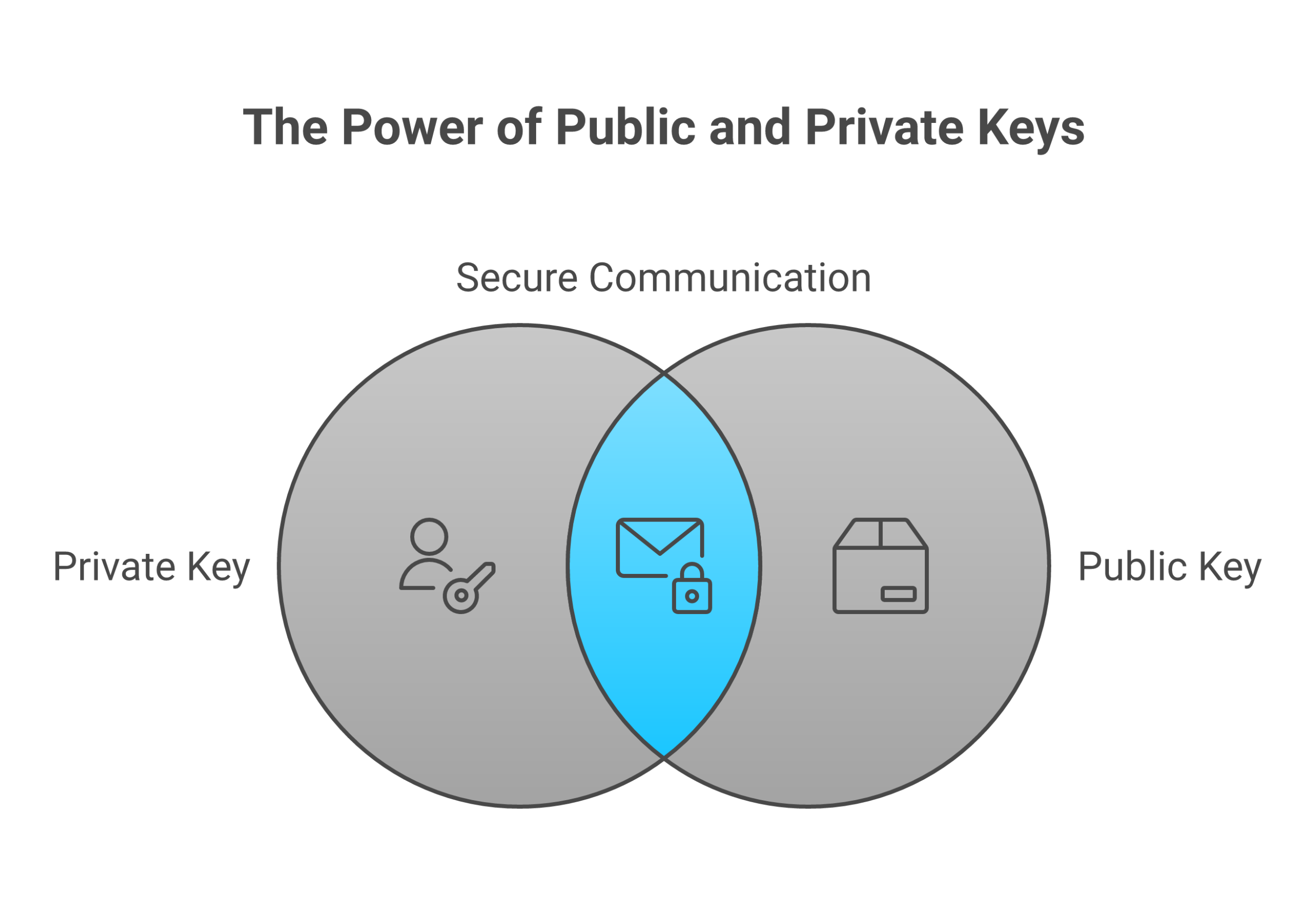
- Your private key is the secret key to open the box
- Your public key is like the box’s public label so people know where to send money
Anyone who gets your private key can take your funds. There is no “undo” button. This is true for Ethereum and also for other coins that use keys, like Bitcoin, Zcash, or tools like GreenAddress and Zcash4win that manage a private key for you.
You will also see other key types, like:
- es256 public key in some apps that use web security or tokens
- multisig private key for wallets that need more than one key to spend
- srtp private key in voice or video call security
- lightsail private key when you log in to a cloud server
The idea is the same. The private key is the secret. The public part is safe to share. Never mix these up.
If you are brand new to how this all fits into crypto and Bitcoin in general, it can help to first read a simple guide about what a blockchain is in plain English. It will give you a friendly base so the rest of this article feels much easier.
Why “Ethereum private key to public key online” is a red flag
Here is the big problem.
To turn an Ethereum private key into a public key, the tool has to see your private key. If you put your private key into a website:
- You don’t control the code on the server
- You don’t know if it logs your key
- You don’t know who is behind it
- You don’t know if the site is hacked today or next week
Once your private key is stolen, all funds tied to that key can be drained.
So when you see any website that says things like:
- “Paste your Ethereum private key here to get your public key”
- “Upload your wallet file and we’ll show your address”
you should stop and think: “If I do this, I might be handing away all my money.”
In 2026, scams around keys, seed phrases, and “helpful tools” are still some of the most common ways beginners lose funds. Many of those losses come from simple mistakes like pasting a private key into the wrong place.
The safer path: keep key actions offline
The good news is that you do not need an online converter to work with Ethereum keys.
You can:
- Use well known, offline tools or hardware wallets that never show your private key to the internet
- Use code or apps that run on your own computer without sending keys to any server
- Let your wallet handle the public key and address for you automatically
If you are just starting with crypto in general, you may not even need to touch private keys directly yet. A good beginner path is to learn step by step:
- What Bitcoin and crypto are
- How to pick a safe exchange
- How to set up a wallet you control
- How to make your first small test transaction
- How to back up your keys or seed phrase safely
Bitcoin Walkthrough does exactly this with simple, plain lessons, checklists, and no hype. If you like clear, slow, and safe learning, you can use their program and tools as a gentle starting point. As you grow, you can still use specialized services, like hosting your own small sites or tools, through platforms such as Weblish cloud hosting, which gives you control without forcing you to share keys in unsafe ways.
What you can expect from this guide
This article is built for total beginners. You do not need to be “good with tech.”
We will walk through:
- How Ethereum keys really work, in plain language
- Why private keys, seed phrases, and wallet files must stay secret
- Why “ethereum private key to public key online” tools and similar tricks are risky
- How safer tools like hardware wallets, offline apps, or multisig setups keep your keys private
- Simple safety rules you can follow with any private key, from Ethereum to a GreenAddress private key or a Zcash4win private key
Along the way, you will see tips that apply not just to Ethereum, but also to Bitcoin. If you want to see how this fits on the Bitcoin side, you can later explore how a Bitcoin block explorer works and why you need one. That tool lets you view transactions without ever sharing your private key.
A quick promise before we start
By the time you finish this guide, you will:
- Know what a private key is and why it must never be pasted into random sites
- Understand what a public key and address are, and why they are safe to share
- See clear, safer ways to get or use your public key without risky “online converters”
- Have simple checklists you can follow to avoid scams and costly mistakes
If you want structured help beyond this article, with clear steps and no jargon, you can Sign Up for a guided program that walks you through crypto basics at a calm, beginner pace.
Next, we’ll look at how Ethereum keys are created and how a public key comes from a private key, all in easy language and without touching your real keys.
Keys 101 (No Jargon): Private Keys, Public Keys, and Addresses Explained
Let’s slow this down and make it very clear. You do not need to be “good with math” for this part.
Private key: your secret master password
A private key is just a very large secret number.
You can think of it like:
- A master password that unlocks your money
- A super long pin code only you should know
With this one number, your wallet can:
- Prove “yes, this is really you”
- Sign transactions so the network will accept them
In Bitcoin and Ethereum, this private key lives inside something called elliptic curve cryptography, often using a curve named secp256k1.[^secp] You do not need to learn the math. What matters is:
- The number is huge
- Guessing it is basically impossible with today’s computers
- If someone gets it, they can move all funds
So for you, a private key is:
“My one secret that controls this money. I never share it. I never paste it into random tools.”
This is true for:
- An Ethereum private key
- A Bitcoin private key
- A GreenAddress private key
- A Zcash4win private key
It’s also true for keys in other tools, like a multisig private key, an srtp private key, or a lightsail private key. The use is different, but the rule is the same: private means secret.
[^secp]: If you’re curious about the math side, you can read a simple overview of elliptic curve cryptography, which is what makes these keys so hard to crack.
Public key: the “from this key” number
From that one secret number, your wallet creates a public key.
You can think of the public key as:
- A number that says “this came from that private key”
- A bridge between your secret and your public address
Math links them. The private key makes the public key. The public key does not let anyone go backward to the private key in any practical way with today’s tech.[^math] That one-way link is what keeps your funds safe.
You might see terms like:
- Ethereum public key
- Bitcoin public key
- es256 public key in some web security systems
Different systems, same big idea:
Private key creates public key. Public key cannot “reveal” the private key.
[^math]: This is based on hard math problems used in curves like secp256k1, which are chosen because they give strong security for keys of a practical size.
Address: the short, “human use” version
Now we go one step further.
Most people will never see or use the raw public key. Wallets turn the public key into a shorter address that is easier to share.
- In Bitcoin, the wallet hashes and encodes the public key into a Bitcoin address that starts with “1”, “3”, or “bc1”.
- In Ethereum, the wallet hashes the public key into a 42‑character address that starts with “0x”.
So the chain looks like this:
Private key → makes public key → turned into address
You send and receive with the address, not the private key.
This is why you can safely paste your address into websites, forms, or messages, for example when you want someone to send you ETH or BTC. The address does not give away the private key.
Why you don’t need “ethereum private key to public key online” tools
Now think about that chain again:
- Private key
- Public key
- Address
Your wallet already knows how to go from private key to public key to address, all on your own device.
Modern wallets:
- Create the private key on your phone or computer
- Store it inside the app or a hardware wallet
- Show you the public address when you need it
- Do not need a website to “convert” anything
So when you see a tool that says “ethereum private key to public key online,” remember:
Any site that can show your public key from your private key had to read your private key first.
That means:
- Your secret just left your safe device
- You now have to trust that random server
- If it logs your key, your funds can be stolen later
Legit wallets do this work locally on your device. No pasting. No upload. No “online converter” step.
If you want to see how this “public view, private secret” idea shows up on Bitcoin, a simple next step is to learn what a Bitcoin block explorer is and why you need one. A block explorer lets you see activity for an address, without ever sharing your private key.
One key rule: losing the private key means losing the money
Here is the big safety rule to keep in your head:
If you lose or expose your private key (or seed phrase), you lose control of your funds.
That means:
- If someone else sees your private key, they can move your coins
- If you paste your seed phrase into a fake site, your wallet can be emptied
- If you store a screenshot of your keys in the cloud, and that account is hacked, you can lose everything
Treat it like:
- A master password that cannot be reset by a company
- A key to a safe that no bank can open for you if you lose it
This is why “small” actions, like typing your key into a website to “get” your public key, are so dangerous. They turn a safe wallet into an open door.
If all of this still feels a bit much, it can really help to walk through things in a calm, step by step way. Bitcoin Walkthrough does that with simple lessons on keys, wallets, and basic safety, and you can follow along at your own pace while you practice on tiny test amounts. When you are ready to host your own tools or small sites without handing keys to random services, a beginner friendly platform like Weblish cloud hosting can give you more control over your own setup.
If you want someone to guide you gently from “I know nothing” to “I can handle my first crypto steps safely,” you can Sign Up and get a structured path so you never feel pushed into risky shortcuts like “ethereum private key to public key online” converters.
Next, we’ll walk through how Ethereum actually turns that private key into a public key and then into an address, still in plain language and without touching your real keys.
Why Searching “Ethereum Private Key to Public Key Online” Is Risky
You might think, “I just need my public key. I’ll use a quick site and then close it.”
Here’s the problem. The moment you type your private key into a website, the game is already over.
What can go wrong when you use online key tools
When you search “ethereum private key to public key online,” many of the results are not there to help you. They are there to take your money.
A fake tool can:
- Save your key on its server, then drain your wallet later
- Inject malware into your browser or computer
- Show a “safe looking” result, while sending your key to an attacker in the background
In 2025 and 2026, crypto users lost billions of dollars to hacks and scams, much of it from trick sites and fake tools that steal secrets like keys and seed phrases.[^stats] Once a private key is copied, your coins can be moved at any time, even while you sleep.
It does not matter what kind of secret it is:
- An Ethereum private key
- A Bitcoin or GreenAddress private key
- A Zcash4win private key
- A multisig private key that protects a shared wallet
- A Lightsail private key or SRTP private key used for servers or calls
- An es256 public key system where you also hold a private key
If the private part leaks, the safety is gone.
[^stats]: Recent crypto security reports show that hacks and scams caused billions in losses in a single year, and private key theft is a major part of that damage. See the overview in these cryptocurrency security statistics.
How scammers trick you into using “key tools”
In 2026, phishing attacks have become smarter and more real looking. Attackers use AI to write clean, friendly text and make fake support messages that look like the real thing.[^ai]
So you might see:
- A site that looks like a trusted wallet, but is not
- A “guide” that says “enter your key here to recover your funds”
- A tool that claims to be an Ethereum “debug helper” or “viewer”
They know you may feel:
- Worried that you lost access
- Rushed to move coins during price swings
- Confused by words like es256 public key, multisig private key, or Lightsail private key
Scammers use that fear and urgency to push you into typing your key. This same pattern shows up across many modern phishing attacks.[^phishing]
[^ai]: Attackers now use AI to make more convincing phishing emails, fake support chats, and scam websites that look almost real, as noted in recent coverage of new cyber security threats in 2026.
[^phishing]: Security researchers list phishing and fake websites as one of the biggest risks to both crypto wallets and online accounts in 2026. See this breakdown of how secure crypto really is in 2026.
“But I only need my public key. Isn’t that safe?”
The public key itself is fine to share. The danger is how you get it.
If you use an online converter:
- You must give it your private key
- The site can read that key before it does any math
- You have no way to know if it kept a copy
Once the private key leaves your device, it can be:
- Stored and sold
- Used in a later hack
- Tied to other data about you
Big losses have already happened when a single private key used for a “safe” system was exposed, and millions in tokens vanished.[^exploit] You do not want to be the next story like that.
[^exploit]: In one 2026 incident, a single compromised private key tied to token infrastructure led to a multi million dollar exploit on the IoTeX network, showing how one leaked key can break an entire setup. You can read a short summary in this report on the IoTeX private key compromise.
Safer rule: keep secrets offline, use trusted tools
Here is the simple safety rule to remember:
If a tool needs your private key, it should run on a device you control, not on some random website.
Safer habits:
- Let your wallet app handle “ethereum private key to public key” work inside the app
- If you must do anything advanced, use a trusted, audited tool on a laptop that is offline while you run it
- Never paste a seed phrase or private key into a web form, Google Doc, or email draft
The same rule protects your:
- Multisig private key for shared wallets
- SRTP private key used for secure calls
- Lightsail private key for servers or sites
If you want to see how public information can be viewed safely, it helps to practice with tools that never ask for keys at all. For example, you can learn how to look up transactions on a Bitcoin block explorer. A block explorer lets you see what a public address is doing, while your private keys stay fully offline.
When you are ready to run simple apps or small sites without trusting mystery services, using a beginner friendly host like Weblish cloud hosting can give you more control over your own servers and keys, instead of handing that power to random tools you find by search.
If you want a clear, calm path so you never feel forced into risky “quick fixes” like online key converters, you can Sign Up and follow a step by step program that teaches you safe crypto habits from the start.
How Wallets Actually Work: Entropy, Seed Phrases, and Derivation Paths
If you only used “ethereum private key to public key online” tools, it can feel like keys are random and messy.
Actually, good wallets follow a very simple idea:
One strong secret can safely create many keys, for many coins, in a repeatable way.
To see why that matters, we need three ideas: entropy, seed phrases, and derivation paths.
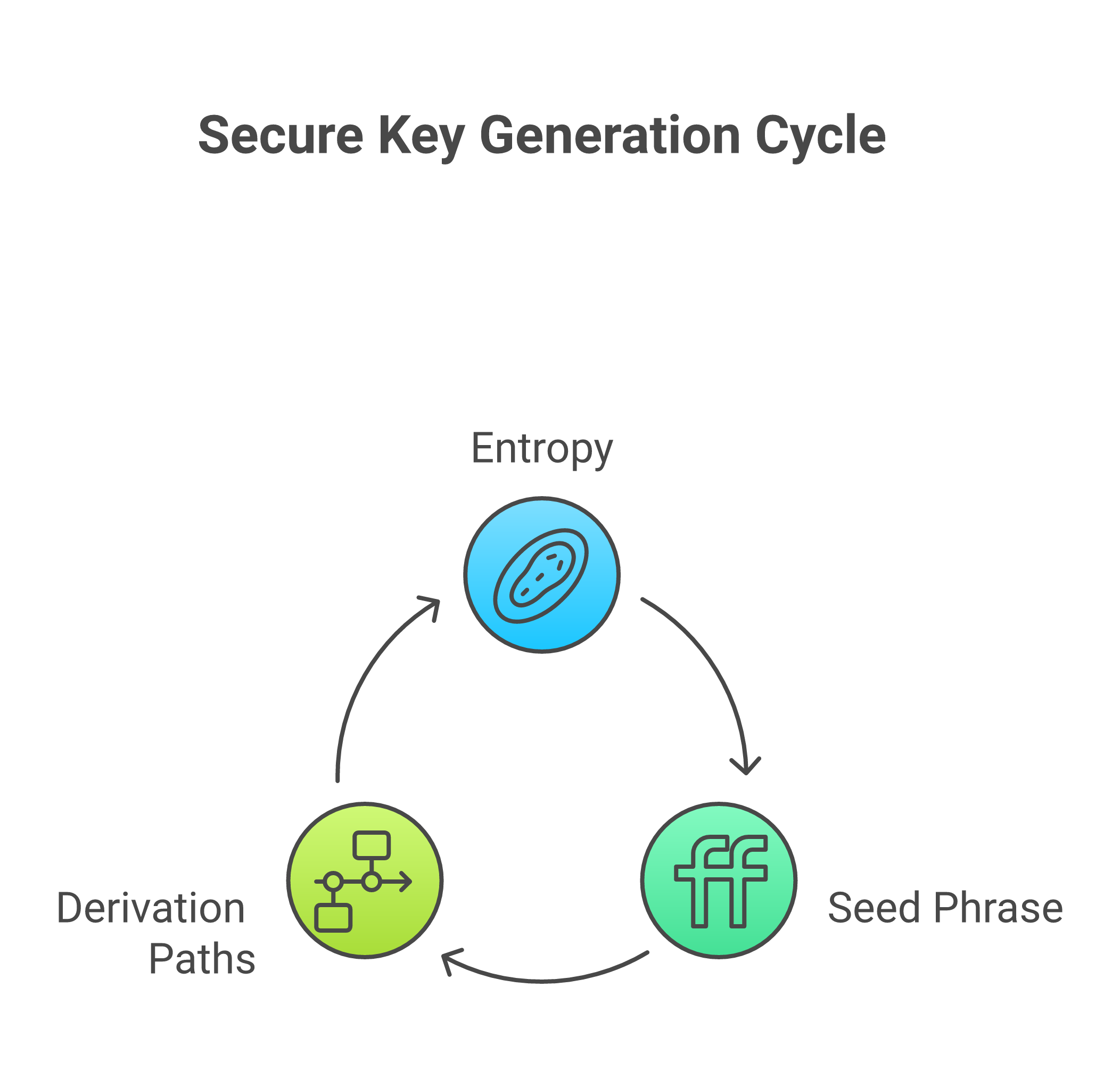
Step 1: Entropy, or “good randomness”
When you first make a wallet, the app needs a big random number. This is called entropy.
If the randomness is weak or easy to guess, a hacker can try many keys and maybe hit yours. If the randomness is strong, guessing is not realistic at all.[^ecc]
Good wallets get entropy from things like:
- Your device’s secure random number system
- Many tiny events, like mouse moves or key presses
- Hardware chips that are built just to make random numbers
Modern crypto wallets use strong math, such as elliptic curve cryptography, so that a 256 bit key gives security close to 128 bits, which is very high for normal users.[^ecc]
This first random number is the root of your wallet. It is the seed that everything else grows from.
[^ecc]: For example, a 256 bit elliptic curve like secp256k1 gives about 128 bits of security, which is considered strong for real world use. You can see a clear overview in this guide to elliptic curve cryptography.
Step 2: Seed phrases, the human backup
Raw entropy is just a long number. People cannot remember that.
So wallets turn that number into a list of words. That list is your seed phrase (also called a recovery phrase).
Typical seed phrases:
- 12 words
- 18 words
- 24 words
The same words, in the same order, will always re create the same seed. From that seed, the wallet can re create:
- Your Ethereum private keys
- Your Bitcoin keys
- Other coin keys
- Even extra keys for tools like multisig private keys
This is why seed phrases are so serious:
- If someone gets your seed phrase, they can rebuild every key
- If you lose your seed phrase, you may not be able to rebuild anything
It does not matter if it was an Ethereum key, a GreenAddress private key, or a Zcash4win private key. If they all came from that seed, the seed is the master secret.
This is also why good wallets do not ask you to search “ethereum private key to public key online.” They can always make the public key again from inside the app, starting from the same seed.
Step 3: What is a derivation path?
So you have a seed. How do you get many keys from one seed, in a neat way?
Wallets follow derivation paths.
A derivation path is like a map that says:
“From this seed, walk this path and get this exact key.”
Different coins use different standard paths. Your wallet hides this from you and just shows:
- “This is your Bitcoin address.”
- “This is your Ethereum address.”
But inside, it is doing careful math.
For example:
- One path might say “first Bitcoin account.”
- Another path might say “first Ethereum account.”
- A third might be used for a multisig private key that protects a shared wallet.
All of these keys can come from the same seed phrase, but with different paths. That is how one hardware wallet can safely hold many coins at once.
This is also how you can restore your full wallet on a new device. Type the same seed phrase, the app follows the same paths, and you get the same keys again.
Bitcoin and Ethereum from the same seed
Here is the part many people do not know.
Your Bitcoin wallet and Ethereum wallet can come from the same seed. They just:
- Use the same seed phrase
- Follow different derivation paths
- Use curves that work with each system
For Bitcoin and Ethereum, private keys often live on the secp256k1 curve, which is a standard choice in many blockchains.[^secp] Ethereum then uses other math, like Keccak, to build addresses from the public key, but both start with a private key on the same kind of curve.
Your wallet app handles all of this.
So when you think “I need an Ethereum public key, maybe I should search ethereum private key to public key online,” remember:
- Your wallet already knows the path
- Your wallet can make the public key again any time
- You do not need to share the private key or the seed with a website
[^secp]: The secp256k1 curve is a widely used elliptic curve for public key cryptography in Bitcoin and other systems. You can read a simple overview in this short article on what secp256k1 is and how it is used.
How this idea shows up in other keys
This seed and path model is not only for coins. The same pattern can guide many keys, such as:
- A multisig private key that works with other people’s keys
- An SRTP private key that secures voice or video calls
- A Lightsail private key that lets you log in to a cloud server
- Keys used in systems with an es256 public key where there is also a matching private key
In each case, there is a secret part and a public part. The safer the source entropy and the better the backup, the safer the whole system.
If you want to see how public info works in practice, without touching your keys at all, it helps to explore how data moves on chain. A gentle start is this guide that explains what a blockchain is in plain English. When you see that public data is already open on the chain, you feel less pressure to paste private secrets into random tools.
Why this makes online key tools pointless
Now you can see why good wallets never send your keys out:
- The wallet has the seed
- The seed plus a path gives your private key
- The private key gives your public key
- The public key gives your address
All on your device. All without a website.
So online “ethereum private key to public key” tools are not giving you anything new. They only add risk.
If you want to practice safe habits, it can help to use a simple hosting setup where you control the server yourself.

A beginner friendly host like Weblish cloud hosting lets you run small apps and learn about keys in a calm way, instead of handing control to random sites.
When you are ready to build strong, safe habits around Bitcoin and crypto from the very start, you can Sign Up and follow a step by step program that shows you, in plain language, how wallets, keys, and backups really fit together.
Safe, Step-by-Step: Create a Wallet Without Touching a Website
You now know that one seed can make many keys. So how do you make that seed in a safe way, without “ethereum private key to public key online” tools?
Let’s walk through a simple plan you can follow in real life.
Step 1: Pick a safe place and a safe tool
First, choose where you’ll make your seed.
You have two strong choices:
- A hardware wallet
- An offline computer (air gapped)
Security guides in 2026 still treat hardware wallets as one of the safest ways to hold long term coins, as long as you follow basic rules like strong backups and careful checks.

[^ledger]
Why these are safer than websites:
- The keys never leave the device or offline computer
- No browser plug in, ad, or fake site can grab your seed
- You are not trusting a “free” website with your master secret
What not to use:
- Random “generate Ethereum key” sites
- “ethereum private key to public key online” tools
- Any form that asks you to paste a seed phrase
If a site asks for a seed, a multisig private key, an SRTP private key, a Lightsail private key, or any other secret, treat it as unsafe.
[^ledger]: You can see how modern wallets still stress seed protection, device checks, and offline key storage in this 2026 crypto wallet security checklist.
Step 2: Get the software safely, then go offline
If you use a hardware wallet, install only the official app from the maker, then use it with your device.
If you use an offline computer, you may want a desktop wallet that can run without the internet.
Here is the safe flow:
-
Download once on an online computer
- Get the wallet app from the real site
- Do not use links from random comments or chat
-
Verify the file
Good wallet projects share checksums or signatures so you can see if the file changed. This sounds scary, but many step by step wallet guides in 2026 show how to do this in plain language for normal users.[^jellyfish]
You can think of it like checking a seal on a food jar. If the seal is broken, you do not eat it. -
Move it to the offline computer
- Use a clean USB drive
- Scan the USB with a good antivirus on the online computer
- Then plug it into the offline one
-
Unplug the internet on the offline computer
- Turn off Wi Fi
- Remove any cable
- Now run the wallet app
You only need to do this setup a few times in your life. It is worth going slow.
[^jellyfish]: For context on how careful wallet apps handle downloads and security checks, see this recent guide on digital wallet app development best practices.
Step 3: Let the device make your seed
Now let the secure tool do its job.
On a hardware wallet or offline wallet:
- Start the setup
- When it offers to “create new wallet” or “create new seed,” say yes
- Let it gather entropy and build the seed inside the device
You do not:
- Type anything into a website
- Paste a private key into a form
- Try to “convert” a key with an online tool
The device will handle the math that gives you:
- Bitcoin keys
- Ethereum keys
- Keys for other chains
- Even keys that can later be part of a multisig private key setup
If you ever use other systems, like services that need an ES256 public key plus a private key, the same rule holds. You create keys in safe tools, not in your browser on a random site.
Step 4: Write your seed phrase by hand
Next, the device will show you your seed phrase. Slow down here. This is the most important part.
Do this:
- Get a pen and paper or a special metal backup
- Write every word, in the right order

- Double check the spelling, twice
- Store it where fire, water, and theft are less likely
Do not:
- Take a screenshot
- Save it in your phone photos
- Email it to yourself
- Put it in Google Drive, iCloud, Dropbox, or chat apps
Modern safety guides for digital wallets still stress this in 2026, because so many hacks come from cloud accounts and email theft, not from “broken math.”[^safety] If a hacker gets your seed phrase, they can rebuild every key you saw in the last section. That includes a GreenAddress private key, a Zcash4win private key, or a future Lightsail private key that you might keep for a server.
[^safety]: A recent overview of digital wallet safety explains that weak storage of backups, like email and cloud notes, is one of the biggest real world risks for normal users, not the cryptography itself. See this guide to digital wallet safety and best practices.
Step 5: Let the wallet make addresses, not websites
Once your seed is safe, the rest is easy.
Your hardware wallet or offline wallet can now:
- Make your Bitcoin address
- Make your Ethereum address
- Show you public keys and addresses again later when you need them
All of this happens without:
- Any “ethereum private key to public key online” tool
- Any upload of your private key
- Any copy paste of secrets into a browser
If you want to see what is on chain, use a block explorer, not your keys. A simple guide like what a Bitcoin block explorer is and why you need one shows how you can check public data safely, with only addresses or transaction IDs.
Step 6: Practice on your own turf, not a stranger’s site
One reason people trust risky tools is that they feel powerless. They think “the website knows more than me.”
You can flip that.
If you want to learn, it is far safer to run your own tiny test apps on a server you control than to hand secrets to a stranger. A beginner friendly host like Weblish cloud hosting lets you:
- Spin up a small server in minutes
- Try simple scripts that use public data only
- Learn about keys, logs, and backups in a calm, low cost way
Later, when you start moving real Bitcoin or Ethereum, you will already feel what “self custody” means, both on your server and in your wallet.
When you are ready to go from “curious” to “careful and confident,” you can Sign Up and follow a guided, beginner friendly path that teaches you, step by step, how to move from safe wallet setup, to your first purchase, to checking your own transactions without ever pasting a private key into a random site.
Offline Pre-Flight Checklist (Beginner Edition)
Before you make any keys or touch an “ethereum private key to public key online” tool, get your space ready. Think of this like getting a plane ready before takeoff.
1. Prepare your gear
Set up first, then start.
Have:
- A clean computer or hardware wallet
- Power cable or a full battery
- Pen that writes clearly
- Paper you can store, or a metal backup plate
- A simple list of steps so you do not rush
Modern wallet safety guides still say that clear backups, careful setup, and simple habits beat fancy tricks for most people.[^checklist]
If you ever work with other keys later, like an ES256 public key, a multisig private key, an SRTP private key, a Lightsail private key, or even older tools like a GreenAddress private key or Zcash4win private key, this same slow, clean setup still helps you.
[^checklist]: You can see how current tools still stress seed storage, device checks, and calm setup in this 2026 crypto wallet security checklist.
2. Go offline and close extras
Now lock things down for a short time.
Do this:
- Turn off Wi Fi on the wallet computer
- Unplug any network cable
- Close browsers, chats, email, and game apps
- If you can, cover or turn off built in cameras and microphones
If you use a desktop wallet:
- Download the app on an online computer
- Check the file against the checksum or signature from the official site
- Move it to your offline device with a clean USB, then unplug the internet and install
Good wallet builders in 2026 treat file checks and offline steps like basic safety, not “expert only” tricks, so normal users can follow them too.[^dev]
Avoid every “generate Ethereum key” site and every “ethereum private key to public key online” converter. Your private key and seed should never touch a stranger’s server.
[^dev]: For a look at how careful teams design and ship safer wallet apps, see this guide on digital wallet app development best practices.
3. Make, record, and test your seed
When your device is offline and ready:
- Let the wallet create a new seed
- Write every word on paper or steel, in clear block letters
- Check the list twice, word by word, in the right order
- Store the backup somewhere safe from fire, water, and easy theft
Next, do a “fire drill” with zero funds:
- Use the wallet’s reset or wipe feature
- Restore from the seed you just wrote
- Make sure it gives you the same first receive address
This small test shows that your writing is clear and complete, before any real money is at risk. It also trains you for a real restore later, which cuts panic if a device ever breaks.
When you are ready to see how this seed turns into real use, you can learn how addresses show up on chain with a simple guide like what a Bitcoin block explorer is and why you need one. That way you check your public data safely, without ever needing risky tools or “ethereum private key to public key online” sites.
If you would like a gentle, step by step path from this checklist to your first tiny buy and your first safe send, you can Sign Up for beginner friendly hosting and follow along while you practice on your own turf, not on a stranger’s website.
Translating an Ethereum Private Key to Public Key / Address The Safe Way
You might think, “I’ll just paste my key into an ethereum private key to public key online site and get my address.”
Please do not do that.
If someone sees your private key, they can take all your coins. There is no undo. So we walk through the safe way here.
1. How a private key turns into an address
Let’s keep this simple.
For Ethereum:
- You start with a private key
- Math turns it into a public key
- More math turns that public key into an address
The math uses a special curve called secp256k1, which is the same type of curve Bitcoin uses for its keys.[^secp] This is hard, careful math that gives strong security when used right.
From there:
- The public key gets hashed with a function called Keccak 256
- The last 20 bytes of that hash become your Ethereum address
- The address is shown in hex, with letters and numbers, like
0xAbC123... - A checksum in the upper and lower case letters helps spot typing errors, so wallets can often catch a bad address before you send money to it.[^addr]
So your address is “downstream” from your public key, which is “downstream” from your private key.
You never need to give anyone your private key to let them pay you. They only need your address.
[^secp]: You can read more on how the secp256k1 curve underpins public and private keys in this clear explainer on secp256k1 and related algorithms.
[^addr]: For a clear, dev level view of how Ethereum addresses are built from public keys and Keccak 256, see this guide on how Ethereum addresses are generated.
2. Why “ethereum private key to public key online” tools are risky
When you search for “ethereum private key to public key online,” many sites promise quick help.
Here is the problem:
- Your browser runs code you did not write
- The page can copy your key and send it away
- You have no easy way to see if it did
Even if the site looks clean, a future hack or silent update could steal keys. In 2026, wallet builders and security pros still say that private keys should stay offline and local, not in web forms or random scripts.[^ecc]
This same warning holds if you ever work with any other secret key:
- ES256 public key systems for web tokens
- A multisig private key for shared control
- An SRTP private key in secure voice or video
- A Lightsail private key to log in to servers
- Older tools like a GreenAddress private key or Zcash4win private key
If a single private key gets copied, someone else may act as you. The tool type does not matter.
[^ecc]: If you want to see why strong key math is safe only when the private part stays hidden, this overview of elliptic curve cryptography gives a good big picture.
3. The safe way to derive a public key or address
If you really must turn an Ethereum private key into a public key or address, do it like a careful lab test, not a quick web search.
You have two main safe paths.
Option A: Use a hardware wallet
This is the easiest for most people.
- Set up the hardware wallet while offline (like in the checklist you just read)
- Import or load the private key only if the device supports it, or better, let the device create the key for you
- Let the wallet show you the public address on its own screen
The private key never leaves the device. You see and use only the address.
Most modern hardware wallets also help you explore your public data later with a block explorer, kind of like the way a Bitcoin block explorer shows Bitcoin transactions without touching your keys.
Option B: Use offline, audited software
If you are more hands on and really need to work from a raw private key:
-
Go fully offline
- Use the same steps from the pre flight checklist
- No Wi Fi, no cable, no open apps that talk to the internet
-
Use a known library or tool
- Pick a well known Ethereum library that handles secp256k1 and Keccak 256
- Install it while you are still online, then move it to the offline machine and verify it
- Guides like this one on generating Ethereum addresses in Python show the basic flow from private key to address
-
Run the conversion offline
- Enter the private key only on the offline machine
- Let the library derive the public key, then the address
- Copy the address only to paper
-
Never bring the private key online
- Do not email it to yourself
- Do not paste it into notes that sync
- Do not store it in cloud drives
Your goal is simple: the private key never crosses the air gap.
4. How to move and check your new address
Once you have your Ethereum address:
-
Write it by hand
- Use clear, block letters and numbers
- Check every character twice
-
Move it to an online device by hand
- Type it in on your main computer or phone
- Check it once more as you type
-
Check it on chain, safely
- Use a trusted Ethereum block explorer, just like you would use a Bitcoin one to learn what a blockchain is in plain English
- Search for your address and confirm it loads, even if it has no history yet
At no point should the private key show up on the online device. Only the address travels.
5. How this fits your bigger crypto safety plan
Learning to safely turn a private key into a public key or address is just one small skill. It sits next to many others:
- Keeping seeds backed up
- Testing restores before you risk money
- Using hardware wallets instead of web forms
- Learning how on chain history shows up in explorers
If you would like a calm, step by step path that walks you from “I know nothing” to “I can make a small buy and keep it safe,” you can Sign Up and follow along with guided lessons on your own devices. It is much easier to learn these moves in order than to patch things together from random ethereum private key to public key online tools.
Offline Verification Workflow: Step by Step
You now know why it is unsafe to use an “ethereum private key to public key online” site. So let’s walk through what to do instead.
This is your clean, repeatable workflow.
1. On the offline device: derive and freeze the address
On your fully offline laptop:
-
Open your trusted tool or library
You can follow a guide like this one on creating a full Ethereum keypair and address to see the basic flow from private key to public key to address. -
Load or create the private key
- This can be a seed you typed in by hand
- Or a file you moved in with a USB drive you trust
-
Let the tool compute the public key and address
- The math uses secp256k1 and Keccak 256 to get the last 20 bytes of the hash as your address
- The result should look like
0xplus 40 hex characters, often with mixed upper and lower case letters for checksum, as explained in this short note on Ethereum address format
-
Export only the address
- Write the address on paper
- Or save it in a text file that holds no seeds or keys
Do not move your private key, seed phrase, ES256 public key material, any multisig private key fragment, SRTP private key, Lightsail private key, GreenAddress private key export, or Zcash4win private key file off this offline box. Treat them all as “do not travel.”
2. Still offline: double check the address
Now you want to make sure the address is correct before you trust it.
-
Check the checksum look
- Count that it has 42 characters total, including
0x - Make sure every character is 0 to 9 or A to F or a to f
- If your tool supports checksum addresses, mixed case is normal
- Count that it has 42 characters total, including
-
If you can, use a second offline tool
- Run the same private key through a different, audited program on the same offline device
- Check that the address text is an exact match, every character
If the two tools ever disagree, stop. Do not send money to that address until you find the cause.
3. Move the address, not the key
Now it is time to bring the address to your everyday, online device.
-
Copy by hand if you can
- Carefully write the address from the offline screen to paper
- On your online device, type it in, then compare side by side
-
If you use a file, clean it
- The file should hold the address only
- No notes, no seed, no private key lines
Your private key, or any other secret key, stays on the offline side only.
4. On the online device: watch, never paste secrets
With the address on your online laptop or phone:
-
Open a trusted block explorer site
You can think of it like a Bitcoin explorer that helps you see history without keys, the way a Bitcoin block explorer works and why you need one. -
Paste only the address into the search box
- Never paste your seed phrase
- Never paste a private key
- Never paste any part of a multisig private key setup
-
Check what you see
- At first, you may see “no transactions” and that is fine
- Later, when you send a small test amount, you can watch it land and confirm it is the right spot
This same “address only online” habit will keep you safe in many areas, not just Ethereum.
If you would like a simple path that shows you how this fits into a full safety plan, from your first buy on a beginner friendly exchange to watching your funds on chain, you can Sign Up for a guided program that walks you through each move in order.
Where to Keep Keys: Hot vs Cold, Hardware Wallets, Multisig, Social Recovery
You now know not to use an “ethereum private key to public key online” tool. The next big question is simple.
Where should your keys live day to day?
Think of this as picking the right “home” for every key you care about, from your Ethereum key to your ES256 public key or even a Lightsail private key.
Hot wallets vs cold storage
A hot wallet is a wallet that touches the internet.
Examples:
- Phone wallet app
- Browser extension wallet
- Exchange wallet
Hot wallets are easy to use, which makes them great for small daily spending. In 2026, guides on hot vs cold wallets still point out that hot wallets have more attack paths, because the device is online all the time.
Key idea:
- Hot wallet: high comfort, higher risk
- Keep only “coffee money” here
A cold wallet is a wallet where the keys stay fully offline.
- No direct internet link
- No copy of the key in email or cloud
- Used with care, only when you move funds
Cold storage fits very well with the offline steps you just saw for moving from private key to public key to Ethereum address. Your secret never sits in an “ethereum private key to public key online” web form. It stays on a device that does not browse at all.
In 2026, reviews of the best cold storage wallets show that serious users still treat cold storage as the main place for long term savings.
Hardware wallets: cold, but easier
A hardware wallet is a small device that holds your private keys inside a secure chip.

You connect it to your computer or phone, but:
- The private key never leaves the device
- The device signs the transaction inside the chip
- Your computer only sees the signed result
Experts still list hardware wallets as top picks for strong security in 2026, because they keep keys away from normal phone and laptop malware.[^hw] This is a cleaner way to get many of the same wins as your fully offline laptop workflow, with less hassle.
Good use:
- Store your main savings on a hardware wallet
- Use a hot wallet for tiny day to day amounts
- Never type seeds, ES256 public key material, or any Zcash4win private key into random sites
If you want a deeper, plain English base before you buy any wallet, you can read how a blockchain works in simple words. It helps the whole wallet picture click.
[^hw]: For example, roundups of the best crypto wallets in 2026 still rank hardware wallets at the top for long term holding.
Multisig and threshold setups: no single point of failure
A multisig private key setup splits spending power across more than one key.
Simple picture:
- You have 3 keys
- Any 2 keys out of 3 can sign and spend
- One lost key does not mean lost funds
This kind of “2 of 3” or “3 of 5” rule is called a threshold setup. It can protect you from:
- One laptop getting hacked
- One family member losing their backup
- One office device being stolen
You can mix hot and cold here:
- One key on a hardware wallet (cold)
- One key on an offline laptop (cold)
- One key on a phone wallet you keep locked down (hot, but used rarely)
The same idea can help with other secrets too, like a multisig SRTP private key for voice tools, or a GreenAddress private key export that you protect across devices instead of in one single place.
Just remember:
- Multisig is safer only if you can explain, on paper, how you would recover if one key is lost
- You need a clear plan for who holds each key, and how you will teach them what to do
Social recovery: people as your backup
Social recovery uses trusted people, not just devices, as part of your backup.
The idea:
- You pick a small group of “guardians”
- Each gets a piece, or gets listed on a smart contract
- If you lose your main wallet, they help you reset or rebuild access
This can feel friendly for beginners, since it replaces some tech steps with “ask my friends to help.” But it comes with human risk:
- People can forget, lose phones, or change contact info
- A guardian can be tricked or pressured
- A fight or breakup can turn into a key problem
If you use social recovery:
- Pick people who are careful and stable
- Write down clear steps for them
- Use it as a backup, not your only line of defense
How this ties back to “keys stay offline”
No matter which map you pick:
- Hot wallet
- Hardware wallet
- Multisig
- Social recovery
The rule stays the same.
Your private keys should never be pasted into a random website. That includes any tool that asks you to plug in a multisig private key, a Lightsail private key, an ES256 public key seed, or a Zcash4win private key to “check” something.
You can use online tools to watch and learn, the way a Bitcoin block explorer shows history without asking for keys. But you only share addresses, never secrets.
If you want someone to walk you through a safe setup step by step, from picking an exchange to choosing hot vs cold storage and testing sends, you can Sign Up for a guided program that keeps every move simple and clear.
Beginner-Friendly Storage Setup Flow
Here is a simple path you can follow, even if you just learned about an ethereum private key to public key online flow and feel nervous.
-
Pick a starter wallet
- Best for most people: a good hardware wallet, since it keeps keys off your main phone and laptop
- If you are not ready to buy one, use a well known mobile wallet with clear backup steps
- Recent guides to the best crypto wallets in 2026 still rate beginner friendly hardware wallets very highly
-
Do a tiny test run
- Buy a very small amount on a trusted exchange
- Send a little bit to your wallet
- Send a little bit back
- Practice this until it feels boring
Treat this like training, not investing. You should feel safe sending and receiving before you move more.
-
Test your backup early
- Write your seed phrase on paper
- On a second device or fresh app, restore from the seed
- Check that the same addresses show up
This habit protects any secret, from a normal wallet seed to a Lightsail private key, an SRTP private key, or even a GreenAddress private key export, because you learn to test backups before you trust them.
-
Level up with multisig or social recovery
- When you feel calm with the basics, look at a simple multisig private key setup, like 2 of 3 keys
- Or try a wallet with built in social recovery, where trusted people can help you recover
- Keep the rules on paper, including what happens if one key or one person is lost
-
Keep keys offline, tools online
Even as you grow, you never paste seeds, ES256 public key seeds, or Zcash4win private key data into web forms. Use online tools that only need addresses, like a Bitcoin block explorer, not full keys.
If you want someone to guide you through these steps, from picking a safe exchange to doing your first test sends, you can Sign Up for a walkthrough style program that keeps every move simple and clear.
Common Attacks and Red Flags to Avoid
If you can spot trouble early, you can keep your ethereum private key to public key online flow, and every other key, much safer.
Scammers know new users feel unsure. They use fake help, scary messages, and “easy money” tricks to make you give up your secret keys. In 2025, hacks and scams stole billions of dollars in crypto, and the trend is still rising in 2026, so your caution is not “too much,” it is smart protection.[^stats]
Let’s walk through the big danger signs.
1. Phishing: When Fake People Ask for Real Secrets
Phishing is when a bad person pretends to be someone you trust, then asks for your seed or private key. In 2026, these attacks are getting more clever, with AI that makes very real looking emails, support chats, and websites.[^phishing]
Common tricks:
-
Fake support chats or emails
- “Hello, I am from your wallet support. I need your seed phrase to fix a bug.”
- Real support will never ask for your seed, ethereum private key, ES256 public key seed, SRTP private key, Lightsail private key, GreenAddress private key export, or Zcash4win private key. Ever.
-
Fake “recovery” or “verification” pages
- You click a link that looks like your wallet site.
- The page asks you to “validate” your seed or multisig private key to keep your funds safe.
- The moment you type it, they can steal everything.
-
Impersonation on social media or Discord
- A scammer copies the logo and name of a big exchange or wallet.
- They message you first, offer “help,” then ask for your seed.
Red flag rule:
If anyone, anywhere, asks for your seed phrase or private key, you stop. Close the tab. End the chat. Do not “check later.” Just leave.
2. Malware: When Your Own Device Turns Against You
You might be very careful with websites, but malware can still hurt you if it gets on your phone or computer. New cyber threats in 2026 often use hidden software that watches what you type or change what you paste.[^malware]
Watch out for:
-
Clipboard hijackers
- You copy a wallet address to send funds.
- Malware changes it to the scammer’s address when you paste.
- You hit send, and the money is gone.
Fix: Before you send, always check the first and last few letters of the address. If they look wrong, stop.
-
Keyloggers
- These record every key you press.
- If you ever type a seed phrase or private key on that device, the attacker can read it later.
Fix: Never type seeds on a normal computer. Use paper and trusted hardware wallets instead.
-
Bad browser extensions
- A “free crypto tool” extension might inject fake buttons or popups.
- It might change where your “Connect Wallet” button sends you.
Fix: Keep extensions to a minimum. Only install tools from wallet teams you fully trust.
You can also lower risk by keeping your “viewing tools” and “secret tools” separate. For example, read about how a Bitcoin block explorer works on a normal browser, but only sign important sends on a hardware wallet.
3. Too Good To Be True: Easy Money and Fake Urgency
Scammers love to rush you. They do not want you to think.
Common scam patterns:
-
“Double your coins in 10 minutes”
- Send crypto to “join a special pool.”
- “Guaranteed” rewards, secret deals, or huge daily returns.
- In real life, no safe, normal project offers magic profit.
-
Urgent countdowns and threats
- “Your account will be closed in 30 minutes, click here now.”
- “Funds frozen, enter your seed phrase to unlock.”
- Strong rush plus talk about “unlocking” is almost always fake.[^crypto_secure]
-
Requests to “validate” your key or seed
- This can come by email, SMS, or even a phone call.
- They might say “regulator check” or “security upgrade.”
- You never need to “validate” a seed, ethereum private key, or multisig private key with a stranger.
Simple test:
If a message makes you feel fear or greed, pause. Close it. Later, visit the real site by typing the address yourself or using your own bookmark.
4. How These Attacks Hit Real Projects
Even large projects can get hurt if a key is exposed. In early 2026, the IoTeX project lost millions after a private key tied to its token safe got compromised.[^iotex] The key was likely stored or handled in a way that allowed attackers to reach it.
This shows that it is not just “small users” at risk. The whole system depends on people keeping private keys off the internet and away from attackers.
Your own habits matter too, even if you only move a small amount while you practice basic flows like turning an ethereum private key to public key online or checking a balance on a block explorer.
5. Quick Red Flag Checklist
When you do anything with crypto, remember this short list:
-
Did someone ask for your seed, private key, or ES256 public key seed?
- If yes, it is a scam.
-
Did a message use big fear or big greed to rush you?
- Stop and step away.
-
Are you on a site you reached only by clicking a random link?
- Close it, and type the address yourself.
-
Did you double check the address after pasting?
- Look at the first and last few letters.
-
Are you using separate, safe tools for secrets and for browsing?
- Keep keys offline as much as you can.
If you feel lost or scared about doing all this yourself, you do not have to guess. You can Sign Up for a gentle, step by step program that shows you how to choose safe exchanges, test small sends, and spot scams before they touch your money.
[^stats]: See current cryptocurrency security statistics for recent loss numbers from hacks and scams.
[^phishing]: Recent research on top phishing attack trends in 2026 shows a rise in AI driven and multi channel scams.
[^malware]: You can read about emerging cyber threats in 2026 to see how malware and new tricks are evolving.
[^crypto_secure]: For a review of common crypto risks in 2026, see this guide on how secure crypto really is today.
[^iotex]: The IoTeX exploit shows the cost of key leaks, as seen in this report on a private key compromise that led to multi million dollar losses.